

League of Legends: Best Graphics Settings
League of Legends is a game where reaction speed, map awareness, and smooth gameplay are key to success. While having high-end graphics can make the game look stunning, performance and clarity should always be the priority—especially in ranked play, where every frame counts.
Optimizing your graphics settings can help increase FPS, reduce input lag, and improve visibility, giving you a competitive edge over your opponents. In this guide, we’ll break down the best graphics settings for maximum performance, smooth gameplay, and clear visuals, whether you’re on a high-end PC or looking to boost FPS on a lower-end system. Let’s dive in!
Best Performance Graphics Settings for League of Legends
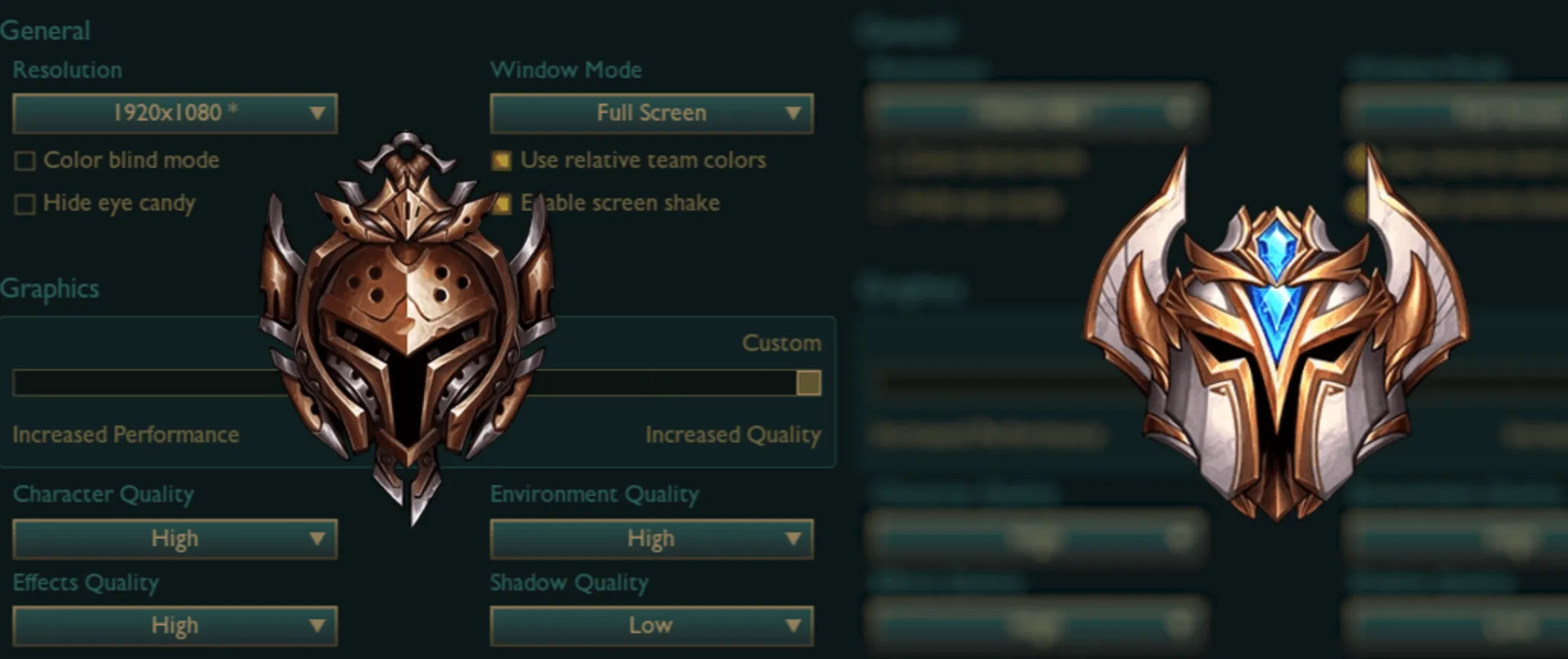
If you’re aiming for high FPS and smooth gameplay, optimizing your graphics settings is essential, especially on low or mid-range PCs. Lowering unnecessary visual effects can significantly reduce input lag and improve responsiveness, giving you an edge in competitive matches.
For maximum performance, set your resolution to your native display to maintain sharp visuals without unnecessary strain on your system. Full-screen mode is recommended, as it minimizes background processes and helps stabilize FPS. Lower character, environment, and effects quality to reduce system load while keeping the game clear and readable. Shadows should be turned off or set to very low, as they have a big impact on FPS without providing a real advantage.
To ensure smooth frame rates, uncap FPS or set it to match your monitor’s refresh rate if using a high-refresh display. Turn off V-Sync to prevent input lag and disable Anti-Aliasing to improve responsiveness. Character Inking, which adds outlines around champions, can also be turned off to keep visuals clean and focused.
For further performance boosts, enable Low Spec Mode in the client settings and disable HUD animations to reduce unnecessary CPU load. Closing background applications like browsers or Discord can free up extra resources, and keeping GPU drivers updated ensures the best possible performance.
By adjusting these settings, you’ll achieve higher FPS, smoother gameplay, and a more responsive experience, helping you focus purely on winning your matches without technical issues slowing you down.
Best High-End Graphics Settings for League of Legends
If you have a powerful PC, you can take advantage of League of Legends’ best visual settings without sacrificing performance. With a high refresh rate monitor and a strong GPU, you can enjoy crisp graphics, smooth animations, and immersive details while maintaining high FPS and low input lag.
For the best experience, set your resolution to your monitor’s native display for sharp visuals. Use Full-Screen mode to ensure stable performance and minimize distractions. Character, environment, and effects quality should be set to High or Very High, allowing you to enjoy detailed champion models, crisp terrain, and smooth ability effects without major performance drops. Shadows can be set to Medium or High if your system can handle them, as they add depth without drastically affecting FPS.
To ensure fluid motion and minimal stuttering, set FPS to Uncapped or match your monitor’s refresh rate (such as 144Hz or 240Hz for smoother gameplay). Enable Anti-Aliasing to smooth out jagged edges and turn on Character Inking for added detail around champions. While V-Sync is generally not recommended, you can enable it if you experience screen tearing, though it may introduce slight input lag.
For a balance between visuals and responsiveness, disable HUD animations if they feel distracting and keep Low Spec Mode off to ensure the highest graphical fidelity. Additionally, keeping your GPU drivers updated and closing unnecessary background applications can help maintain consistent performance.
With these optimized high-end settings, you can experience League of Legends with stunning visuals and fluid gameplay while maintaining high FPS and responsiveness, ensuring you get both a competitive edge and a visually immersive experience.
Conclusion
Optimizing your graphics settings in League of Legends can make a huge difference in performance, clarity, and overall gameplay experience. Whether you’re playing on a low-end PC and need higher FPS or have a high-end setup and want maximum visual quality, adjusting your settings to fit your system ensures smooth and responsive gameplay.
For competitive players, prioritizing high FPS, low input lag, and clear visuals is key—turning off unnecessary effects like shadows and anti-aliasing can help improve performance. On the other hand, if you’re running a powerful system, you can crank up settings like character detail, effects quality, and anti-aliasing for a more immersive experience while still maintaining fluid motion and high frame rates.
By following these optimized settings, you’ll enjoy better visibility, smoother gameplay, and an overall improved experience in League of Legends, helping you react faster, track fights more clearly, and ultimately perform better in every match.
Posted On: February 15th, 2025
Recent Articles


Our 1v9 support team is available 24/7 to help you with any questions or issues you may have.
support@1v9.gg

-a6d5b3e156bb.webp)





Loading...
1v9.gg is not endorsed or affiliated by any game developers or publishers.
2026 1v9, All Rights Reserved, Created By Ritesh (riteshsahoo.com)