

How to Delete Your Valorant Account: Step-by-Step Guide
Valorant has grown into one of Riot Games’ most popular competitive shooters, attracting millions of players with its ranked grind, agents, and esports scene. Still, some players eventually decide to walk away, whether it’s to take a long break, protect their account privacy, or fully move on from the game. Unlike simply uninstalling Valorant, deleting your account is a permanent action that removes all progress, cosmetics, and data tied to it. In this guide, we’ll walk you through exactly how to delete your Valorant account step by step, explain what happens during the deletion process, and highlight the key things you should consider before making the final decision.
How To Delete Your Valorant Account
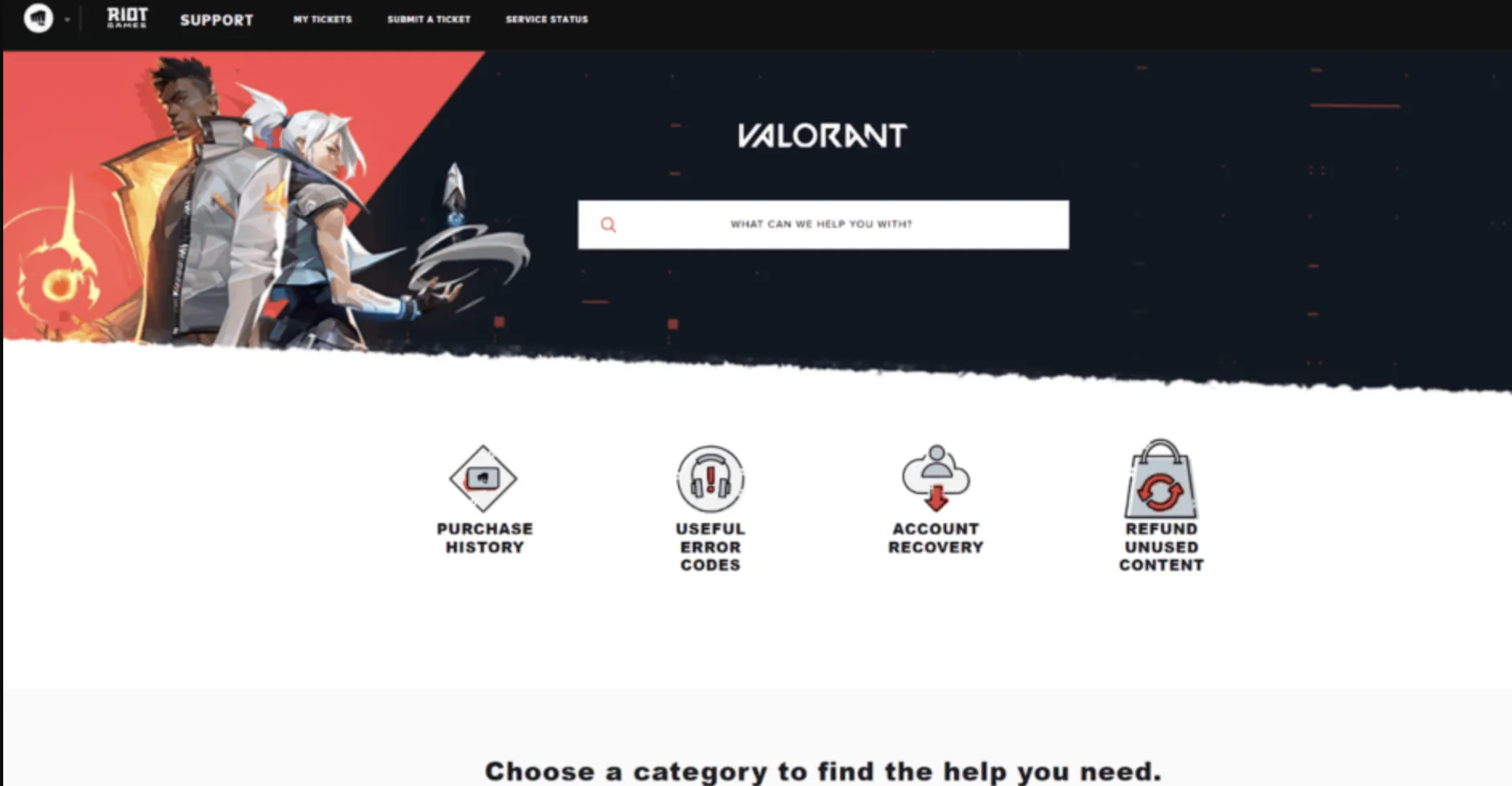
1. Go to Riot Games Support
Visit the Riot Games support website and log in using the Riot account linked to your Valorant profile.
2. Submit a Support Ticket
Once logged in, choose the option to submit a ticket. From the request categories, select Account Management, Data Requests, or Deletion.
3. Request Account Deletion
In the message box, clearly state that you want to permanently delete your Valorant (Riot) account. In the subject line, write something like “Account Deletion Request.”
4. Verify Account Ownership
Riot will ask you to confirm that you are the original owner of the account. Be ready to provide details such as:
• Riot account username
• In-game name and tag (e.g. Player#EUW)
• Region/server
• Approximate account creation date
• Country or city where the account was created
• Original email used to register the account
5. Wait for Confirmation
After verification, Riot will start the deletion process. Your account enters a 30-day pending deletion period, during which you won’t be able to play or access the account.
Important Things to Know Before Deleting Your Valorant Account
Before you go ahead and delete your Valorant account, there are a few critical things you should fully understand. Account deletion is permanent and affects more than just one game, so taking a moment to review these points can save you from irreversible mistakes.
First, deleting your Valorant account means deleting your entire Riot Games account. This includes all Riot titles linked to it, such as League of Legends, Teamfight Tactics, and Legends of Runeterra. Every skin, agent, rank, match history, and purchase tied to that account will be wiped permanently, with no way to restore them later. Even paid content and limited-time cosmetics are lost forever.
Second, Riot enforces a 30-day deletion waiting period. Once you submit the deletion request and it’s approved, your account becomes inaccessible for 30 days. During this time, you cannot log in or play. However, this window acts as a safety net, as you can still cancel the deletion by contacting Riot Support again and verifying ownership. Once those 30 days pass, the account is erased permanently from Riot’s systems.
Third, you must be able to prove that you are the original account owner. Riot will ask for specific details like your Riot ID, region, account creation information, and original email. If you cannot verify ownership, your request may be denied, or your account access could be temporarily restricted until verification is completed.
Finally, if your goal is simply to start fresh, deleting your account may not be the best option. Riot allows players to create and use multiple accounts. Creating a new Riot account lets you restart Valorant without losing your main account, skins, or progress in case you change your mind later.
Deleting your Valorant account should be treated as a last resort. Once it’s gone, there’s no recovery, so make sure you’re 100% certain before moving forward.
FAQs
Can I delete my Valorant account permanently?
Yes. Deleting your Valorant account permanently removes it from Riot Games, and the action cannot be undone once completed.
How long does it take to delete a Valorant account?
After submitting a deletion request, Riot takes up to 30 days to fully remove your account.
Can I cancel my Valorant account deletion request?
Yes, but only during the 30-day waiting period. You’ll need to contact Riot Support and verify account ownership.
Will deleting Valorant also delete my League of Legends account?
Yes. Valorant and League of Legends share the same Riot account, so deleting one removes access to all Riot games.
Can I create a new Valorant account after deletion?
Yes. Once the deletion is finalized, you can register a brand-new Riot account and start fresh.
Conclusion
Deleting your Valorant account is a serious and permanent decision, but Riot Games makes the process clear and straightforward if you’re sure it’s the right move. Once the request is submitted and verified, your account enters a 30-day waiting period before everything is fully erased, giving you one last chance to change your mind. Whether you’re stepping away from Valorant for good, resetting your Riot account, or just moving on to something new, understanding each step helps you avoid mistakes and lost access. Taking the time to review the requirements and consequences ensures you delete your account with confidence and no surprises later on.
Posted On: January 24th, 2026
Recent Articles


Our 1v9 support team is available 24/7 to help you with any questions or issues you may have.
support@1v9.gg

-a6d5b3e156bb.webp)





Loading...
1v9.gg is not endorsed or affiliated by any game developers or publishers.
2026 1v9, All Rights Reserved, Created By Ritesh (riteshsahoo.com)