

Reviewed August 23, 2026
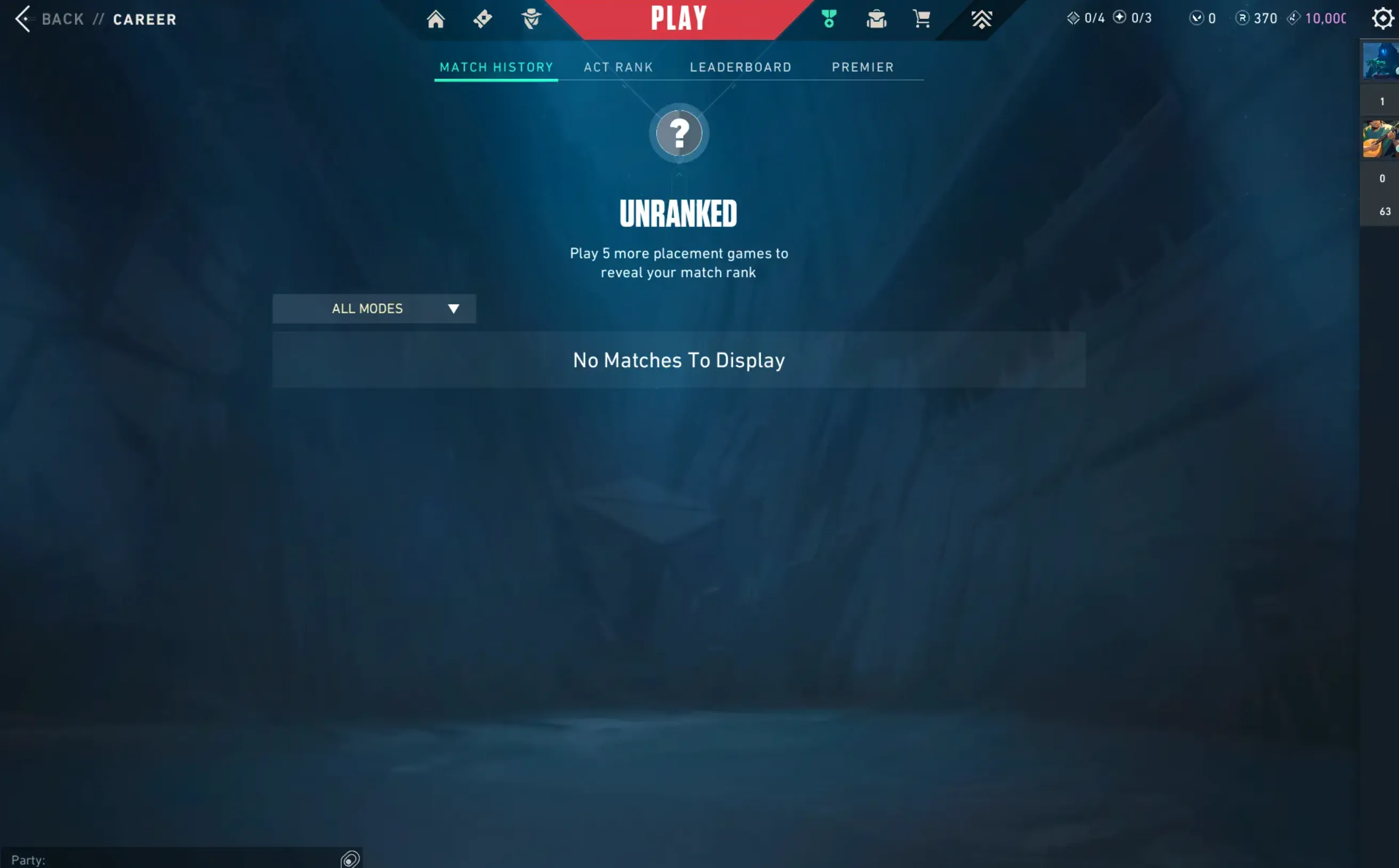
Valorant does not show one lifetime playtime counter inside the Riot Client. On PC, the quickest practical method is to open your profile on Tracker.gg, select All Acts, record the hours shown for every game mode, and add them together. On PlayStation 5 or Xbox Series X|S, you can also check the console's own game-time stat, but that number only represents activity recorded by that platform.
Which Valorant Playtime Method Should You Use?
No available counter measures every kind of Valorant activity on every platform. Pick the method that matches the question you actually want to answer.
| Method | Best for | What it measures | Main limitation |
|---|---|---|---|
| Tracker.gg | PC match time and mode breakdowns | Recorded match durations | Hours are split by mode and can miss unavailable data |
| Riot Client | Recent matches and current performance | Career and match-history records | No single lifetime-hours total |
| PS5 or Xbox | Time recorded on one console network | How long the game was active | May include menus or idle time and excludes PC sessions |
| Local launcher tracker | Tracking future PC sessions | Time the app is running after setup | Cannot reconstruct earlier hours |
On a phone, swipe the table sideways to see every column.
How to Check Your Valorant Hours With Tracker.gg
Tracker.gg is the fastest route because it organizes recorded match data by Act, playlist, agent, and map. Riot's own developer policy requires third-party Valorant stat products to use player opt-in, which is why you may need to authorize or claim your profile before the data appears.
- Open the Valorant Tracker.
- Select Sign in with Riot ID. Complete authorization only on Riot's own sign-in page.
- Open your profile or search for your current Riot ID in the format GameName#TAG.
- Set the period filter to All Acts. Leaving it on the current Act produces a seasonal total, not a lifetime estimate.
- Check every mode shown on the profile. Record the hours for Competitive, Unrated, Swiftplay, Spike Rush, Deathmatch, Team Deathmatch, and Premier where those tabs contain data.
- Add the mode totals. For example, 420 Competitive hours + 180 Unrated hours + 65 hours in shorter modes = 665 recorded match hours.
Find playtime by agent
The agent view is often more useful than the headline total. Set the same Act and mode filters, then sort or compare agents by time played. That shows where your experience actually sits: 700 hours spread across the roster is different from 700 hours concentrated on two Controllers. If you are deciding where to focus next, compare that breakdown with the current Valorant agent tier list.
What Does the Valorant Hours Total Include?
A tracker total is best understood as recorded match time, not every minute you spent around Valorant. Because the estimate is built from match records, it generally does not represent queue time, Agent Select, menus, Store browsing, patch downloads, or time spent idle with the client open. Practice Range sessions may also be absent because they are not ordinary completed matches.
Console time works differently. A platform counter can measure how long the application was active, which may include menus and idle time. That explains why a PS5 or Xbox total can be higher than a match-based tracker even when neither number is broken.
Do not add overlapping counters blindly
If you play on both PC and console, first check whether the tracker already shows your console matches. Adding two totals that cover some of the same sessions will double-count them. Treat platform hours and match hours as separate measurements unless you can confirm their date and device ranges do not overlap.

Need help identifying those playlists? The Valorant game modes guide explains how the permanent and rotating modes differ.
How to Check Valorant Hours on PS5 and Xbox
PlayStation 5
- Select your profile icon from the PS5 home screen.
- Open Profile, then choose the Games tab.
- Find Valorant and read the playtime shown with the game entry.
The value belongs to your PlayStation activity. It does not merge earlier PC or Xbox sessions, and system-level hours can differ from actual match duration.
Xbox Series X|S
- Press the Xbox button and open Game activity.
- Choose All achievements, then select Valorant.
- Open Stats and look for Time played.
If the stat is missing, check the Xbox mobile app under your profile and achievements. Availability and presentation can change with dashboard updates, so use Tracker.gg as the match-based alternative.
Can Riot Give You an Official Playtime Total?
You can request access to personal information Riot holds through Riot Player Support. That route is useful when you want an account-data archive, but it is slower than a tracker and should not be treated as a guaranteed ready-made “hours played” report. The export may require you to interpret records rather than read one clean total.
Riot's Valorant API documentation confirms that approved apps can access match history and aggregate player stats after the player opts in through Riot Sign On. That is the foundation for legitimate stat services; it does not create a lifetime counter inside the Riot Client itself.
Convert Valorant Hours Into Days
Divide your hours by 24 to see the equivalent number of full days. This is only a conversion; it does not mean you played continuously.
| Hours played | Equivalent full days |
|---|---|
| 100 hours | 4.2 days |
| 500 hours | 20.8 days |
| 1,000 hours | 41.7 days |
| 2,000 hours | 83.3 days |
Why Your Valorant Hours Look Wrong
- The profile is private or unclaimed. Sign in through Riot authorization so the tracker can associate the correct account.
- You searched the login username. Use the visible Riot ID and tag, such as PlayerName#NA1, not the private username used to sign in.
- The filter is on the current Act. Change it to All Acts before treating the number as a lifetime estimate.
- You counted only Competitive. Add every playlist with recorded hours; shorter modes can become a large share over several years.
- Two services measure different activity. Match duration, app-open time, idle time, and practice time are not interchangeable.
- Older records are incomplete. A third-party service can only calculate from data it can retrieve, so treat the result as an estimate rather than an audited clock.
A high hour count also does not map neatly to a specific rank. Improvement depends on the quality of practice, prior shooter experience, decision-making, communication, and consistency. Use the Valorant ranking system guide for the current ladder mechanics, or follow the 15-minute Valorant warm-up if you want those hours to become more deliberate practice.
Valorant Playtime FAQ
Can you see hours played in the Riot Client?
No. The Valorant Career area shows matches, Act performance, and other stats, but it does not display one lifetime playtime counter.
Is Tracker.gg accurate for Valorant hours?
It provides a useful match-based estimate from available records. It can differ from a platform timer because it may exclude menus, queue time, practice sessions, idle time, or unavailable older matches.
Can you check another player's hours?
Only when that player has opted into the service and left the profile public. Riot's policy requires opt-in for apps that display identifiable player stats.
Does Valorant playtime include The Range?
A match-history tracker generally will not capture The Range the same way it captures completed playlists. A console or local app timer may count it because the game remains open.
What is the most accurate Valorant playtime number?
There is no universal number. Use Tracker.gg for recorded match duration and a PS5, Xbox, or local launcher timer for total app-open time. State which measurement you are using whenever you compare hours with someone else.
Sources and Update Policy
This guide was checked on August 23, 2026. Tracker interfaces and console menus can change, so the steps will be reviewed when Riot, Tracker Network, PlayStation, or Xbox changes how player statistics are exposed.
The useful number is the one you can define. Use match hours to measure time spent actually playing rounds, and platform hours to understand how long Valorant has been open on a device.


-a6d5b3e156bb.webp)





