

Best Magneto Crosshair And Reticle Code Settings
Magneto is one of those heroes in Marvel Rivals that rewards precision and smart positioning. His projectile-based attacks, shield control, and ability timing mean that small adjustments in your crosshair and settings can make a noticeable difference in real matches. If your reticle feels off or your sensitivity isn’t dialed in, it becomes much harder to land consistent shots or react quickly in chaotic fights.
In this guide, we’ll break down the best Magneto settings, crosshair design, and full reticle code so you can optimize your setup properly. The goal is simple: give you a clean, practical configuration that improves accuracy, helps with projectile tracking, and keeps your screen clear during team fights. Whether you’re holding space for your team or pressuring enemies at mid-range, the right setup will make Magneto feel smoother and more reliable overall.
Best Magneto Crosshair in Marvel Rivals
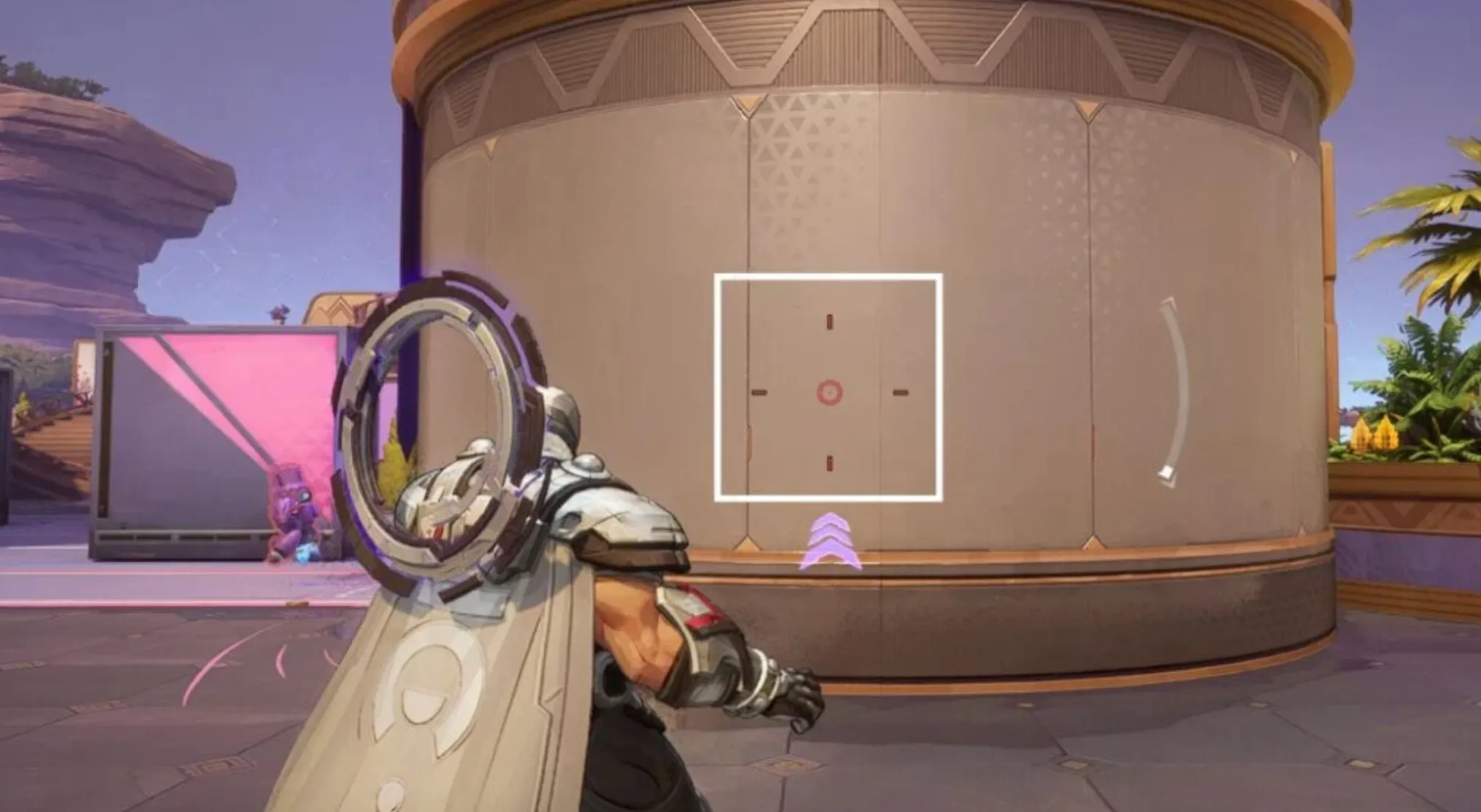
Magneto’s Iron Volley can feel tricky at first because the projectiles move much slower than hitscan heroes. If you’re coming from characters where shots land instantly, you’ll quickly realize that aiming directly at a moving target with Magneto often results in missed damage. His attacks require proper leading, and that’s exactly why this crosshair setup makes such a difference.
Instead of relying on a single dot, this design gives you extra visual references that help you judge movement and spacing more naturally.
Center Circle
The small center circle is your anchor point. It’s ideal for close fights or against enemies who are barely moving. At short range — roughly under 10 meters — you can focus on the center and treat it almost like standard aim tracking.
Side Rectangles
The longer side bars are where this crosshair really shines. They act as built-in lead indicators. Since Iron Volley travels slowly, you need to aim ahead of strafing targets rather than directly at them.
If an enemy is moving from right to left, you position your aim slightly toward the side they’re heading into. The opposite rectangle becomes your reference point for spacing. This gives your projectile time to travel and connect instead of landing behind them.
Once you start using these side markers as visual guides instead of guessing distance, landing consistent shots becomes much easier. It turns Magneto from a frustrating projectile hero into a much more controlled and reliable damage dealer.
Overall, this Magneto crosshair in Marvel Rivals is built around one key idea: helping you understand movement timing. With the right visual spacing, you’ll hit more volleys, apply more pressure, and feel far more confident in mid-range fights.
Magneto Reticle Code in Marvel Rivals
If you don’t want to adjust every value manually, you can paste the full Magneto crosshair string directly into Marvel Rivals. This will instantly apply the projectile-focused reticle designed to help with leading Iron Volley shots.
Magneto Reticle Code:
4;0.0;10.0,0.0,10.0,0.0;100.0,80.0,60.0,48.0;50.0,70.0,0.0,0.0;100.0,100.0,100.0,100.0;0.0,0.0,0.0,0.0;33.0,100.0,16.0,33.0;16.0;100.0,80.0,60.0,48.0;0.0;1,1,1,1;1.0,1.0,1.0;
This Magneto reticle in Marvel Rivals is built around projectile timing rather than instant-hit aim. The side elements act as visual guides for leading moving enemies, while the center keeps your close-range tracking stable.
After importing the code, you can still tweak small details like colors or opacity to match your preference, but the structure itself is designed to improve consistency with Magneto’s slower projectile speed.
Magneto Crosshair Settings in Marvel Rivals
If you prefer setting everything up manually instead of importing the reticle code, here’s how to configure this Magneto crosshair step by step and why each value matters.
Start by selecting Circle and Crosshair as your reticle type and turn Reticle Animation off. Keeping animation disabled ensures the crosshair remains steady while tracking targets, which is important for leading slower projectiles like Iron Volley.
For this setup, the Dot Width is set to 0, meaning the traditional center dot is effectively removed. Since this crosshair relies more on spacing references than a hard center point, the dot isn’t the main focus here. Keep Dot Opacity low (around 48) and Dot Outline Width at 0 to avoid clutter.
The Circle Width should be set to 10, with Circle Opacity around 60. This creates a subtle central reference without overwhelming your view. The Circle Radius at 16 keeps it compact and useful for short-range engagements.
For the crosshair lines, keep Crosshair Width at 0 but increase Crosshair Opacity to 80 so the side elements remain clearly visible. Set the Crosshair Length to 16 and keep the Angle at 0 for clean horizontal alignment. The Crosshair Radius at 100 spaces the side markers far enough from the center to act as lead indicators. Increase the Crosshair Outline Width to 70 with full opacity to maintain visibility against bright backgrounds.
Blur settings for dot, crosshair, and circle should all remain at 0 to keep everything sharp and easy to read.
For colors, use Red for the dot, crosshair, and circle. Keeping everything one color maintains visual consistency and helps you quickly read movement spacing without distraction.
This Magneto crosshair configuration in Marvel Rivals is built specifically for projectile leading. Instead of focusing purely on a center point, it gives you wider visual references to judge enemy movement and properly time your Iron Volley shots. Once you get comfortable using those side markers as spacing guides, you’ll land far more consistent damage at mid-range.
Best Magneto Hero Settings in Marvel Rivals
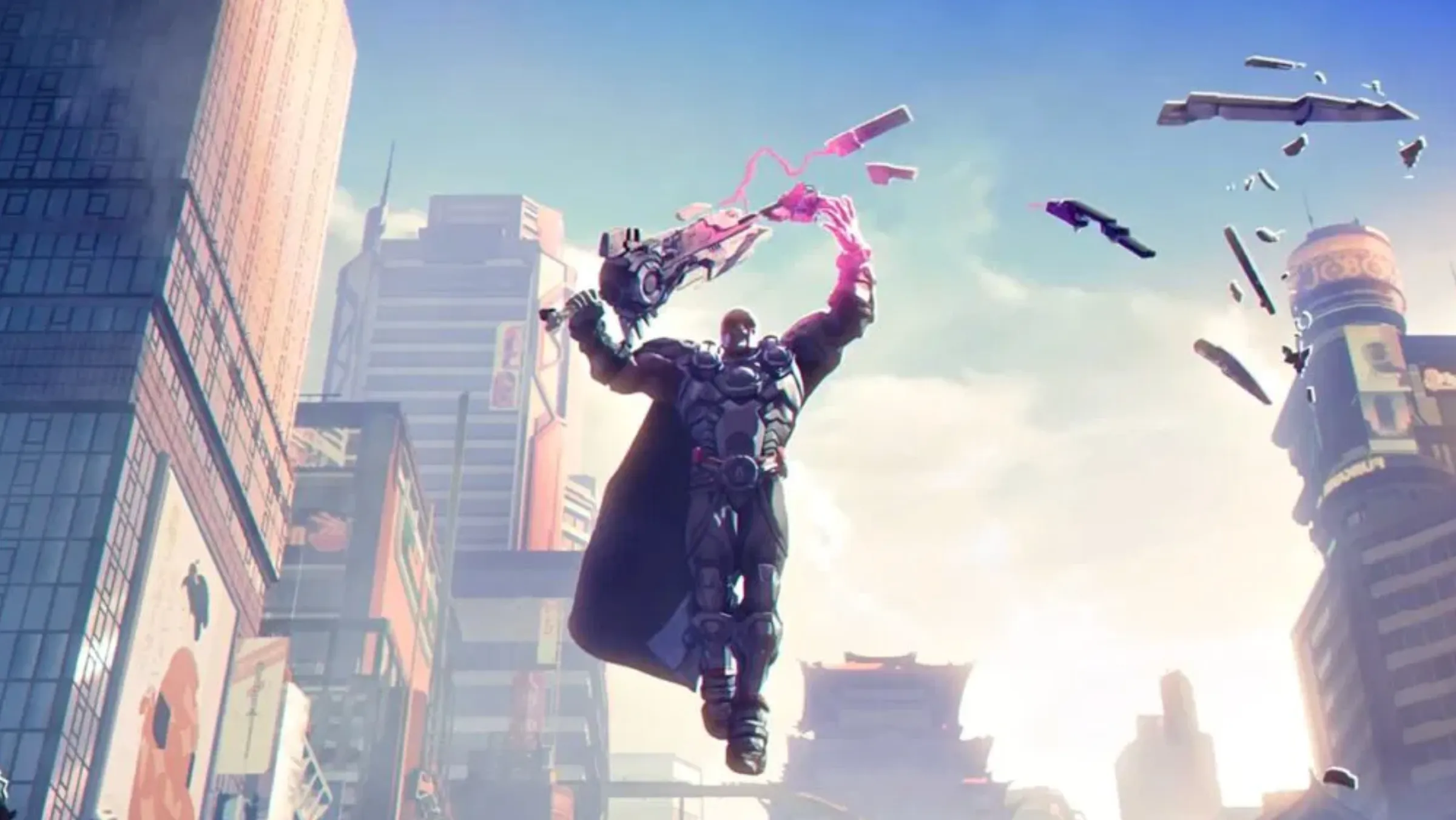
Magneto plays best when your aim feels controlled and consistent. Since his Iron Volley projectiles travel slowly, you don’t need extremely high sensitivity. In fact, slightly lower settings often make leading shots much easier.
For sensitivity, keep both Mouse Horizontal Sensitivity and Mouse Vertical Sensitivity between 2 and 4. This range allows smoother tracking and better projectile control. If you struggle with over-aiming, stay closer to 2. If you prefer quicker camera turns, move toward 4.
Make sure Invert Horizontal Look and Invert Vertical Look are turned off, unless you’re personally used to inverted controls. Standard camera movement works best for most players.
Disable both Mouse Smoothing and Mouse Acceleration. These can introduce small inconsistencies in your aim, especially when trying to precisely lead moving targets. Turning them off ensures your input stays predictable and responsive.
Keep Allied Health Bars turned on at all times. Magneto often plays around space control and protection, so being aware of teammate health helps you decide when to shield, reposition, or pressure.
Set Hold to Fall Slowly to On. This gives you better control when repositioning vertically and makes it easier to manage height without committing fully.
For barrier control, keep Hold to Keep Barrier Active set to Off. Toggling the barrier instead of holding the button reduces strain and makes quick adjustments smoother during fights.
Finally, Targeting Sensitivity of Metal Bulwark comes down to personal comfort. A value around 60 feels balanced — responsive without being too twitchy — but you can adjust it slightly up or down depending on how fast you like to reposition your shield.
These Magneto hero settings in Marvel Rivals are built around control, awareness, and projectile consistency. With lower sensitivity and clean input, you’ll find it much easier to land volleys, manage your barrier, and maintain pressure in mid-range fights.
Conclusion
Getting the best Magneto settings, crosshair, and reticle code in Marvel Rivals is all about adapting to his projectile-based playstyle. Unlike hitscan heroes, Magneto rewards patience, spacing, and smart shot leading. The right crosshair helps you understand movement timing, while properly tuned sensitivity makes landing Iron Volley shots feel far more consistent.
By using a reticle built for leading targets and pairing it with controlled sensitivity, no mouse acceleration, and clean barrier settings, you remove a lot of the frustration that comes with slower projectiles. Instead of guessing where to aim, you’ll have clear visual references that guide your shots naturally.
At the end of the day, Magneto is strongest when you stay in control — of your positioning, your shield, and your aim. With these optimized settings and crosshair adjustments, you’ll apply more pressure, land more consistent damage, and feel much more confident in every fight.
Posted On: March 10th, 2026
Recent Articles


Our 1v9 support team is available 24/7 to help you with any questions or issues you may have.
support@1v9.gg


-a6d5b3e156bb.webp)





Loading...
1v9.gg is not endorsed or affiliated by any game developers or publishers.
2026 1v9, All Rights Reserved, Created By Ritesh (riteshsahoo.com)