


Best Doctor Strange Crosshair And Reticle Code Settings
Doctor Strange plays very differently compared to most heroes in Marvel Rivals. He’s not just about raw damage — he’s about control, positioning, and smart ability usage. Because of that, your crosshair setup matters more than you might think. A clean and practical reticle helps you aim his primary attacks consistently while keeping your screen clear enough to track enemies, teammates, and portal placements without distractions.
In this guide, we’ll break down the best Doctor Strange crosshair in Marvel Rivals, including the full reticle code and the exact settings you should use. The goal is simple: give you a setup that feels smooth, readable, and reliable in both close fights and mid-range pressure. Whether you’re holding space for your team or setting up aggressive plays, the right crosshair will help you stay accurate and in control every match.
Best Doctor Strange Crosshair in Marvel Rivals
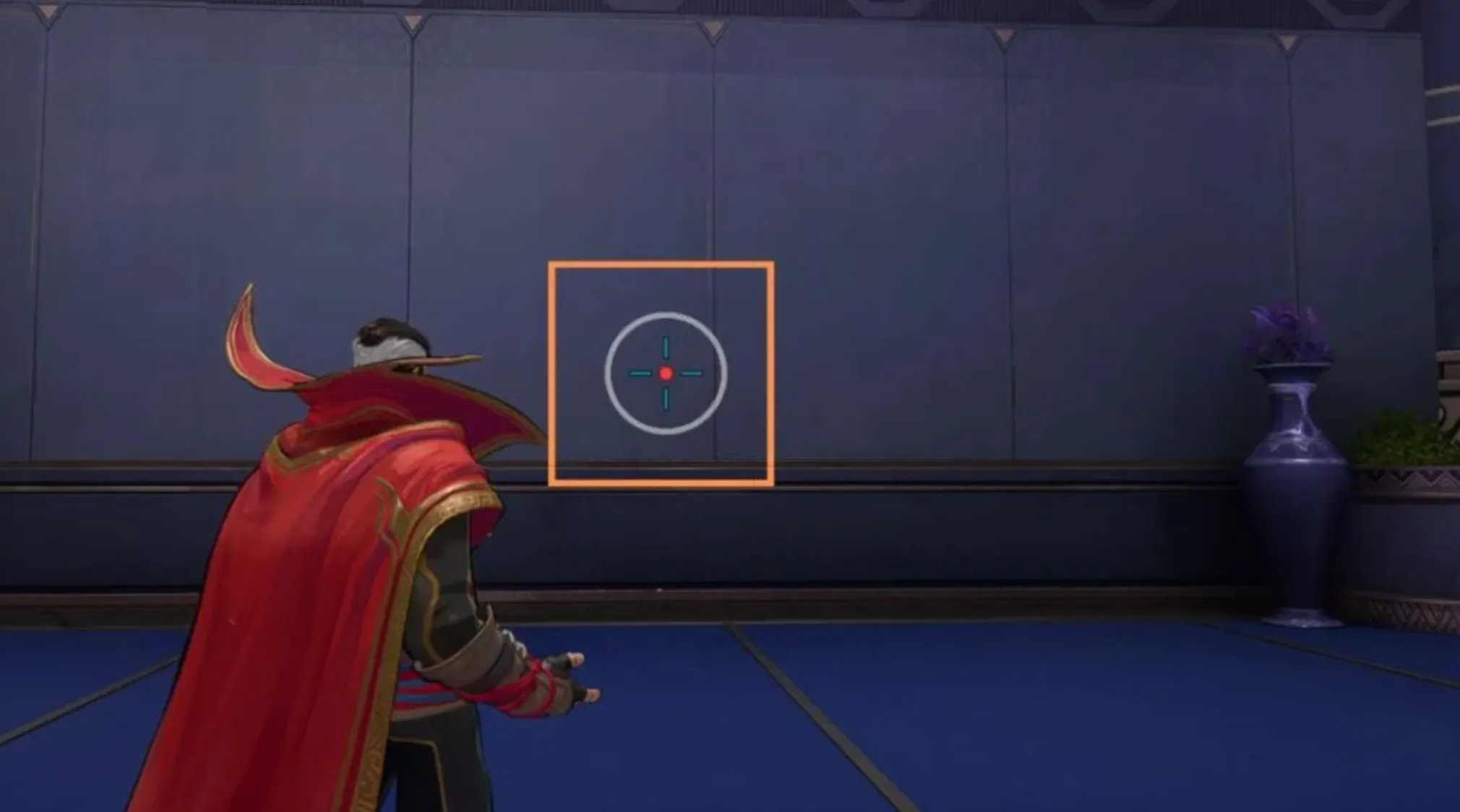
Doctor Strange’s Daggers of Denak don’t behave the same at every distance, which is why using a basic dot alone doesn’t always give you the best results. His projectile pattern tightens the farther it travels, so your crosshair should help you understand both spread and range at a glance. This updated setup is built to give you better visual feedback for close pressure, mid-range control, and long-range poke.
Here’s how each element of the Doctor Strange crosshair works:
Outer Circle
The outer circle is designed to roughly reflect the dagger spread around the 10-meter mark. At this range, your projectiles are still separated, so the circle gives you a visual idea of how wide your shots can land.
Since Doctor Strange is projectile-based and not hitscan, this circle also becomes useful when aiming at moving enemies. At mid to long range, you can use the circle as a guide to slightly lead targets instead of relying only on the center dot.
Center Dot
The center dot represents the tighter spread you get at around 30 meters, where the daggers almost converge into a single line. At longer distances — especially against stationary targets — the dot becomes your main reference point.
When you’re holding angles or poking from range, focus on the dot for clean, consistent shots rather than the outer circle.
Crosshair Lines (Optional)
The traditional crosshair lines are there as a range reference tool. Their height is roughly aligned with the size of an average hero at around 30 meters. This can help you judge whether you’re inside optimal damage range or slightly too far.
If the crosshair appears taller than your target, you’re likely just outside ideal range. When the crosshair looks slightly shorter than the enemy’s model, you’re usually in a good position to land consistent hits.
That said, this feature is optional. In hectic fights, extra lines can feel distracting. You can reduce their opacity or disable them entirely if you prefer a cleaner screen.
Also keep in mind that hero size matters. Larger characters will naturally extend above the line, while smaller heroes may sit below it. It won’t be perfectly accurate for every situation, but it gives you a reliable reference point in most engagements.
Overall, this Doctor Strange crosshair in Marvel Rivals is built to improve your understanding of projectile spread, help with leading shots, and give you better awareness of effective range — all without cluttering your screen.
Doctor Strange Reticle Code in Marvel Rivals
If you’d rather paste the full setup instead of adjusting every value manually, you can use the complete Doctor Strange reticle string below. Just copy it and import it directly into your Marvel Rivals crosshair settings.
Doctor Strange Crosshair Code:
4;0;10.0,0.0,50.0,30.0;100.0,80.0,50.0,100.0;50.0,70.0,0.0,40.0;100.0,100.0,100.0,100.0;0.0,0.0,0.0,20.0;33.0,24.0,87.0,33.0;28.0;100.0,80.0,50.0,100.0;0.0;5,4,5,1;1.0,1.0,1.0;
This Doctor Strange crosshair in Marvel Rivals is built to reflect his projectile behavior at different ranges. The circle helps visualize dagger spread at close to mid distance, while the center dot supports more accurate long-range shots when the daggers tighten up.
If you prefer a faster setup process, using this reticle code will instantly apply the full design. From there, you can still tweak colors or opacity slightly to match your personal preference without changing the overall structure.
Doctor Strange Crosshair Settings in Marvel Rivals
If you want to recreate this Doctor Strange crosshair manually instead of using the reticle code, here’s the exact configuration and what each choice is meant to accomplish.
Start by setting the Reticle Type to Circle and Crosshair and turn Reticle Animation off. Keeping animation disabled ensures the crosshair stays stable while casting daggers, which helps with consistent tracking and spacing.
For the center dot, use a Dot Width of 30 with 100 opacity so it stays clearly visible in every fight. Add a strong outline by setting the Dot Outline Width to 40 with full opacity. A slight Dot Blur around 20 softens the edges just enough to prevent it from feeling too sharp while still keeping it precise.
For the crosshair lines, keep the Crosshair Width at 0 but increase Crosshair Opacity to 80. Set the Crosshair Length to 28 and leave the Angle at 0 for a clean horizontal and vertical alignment. The Crosshair Outline Width at 70, with full opacity, helps the lines remain visible even against bright effects or abilities.
Now for the circle settings. Set the Circle Width to 50 and reduce Circle Opacity to 50 so it stays semi-transparent and doesn’t block your vision. Use a Circle Radius of 87 to reflect mid-range dagger spread, and keep blur at 0 for clarity. The outline width can stay at 0 since the opacity already keeps it readable.
For radius positioning, use a Crosshair Radius of 24, which balances the spacing between the center dot and circle, making the spread reference feel natural without overcrowding your screen.
For colors, this setup works best with a Red dot for clear precision focus, Blue crosshair lines for range reference, and a White outer circle for neutral visibility across all maps and lighting conditions.
This Doctor Strange crosshair configuration in Marvel Rivals gives you a clear center for long-range accuracy, structured lines for distance judgment, and a subtle circle to understand projectile spread — all while keeping your screen clean enough to focus on positioning and portal control.
Best Doctor Strange Hero Settings in Marvel Rivals
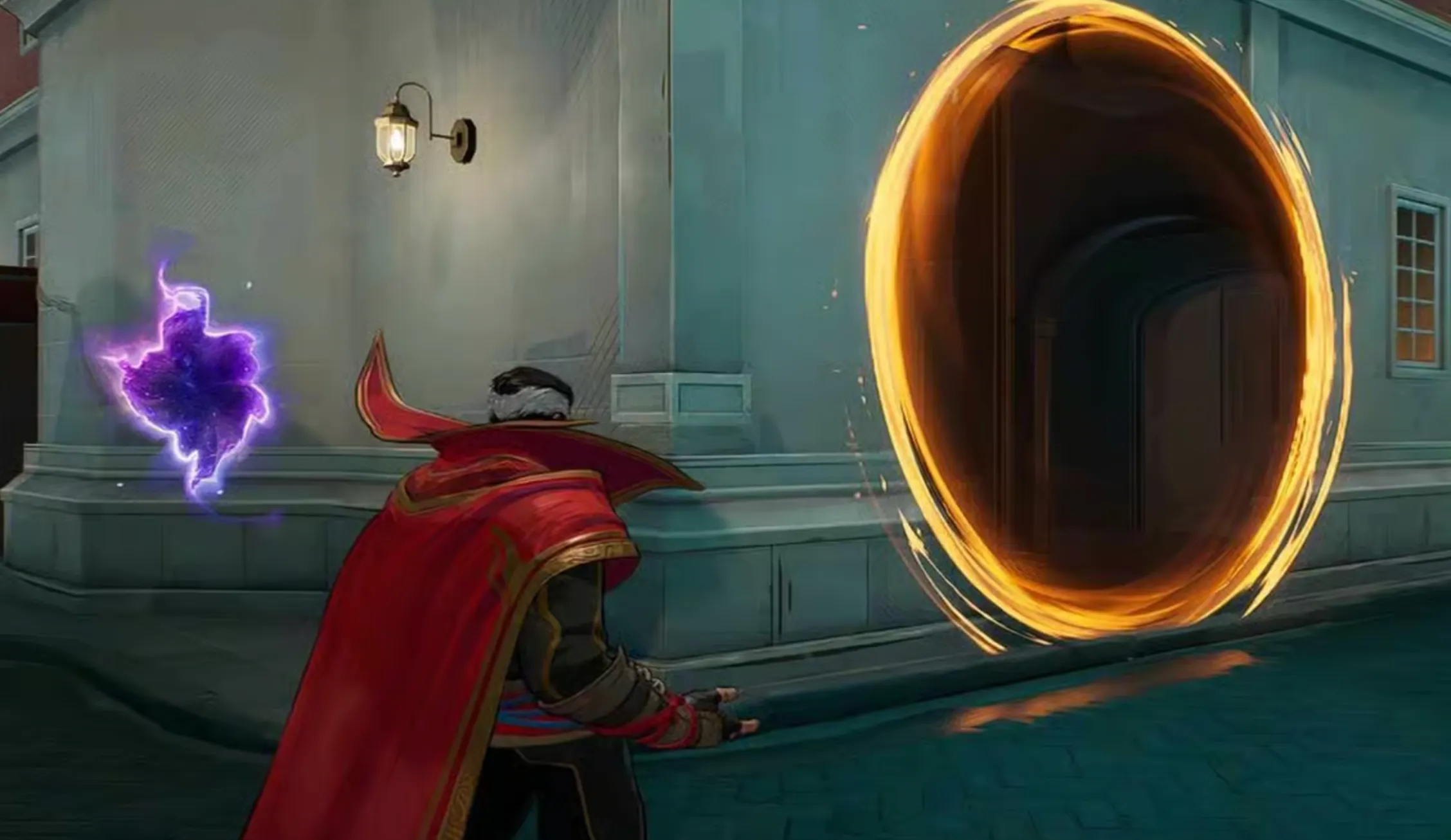
Beyond the right crosshair, your hero settings also play a big role in how smooth Doctor Strange feels during fights. Since he relies on positioning, controlled projectile aim, and proper barrier timing, you want settings that feel stable and predictable.
For sensitivity, keep both Mouse Horizontal Sensitivity and Mouse Vertical Sensitivity between 3 and 5. This range gives you enough control for mid-range dagger tracking without making your aim feel too slow when turning to reposition or react to flankers. If you prefer precision over speed, stay closer to 3. If you like slightly faster camera movement, lean toward 5.
Make sure Invert Horizontal Look and Invert Vertical Look are turned off, unless you personally play inverted. Most players perform better with standard camera movement.
Disable both Mouse Smoothing and Mouse Acceleration. These settings can make your aim feel inconsistent, especially when trying to land precise dagger shots at range. Turning them off keeps your mouse input raw and more predictable.
Keep Allied Health Bars enabled at all times. As Doctor Strange, you’re often playing a control role and supporting your team with positioning and barrier usage. Seeing your teammates’ health clearly helps you decide when to hold space, retreat, or commit.
For barrier control, set Hold to Keep Barrier Active to Off. This allows you to toggle the barrier instead of holding the key down constantly. It reduces finger strain and makes it easier to reposition or quickly drop the shield when needed.
These Doctor Strange hero settings in Marvel Rivals focus on consistency, awareness, and control — all key factors when playing a character that rewards smart positioning and clean projectile aim.
Conclusion
Choosing the best Doctor Strange crosshair and settings in Marvel Rivals isn’t just about aesthetics — it’s about improving your control, spacing, and consistency in real matches. Since his Daggers of Denak change behavior depending on range, having a crosshair that visually represents spread and distance makes landing shots much more reliable.
With the right combination of a clear center dot, a supportive outer circle, and optional range reference lines, you gain better awareness of when to poke, when to lead your shots, and when you’re inside optimal damage range. Pair that with stable sensitivity, no mouse acceleration, and proper barrier settings, and Doctor Strange starts to feel much smoother and more predictable in fights.
Whether you use the full reticle code or manually adjust each setting, the goal stays the same: cleaner aim, smarter positioning, and more control over every engagement. Once you get comfortable with this setup, you’ll notice better consistency in both mid-range pressure and long-distance dagger shots.
Posted On: March 10th, 2026
Recent Articles


Our 1v9 support team is available 24/7 to help you with any questions or issues you may have.
support@1v9.gg


-a6d5b3e156bb.webp)





Loading...
1v9.gg is not endorsed or affiliated by any game developers or publishers.
2026 1v9, All Rights Reserved, Created By Ritesh (riteshsahoo.com)