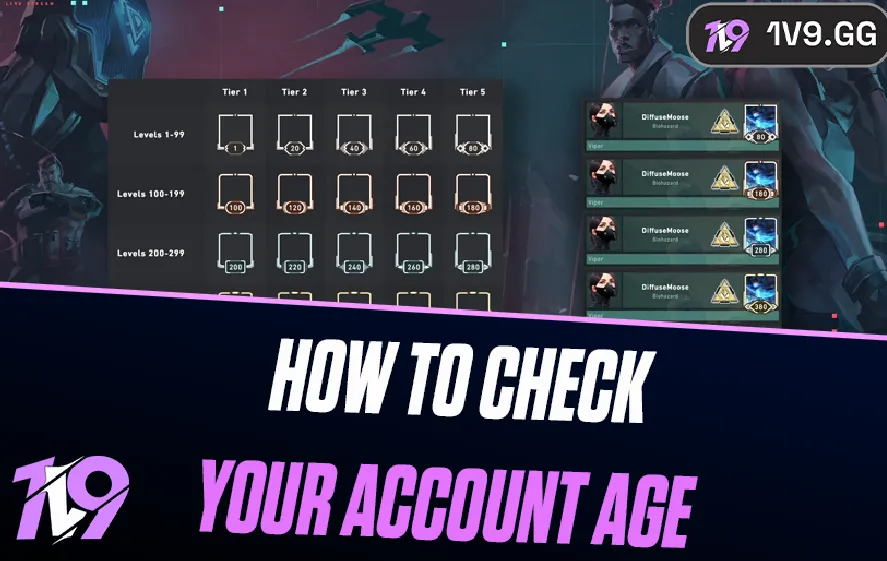


How To Check Your Account Age in Valorant?
Many Valorant players eventually get curious about how old their account actually is. Maybe you started playing during the early beta, or perhaps you joined a few episodes later and just want to know when your account was first created. Knowing your account age can give you a better idea of how long you’ve been playing and how much time you’ve spent progressing through the game.
The problem is that Valorant doesn’t clearly display your account creation date inside the client. There isn’t a simple profile page or menu option that tells you the exact day your Riot account was made, which leaves many players unsure where to look.
The good news is that there are still several ways to estimate or find your Valorant account age. By checking your Riot account details, looking at your earliest matches, or reviewing your email history, you can usually get a reliable idea of when your account was first created.
In this guide, we’ll go through the different methods you can use to check your Valorant account age, helping you determine when your account was created and how long you’ve been playing the game.
How to Check Your Valorant Account Creation Date

If you want to know exactly when your Valorant account was created, Riot actually makes it fairly easy to find this information through your account settings. Most players simply never notice where it’s located inside the client.
Follow these steps to check your Valorant account creation date:
1. Launch Valorant on your computer and log into your Riot account.
2. Once the client opens, click the settings icon in the bottom-right corner of the screen.
3. From the menu that appears, choose Account.
4. This will open your Riot account page in a browser.
5. Go to the Account Information section.
6. Here you’ll be able to see your account creation date, which shows the exact day your Riot account was first registered.
Another easy option is checking it directly through Riot’s website. Simply log into your Riot Games account in a browser and open your profile or account settings page. The account details section usually includes the same creation date information.
Knowing when your Valorant account was created can be useful if you’re trying to verify ownership, track how long you’ve been playing, or simply look back at when you first started your journey in the game.
Why You Might Want to Check Your Valorant Account Age
Valorant has grown into one of the biggest competitive FPS games in the world, and many players have accounts that are several years old. Knowing when your account was originally created can actually be more useful than most players realize.
For starters, your Valorant account age can help confirm account ownership. If you ever need to contact Riot support, details like the creation date can make it easier to prove that the account belongs to you. This becomes especially important if your account gets locked, compromised, or you lose access to your login information.
It also plays a role in account security and recovery. When recovering a Riot account, support teams often ask questions about the account’s history, and knowing roughly when it was created can help verify your identity faster.
Another reason players check their Valorant account age is simply to track their time with the game. Seeing when you first started playing can give you a better idea of how long you’ve been grinding ranked, collecting skins, and improving your gameplay.
Finally, account age can matter if you ever plan to sell or trade a Valorant account. Older accounts with a clean history often appear more trustworthy to buyers, especially if they include rare skins or early battle pass items. Because of this, the creation date can sometimes influence how valuable an account is in player marketplaces.
FAQs About Valorant Account Age
Can other players see my Valorant account age?
No, the creation date of your Valorant account is private. Only you can see it through your Riot account settings. Other players cannot view your account age from your profile or in-game.
Does deleting Valorant change my account creation date?
No. Uninstalling or reinstalling Valorant does not affect your account age. Your Riot account creation date stays the same as long as you log back in with the same account.
Does account age affect matchmaking in Valorant?
No, account age has no impact on matchmaking. Valorant matchmaking is based on your rank and hidden MMR, not on how old your account is.
Conclusion
Checking your Valorant account age is a simple process once you know where to look. While Riot doesn’t display this information directly inside the game client for everyone, you can usually find it through your Riot account settings in just a few steps. Knowing when your account was created can be useful for several reasons, whether you’re verifying ownership, recovering your account, or just curious about how long you’ve been playing Valorant.
For many players, account age also adds context to their overall progress in the game. Seeing the date your journey started can remind you how far you’ve come, from your first matches to your current rank and skin collection. Even though it doesn’t affect gameplay or matchmaking, your Valorant account creation date can still be a helpful detail to keep in mind, especially when managing your account or contacting Riot support.
Learn how to check your Valorant account age and find your Riot account creation date with simple steps. Discover how long you’ve been playing Valorant.
Posted On: March 15th, 2026
Recent Articles


Our 1v9 support team is available 24/7 to help you with any questions or issues you may have.
support@1v9.gg

-a6d5b3e156bb.webp)





Loading...
1v9.gg is not endorsed or affiliated by any game developers or publishers.
2026 1v9, All Rights Reserved, Created By Ritesh (riteshsahoo.com)