

Where to Find Genshin Impact Screenshot Folder
Genshin Impact includes a built-in Photo Mode that makes it easy to take high-quality screenshots directly inside the game, without needing any external tools. This feature lets players freely move the camera, adjust zoom, change character poses and facial expressions, add background blur, and remove the interface to create clean, cinematic shots of both characters and the world. Every image you capture is saved automatically, but many players aren’t sure where those files actually go afterward. Once you know the exact folder location on your device, finding, organizing, and sharing your screenshots becomes much easier. In this guide, we’ll explain how Photo Mode works and show you where Genshin Impact saves screenshots on PC, mobile, and console platforms so you can access them without any hassle.
How To Use Genshin Impact Photo Mode
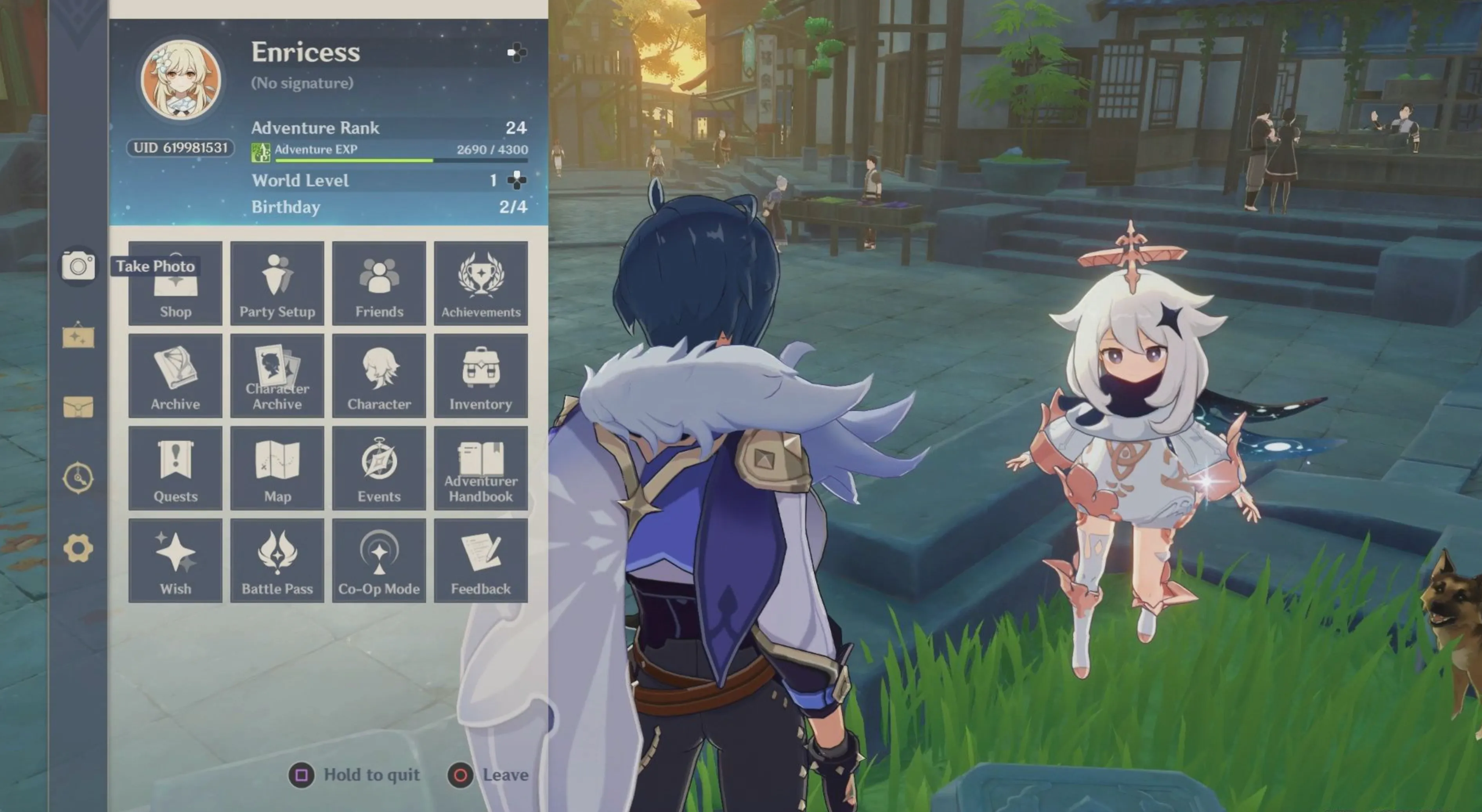
Taking screenshots in Genshin Impact is quick and simple thanks to the built-in Photo Mode. To get started, launch the game and sign in as usual, then open the main menu by pressing ESC on PC or tapping the Paimon icon on mobile. From there, select the camera icon on the left side of the menu to enter Photo Mode. Once it’s open, you’ll have full control over how your screenshot looks, including camera placement, angle, and zoom. You can also change your character’s pose and facial expression, add depth with background blur, and turn off the interface entirely to capture clean, polished images of the world or your favorite characters.
Genshin Impact Screenshot Folder Location
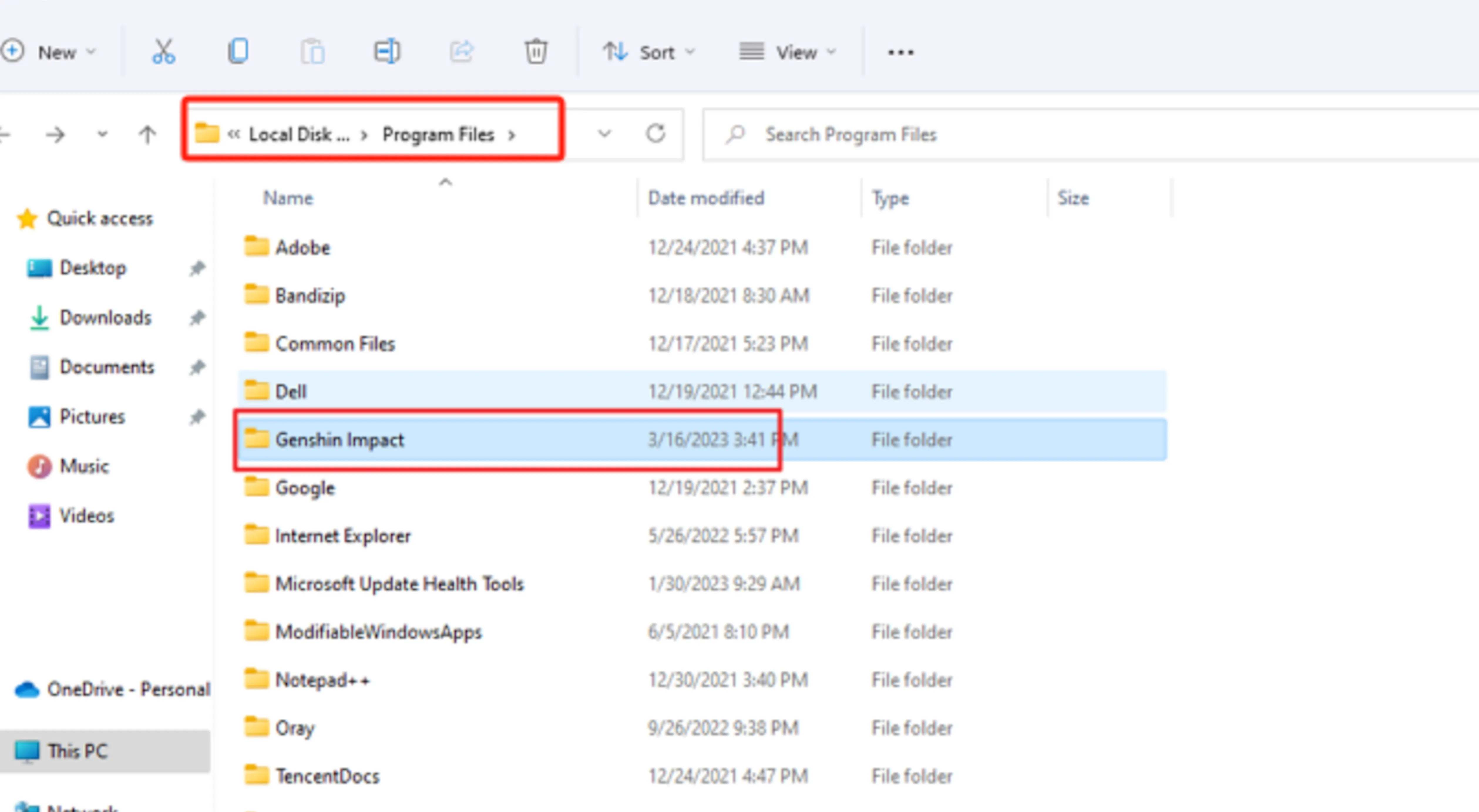
Every image you capture using Photo Mode in Genshin Impact is saved automatically inside the game’s main installation directory. The screenshots are placed in a dedicated subfolder, so nothing gets mixed in with system screenshots or other game files. If you installed the game on your main drive using the default settings, you can usually find your photos at C:\Program Files\Genshin Impact\Genshin Impact Game\ScreenShot. For players who chose a different drive or custom install location, the process is the same—open the folder where Genshin Impact is installed, then go into Genshin Impact Game and open the ScreenShot folder. Inside, you’ll see every photo you’ve taken saved as individual image files, ready to view, edit, or share.
FAQs
Where are Genshin Impact screenshots saved on PC?
Screenshots taken using Photo Mode in Genshin Impact are saved inside the game’s installation folder, specifically in the ScreenShot subfolder within the Genshin Impact Game directory.
Do screenshots save automatically when using Photo Mode?
Yes, every photo taken in Photo Mode is saved automatically. You don’t need to manually export or confirm anything after taking the screenshot.
Can I change the screenshot save location?
No, Genshin Impact does not currently allow players to customize the screenshot folder location. All Photo Mode images are stored in the same directory as the game files.
Are Photo Mode screenshots different from system screenshots?
Yes, Photo Mode images are separate from screenshots taken with system shortcuts like Print Screen or platform capture tools. They are saved directly to the Genshin Impact ScreenShot folder.
Do screenshots sync across platforms or devices?
No, screenshots are stored locally on the device where they were taken. If you play on multiple platforms, each device will have its own separate screenshot folder.
Conclusion
Knowing where to find your screenshots in Genshin Impact makes using Photo Mode much more enjoyable, especially if you like saving, editing, or sharing your in-game moments. Since every photo is stored directly inside the game’s installation folder, locating them is easy once you know the exact path. Whether you’re capturing scenic landscapes, character poses, or memorable moments from events, understanding where those files are saved helps you manage your screenshots without frustration. With this knowledge, you can spend less time searching through folders and more time creating the perfect shots in Teyvat.
Posted On: February 3rd, 2026
Recent Articles


Our 1v9 support team is available 24/7 to help you with any questions or issues you may have.
support@1v9.gg


-a6d5b3e156bb.webp)





Loading...
1v9.gg is not endorsed or affiliated by any game developers or publishers.
2026 1v9, All Rights Reserved, Created By Ritesh (riteshsahoo.com)