- Home
Games
 League of Legends
 Valorant
-a6d5b3e156bb.webp) Fortnite
Fortnite Call of Duty
 Clash of Clans
 Counter-Strike 2
 Roblox
 Rainbow Six Siege
 Clash Royale
 Minecraft
 Rocket League
 Dota 2
 Genshin Impact
 Squad Busters
 Rust
Rust Apex Legends
 Pokemon Go
 XDefiant
 LoL: Wild Rift
 Hay Day
 Diablo 4
 FC 25
FC 25 Marvel Rivals
 World of Warcraft
 Destiny 2
 Deadlock
-9ede9dc6b01b.webp) PUBG Mobile
PUBG Mobile The Finals
 Growtopia
 Forza Horizon 5
 Honkai: Star Rail
 Warframe
 8 Ball Pool
 Zenless Zone Zero
 Path of Exile
 Runescape 3
 Raid: Shadow Legends
 Lost Ark
 WoW: Classic Era
 Summoners War
 WoW: Season of Discovery
 WoW Cataclysm
 WoW: Hardcore
 Throne and Liberty
 New World
 Mobile Legends
 Escape From Tarkov
 Path of Exile 2
 Blade Ball
 Fisch
Fisch Pet Simulator 99
 Pets Go
-d8bcef7708c7.webp) One Piece Bounty
One Piece Bounty Anime Adventures
 Blox Fruits
 Adopt Me
 Murder Mystery 2
 Fragpunk
 Wuthering Waves
 Teamfight Tactics
 Free Fire
 Albion Online
 Black Desert Online
 Honor of Kings
 Brawl Stars
 Arena of Valor
 Call of Duty: Mobile
 Rematch
 Steal a Brainrot
 Grow a Garden
 FC 26
FC 26 Old School Runescape
 Plants vs Brainrots
 Overwatch
 Battlefield
 Arc Raiders
 Dragon Ball Legends
 Fallout 76
 Jailbreak
 Type Soul
 GPO
GPO DonutSMP
 Escape Tsunami For Brainrots
 Watcher of Realms
 Roblox Rivals
 2XKO
2XKO Sailor Piece
 Forza Horizon 6
 GTA 5
GTA 5- Lootboxes
- Become Affiliate
- Blog
- Contact Us
- Sign In


How To Redeem LoL Gift Cards: Step-by-Step Guide
League of Legends gift cards are prepaid codes created by Riot Games that let you top up your account with Riot Points without needing to connect a credit card or bank account. Once the code is redeemed, the RP is added directly to your balance and can be used for skins, champions, event passes, and other in-game content.
These cards are especially popular as gifts or for players who want more control over their spending, and they come in different values depending on the store or region. You can find them both online and in physical shops worldwide. While redeeming a gift card is quick, many players still get confused about where to enter the code or which Riot games support it. In this guide, we’ll walk through how to redeem a League of Legends gift card, what games you can use it on, and where to buy one safely.
How To Redeem League of Legends Gift Cards
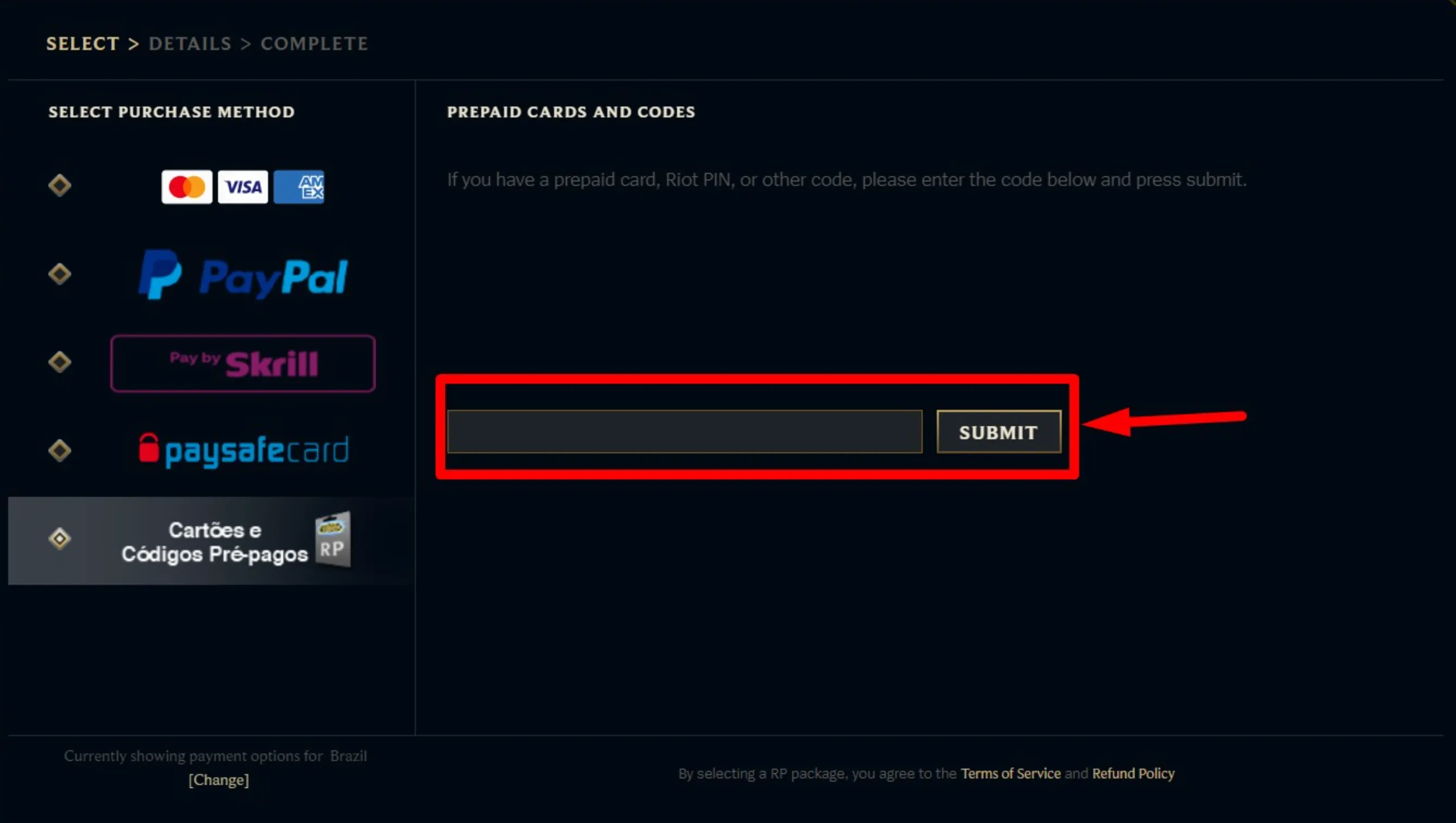
Redeeming a League of Legends gift card is done inside the Riot client and only takes a moment once you know where to look. Just make sure you’re signed into the account you actually want the Riot Points on before you enter the code.
Start by opening the Riot Client and launching League of Legends. Once you’re in the client, head to the in-game Store. In the top-right corner, click the profile or account icon next to the settings gear. From there, choose the option to redeem a code. Carefully type in the code printed on your gift card, then confirm it. As soon as the code is accepted, the Riot Points are added to your account instantly.
You can check that everything worked by looking at your RP total in the top-right of the store. If the code doesn’t go through, make sure there are no extra spaces or mistyped characters and double-check that the card was bought from an official retailer for your region.
Where to Buy League of Legends Gift Cards
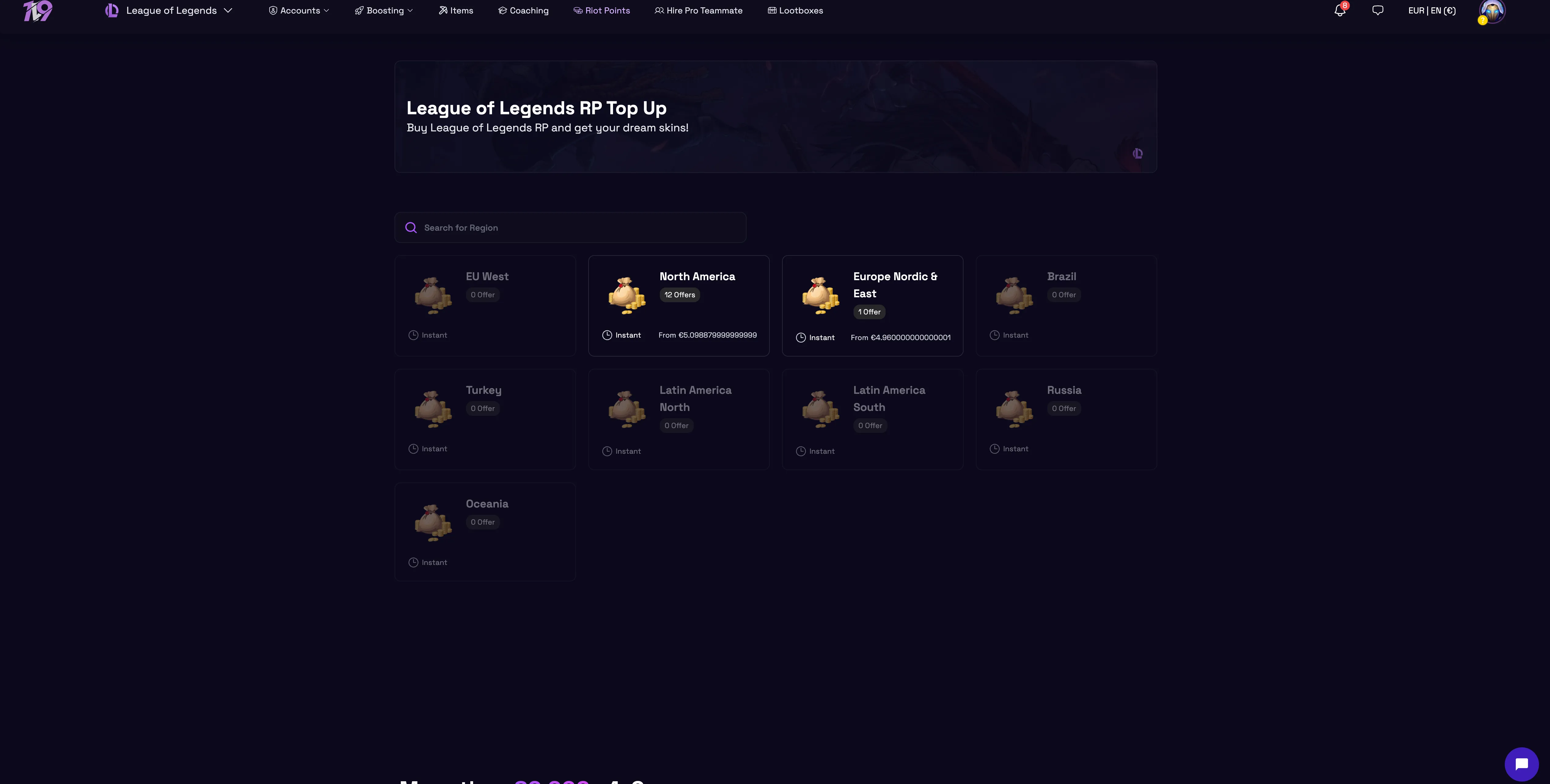
League of Legends gift cards are easy to find, whether you prefer buying them in person or grabbing a digital code online. Physical cards are sold at most big retail stores, including places like Walmart, Target, Best Buy, GameStop, Amazon, and many local electronics or convenience stores. These are a good option if you want a physical gift or don’t want to enter payment details online.
If you’d rather get a digital code instantly, online options are even more convenient. Amazon offers digital League of Legends gift cards in regions like the US and Canada with immediate email delivery after purchase. Some third-party marketplaces also sell digital RP cards and may include extras like live customer support or small cashback rewards, which can be useful if you buy Riot Points often.
No matter where you buy, always double-check that the gift card matches your League of Legends account region, since RP cards are region-locked. It’s also important to stick to trusted and authorized sellers to avoid invalid or already-used codes.
Which Riot Games Accept These Cards?
Riot Games gift cards work across multiple titles, not just League of Legends. When you redeem one, the balance can be used in League of Legends, Teamfight Tactics, Legends of Runeterra, and Valorant, so you’re free to spend it on whichever Riot game you play the most. In League of Legends, the currency goes toward champions, skins, emotes, Hextech chests, and other cosmetic content. In Teamfight Tactics, you can unlock Little Legends, arenas, battle passes, and cosmetics. Legends of Runeterra lets you use the balance for cards and visual items, while Valorant converts it into Valorant Points for weapon skins, agents, bundles, and player cards. One important thing to remember is that these gift cards are region-locked, meaning a card bought for one region, like North America, can only be redeemed on an account from that same server, so always match the card to your account’s region before purchasing.
FAQs
Can League of Legends gift cards expire?
No, Riot Games gift cards do not expire. You can redeem them at any time as long as the code hasn’t already been used.
Can I redeem a League of Legends gift card on the Riot website instead of the client?
Yes, you can redeem the code through your Riot account on the official Riot Games website, but it will still add the balance to your account just like redeeming it inside the client.
What should I do if my gift card code doesn’t work?
First, double-check the code for typos and make sure you selected the correct region. If it still doesn’t work, contact Riot Games Support with proof of purchase so they can investigate.
Can I use one gift card on multiple Riot games?
Yes. Once redeemed, the balance can be spent across supported Riot games like League of Legends, Valorant, Teamfight Tactics, and Legends of Runeterra.
Are League of Legends gift cards refundable?
No, gift cards are non-refundable once purchased, even if the code hasn’t been redeemed yet, so make sure you’re buying the correct region and amount.
Conclusion
Redeeming a League of Legends gift card is one of the easiest ways to add Riot Points to your account without using a credit card or bank details. Once you know where to enter the code in the Riot client, the process takes less than a minute and your RP is available instantly. As long as you buy the card for the correct region and redeem it on the right account, there’s very little that can go wrong. Whether you’re using it for skins, champions, or even other Riot games like Valorant or TFT, gift cards remain a simple, safe, and flexible option for spending in the Riot ecosystem.
Posted On: February 2nd, 2026
Recent Articles


Our 1v9 support team is available 24/7 to help you with any questions or issues you may have.
support@1v9.gg
Loading...
1v9.gg is not endorsed or affiliated by any game developers or publishers.
2026 1v9, All Rights Reserved, Created By Ritesh (riteshsahoo.com)