


Hay Day does not have a dedicated macOS client. First check whether the iPhone/iPad app is offered for your Apple-silicon Mac; otherwise use Apple’s iPhone Mirroring where supported. Android emulators are unofficial fallbacks and should never come from random APK sites.
Related 1v9 reading: Brawl Stars on PC guide.
Hay Day is one of Supercell’s most popular farming games, known for its relaxing gameplay, charming visuals, and steady progression that keeps players coming back every day. While it’s designed for mobile devices, many players prefer playing Hay Day on a Mac for the bigger screen, smoother controls, and more comfortable long sessions. Even though Supercell doesn’t offer an official Mac version, there are a couple of reliable ways to play Hay Day on macOS without breaking any rules or risking your account. In this guide, we’ll walk through the best methods to play Hay Day on a Mac, what you need to get started, and which option makes the most sense depending on your setup.
1. Android Emulators
Android emulators are one of the most popular ways to play mobile games on a Mac. They work by creating a virtual Android device on your computer, letting you install and run mobile apps just like you would on a phone or tablet, but on a much bigger screen. This makes them a solid option for players who want a desktop-style experience without relying on a physical mobile device.
One of the most commonly used emulators is BlueStacks, which offers a dedicated macOS version. After installing it, you can sign in to the Google Play Store, download Hay Day, and start playing using your mouse and keyboard. Your farm progress can sync normally, so you can switch between Mac and mobile without losing anything.
Pros
• Full access to the Google Play Store and Android apps
• Much larger screen compared to playing on a phone
• Mouse and keyboard support for easier navigation
• Free to download and use
• Can sync with your existing Hay Day account
Cons
• Uses a lot of system resources and may feel slow on older Macs
• Includes ads unless you upgrade to a paid version
• Some UI elements don’t scale perfectly on large screens
• Performance depends heavily on your Mac’s hardware
• Occasional bugs or crashes can happen, especially after updates
2. iPhone Screen Mirroring
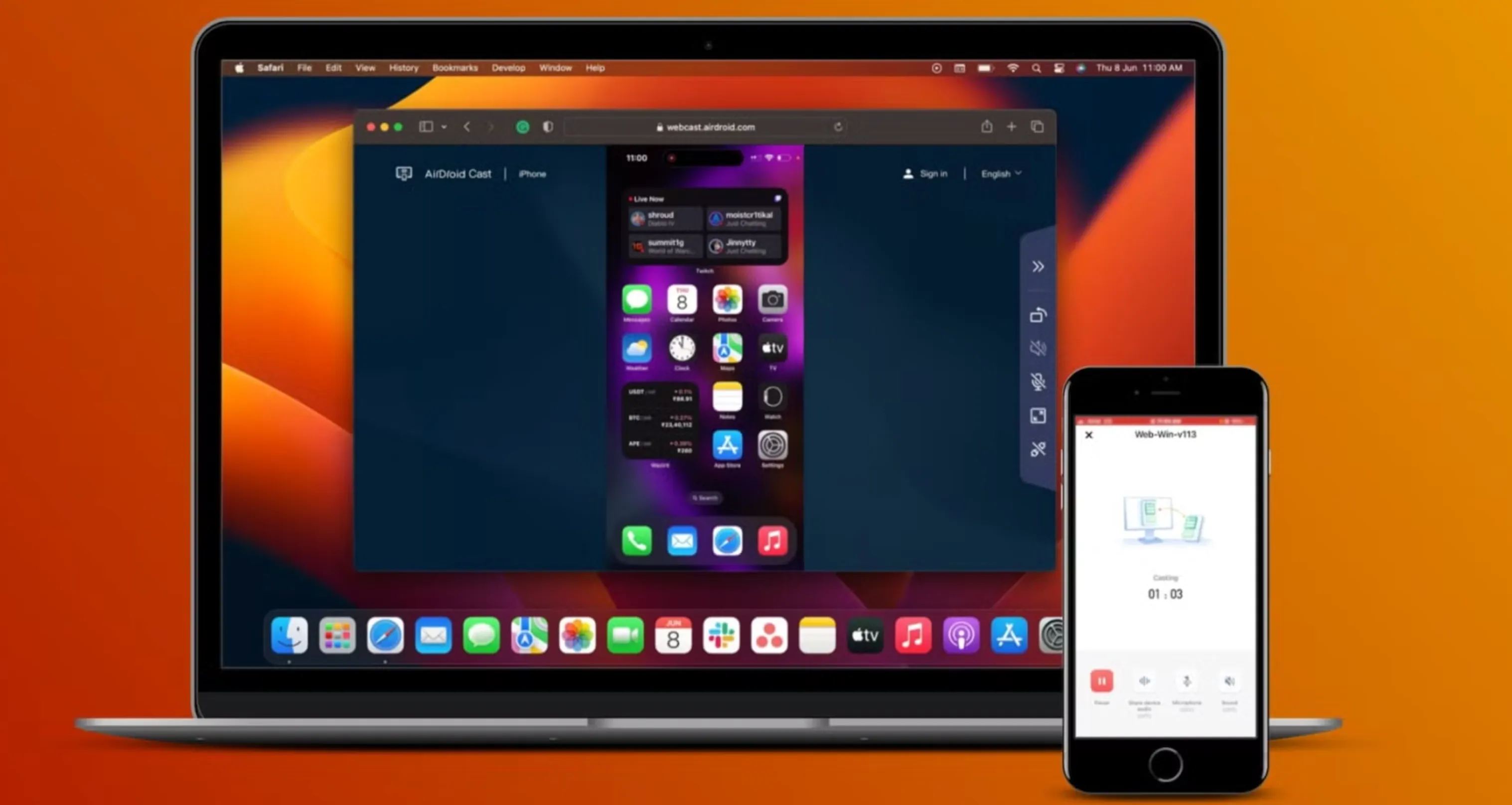
Another easy way to play Hay Day on Mac is by using Apple’s built-in iPhone screen mirroring feature. Introduced in 2024, this option lets you see and control your iPhone directly from your Mac without downloading any extra apps or emulators. It’s a native Apple feature, so everything works smoothly as long as your devices are compatible.
Screen mirroring runs through the iPhone Mirroring app that comes preinstalled with macOS Sequoia. Once you open it, your Mac automatically finds your iPhone and connects using Bluetooth and Wi-Fi. Your iPhone screen then shows up in a window on your Mac, and you can play Hay Day using your mouse, keyboard, or trackpad just like you would by tapping on your phone.
This method gives the most “true” Hay Day experience because the game is still running on your actual iPhone. All progress stays perfectly synced since you’re not logging into a separate platform. Playing on a bigger screen also makes it easier to manage your farm, place buildings, and chat faster using your Mac’s keyboard. Game audio is routed through your Mac speakers, which usually sound better than a phone’s.
Your iPhone needs to stay nearby during the session and remains locked while mirroring is active. As long as both devices are close and connected, the experience feels very natural.
Pros
• Built directly into macOS, no extra downloads needed
• Uses your real iPhone for a fully authentic Hay Day experience
• Progress stays synced automatically
• Keyboard support makes chatting faster
• Game audio plays through Mac speakers
• File drag-and-drop between iPhone and Mac
• iPhone notifications appear on your Mac
• Completely free with no ads or subscriptions
• No extra performance load on your Mac
Cons
• Requires macOS Sequoia (15+) and iOS 18
• Needs an Apple Silicon Mac (M1 or newer) or a T2 chip
• iPhone must stay nearby and locked while playing
• You can’t use your iPhone separately during mirroring
• Both devices must be signed into the same Apple ID
• Wi-Fi and Bluetooth must be enabled
• Not available in the European Union
• Limited to one Mac and one iPhone at a time
• Camera and microphone access aren’t supported
Conclusion
Playing Hay Day on Mac is completely doable, even without an official desktop version from Supercell. Whether you choose an Android emulator for a more flexible setup or Apple’s built-in iPhone screen mirroring for the most authentic mobile experience, both options let you enjoy farming on a bigger screen with more comfortable controls. The right choice comes down to your Mac’s hardware, your region, and how closely you want the experience to match playing on a phone. No matter which method you pick, you can manage your farm, stay synced with your account, and enjoy Hay Day on mac with less eye strain and more screen space.
Sources and update policy
Primary verification: Official Hay Day support. Time-sensitive mechanics, availability and prices should be rechecked after major patches.


-a6d5b3e156bb.webp)





