

How To Mute and Block Players in CS2
Toxic teammates, mic spam, and constant arguments can quickly ruin matches in Counter-Strike 2, especially during competitive and Premier games where communication becomes much more intense. Thankfully, Valve gives players several tools to mute, block, and report disruptive players to make matches less frustrating.
Whether you want to silence a teammate screaming through voice chat, disable toxic text messages, or completely block someone from contacting you after a game, CS2 includes multiple features that help players control their experience.
Learning how to use these systems properly can also improve performance. Many experienced CS2 players mute distractions during ranked matches because staying focused often leads to better communication, cleaner aim, and smarter decision-making during important rounds.
In this guide, we’ll explain how to mute and block players in CS2, how each system works, and the fastest ways to remove toxic communication while playing competitive matches.
How To Mute Players in CS2
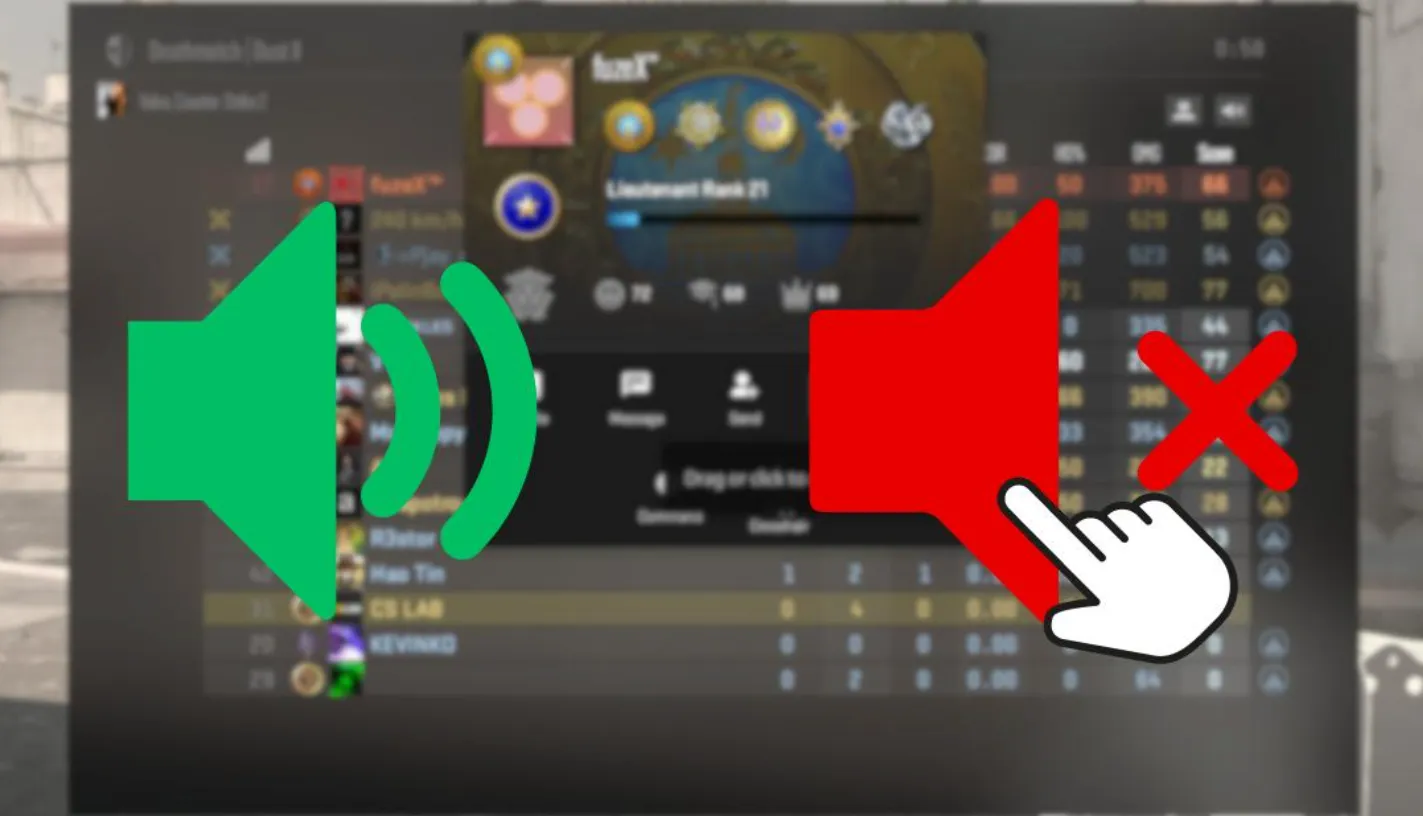
Muting players in Counter-Strike 2 is one of the easiest ways to deal with toxic teammates, voice chat spam, and constant distractions during matches. Since communication is such a big part of CS2, knowing how to quickly mute players can make competitive games much less frustrating.
The fastest way to mute someone is by opening the scoreboard during a match. Press the Tab key to bring up the player list, then click on the player you want to mute. From there, you can disable their voice chat communication instantly.
If someone is constantly screaming into the microphone, playing loud music, or being toxic over voice comms, muting voice chat allows you to focus on the game without hearing them anymore.
CS2 also lets players mute text chat separately. This is useful if someone is spamming messages or constantly flaming teammates in chat during rounds.
Another option is using console commands for faster communication control. Some commonly used CS2 mute commands include:
- voice_enable 0 — Disables all voice chat entirely
- ignoremsg — Mutes text chat messages
- ignorerad — Disables radio commands and radio spam
Many competitive players temporarily disable voice chat when teammates become distracting, especially during important rounds where focus matters most.
Valve also includes an automatic communication system that can mute players who frequently receive reports for toxic behavior. Depending on a player’s behavior history, CS2 may automatically lower or restrict their communication in future matches.
Using mute features properly can help players stay calmer, avoid unnecessary arguments, and focus more on gameplay during competitive CS2 matches.
How To Block Players in CS2
Blocking players in Counter-Strike 2 prevents them from contacting you through Steam messages, friend requests, profile comments, and other social features connected to your Steam account. This is useful if you deal with toxic players, harassment, or repeated unwanted communication after matches.
The easiest way to block someone in CS2 is through their Steam profile. During or after a match, open the scoreboard, click on the player’s profile, and select the option to view their Steam account. Once on their profile page, click the three-dot menu or “More” button and choose the block communication option.
After blocking a player, they will no longer be able to:
- Send you Steam messages
- Add you as a friend
- Comment on your profile
- Invite you to groups or lobbies
- Interact with you through Steam social features
Blocking someone does not stop CS2 matchmaking from placing you in games with them again later. Valve currently does not offer a full avoid-player matchmaking system in competitive mode.
If you encounter a toxic or abusive player during matches, you can also submit a report directly through the scoreboard. Reports can include:
- Toxic communication
- Griefing
- Cheating
- Abusive voice chat
- Team damage or sabotage
Players who receive repeated reports may face communication restrictions, cooldowns, VAC bans, or matchmaking penalties depending on the severity of the behavior.
Many competitive CS2 players combine muting during the match with blocking afterward to create a much cleaner and less distracting experience overall.
Using the mute, block, and report systems together is one of the best ways to avoid toxic communication and stay focused while climbing competitive ranks in CS2.
What Happens After You Block a Player in CS2?
When you block someone in Counter-Strike 2, the block mainly affects communication and social interaction through your Steam account. Blocking a player is designed to stop unwanted contact and make it easier to avoid toxic interactions outside of matches.
After blocking a player in CS2, they can no longer:
- Send you Steam messages
- Add you as a friend
- Invite you to lobbies or groups
- Comment on your Steam profile
- Interact with you through Steam social features
The blocked player will also disappear from most normal social interactions connected to your account.
However, blocking someone does not prevent CS2 matchmaking from placing you into future matches with them. Valve currently does not offer a full avoid-player system for Competitive or Premier matchmaking, so blocked players can still appear in your games later on.
If that happens, you can still mute them during the match to disable voice chat and text communication entirely.
Blocking also does not automatically report the player to Valve. If someone is cheating, griefing, trolling, or being abusive, you should still manually submit a report through the scoreboard after the match ends.
Many players combine all three systems together:
- Muting during the match
- Blocking after the game
- Reporting serious toxic behavior
Using these tools properly helps create a much cleaner and less stressful competitive experience, especially during ranked and Premier matches in CS2.
Conclusion
Toxic communication can quickly ruin competitive matches in Counter-Strike 2, especially in high-pressure games where teamwork and focus matter the most. Thankfully, CS2 gives players several tools to mute, block, and report disruptive players to make matches far less stressful.
Whether you want to disable voice chat, stop text spam, or completely block someone from contacting you through Steam, learning how these systems work can greatly improve your overall experience while playing.
Many experienced CS2 players regularly mute distractions during matches because staying focused often leads to better communication, cleaner aim, and smarter decisions during important rounds.
Using the mute, block, and report systems together is one of the best ways to avoid unnecessary arguments, reduce frustration, and keep your attention focused on improving and climbing competitive ranks in CS2.
Posted On: May 12th, 2026
Recent Articles


Our 1v9 support team is available 24/7 to help you with any questions or issues you may have.
support@1v9.gg


-a6d5b3e156bb.webp)





Loading...
1v9.gg is not endorsed or affiliated by any game developers or publishers.
2026 1v9, All Rights Reserved, Created By Ritesh (riteshsahoo.com)