- Home
Games
 League of Legends
 Valorant
-a6d5b3e156bb.webp) Fortnite
Fortnite Call of Duty
 Clash of Clans
 Counter-Strike 2
 Roblox
 Rainbow Six Siege
 Clash Royale
 Minecraft
 Rocket League
 Dota 2
 Genshin Impact
 Squad Busters
 Rust
Rust Apex Legends
 Pokemon Go
 XDefiant
 LoL: Wild Rift
 Hay Day
 Diablo 4
 FC 25
FC 25 Marvel Rivals
 World of Warcraft
 Destiny 2
 Deadlock
-9ede9dc6b01b.webp) PUBG Mobile
PUBG Mobile The Finals
 Growtopia
 Forza Horizon 5
 Honkai: Star Rail
 Warframe
 8 Ball Pool
 Zenless Zone Zero
 Path of Exile
 Runescape 3
 Raid: Shadow Legends
 Lost Ark
 WoW: Classic Era
 Summoners War
 WoW: Season of Discovery
 WoW Cataclysm
 WoW: Hardcore
 Throne and Liberty
 New World
 Mobile Legends
 Escape From Tarkov
 Path of Exile 2
 Blade Ball
 Fisch
Fisch Pet Simulator 99
 Pets Go
-d8bcef7708c7.webp) One Piece Bounty
One Piece Bounty Anime Adventures
 Blox Fruits
 Adopt Me
 Murder Mystery 2
 Fragpunk
 Wuthering Waves
 Teamfight Tactics
 Free Fire
 Albion Online
 Black Desert Online
 Honor of Kings
 Brawl Stars
 Arena of Valor
 Call of Duty: Mobile
 Rematch
 Steal a Brainrot
 Grow a Garden
 FC 26
FC 26 Old School Runescape
 Plants vs Brainrots
 Overwatch
 Battlefield
 Arc Raiders
 Dragon Ball Legends
 Fallout 76
 Jailbreak
 Type Soul
 GPO
GPO DonutSMP
 Escape Tsunami For Brainrots
 Watcher of Realms
 Roblox Rivals
 2XKO
2XKO Sailor Piece
 Forza Horizon 6
 GTA 5
GTA 5- Lootboxes
- Become Affiliate
- Blog
- Contact Us
- Sign In

How to Gift Items in Rocket League (2026 Method)
Rocket League no longer allows direct player-to-player trading, which changed how players share items with friends. Since that system was removed, you can’t simply send items from your inventory the way you could before.
Because of this, gifting in Rocket League is now more limited and depends on a few alternative methods. There isn’t a built-in feature specifically designed for gifting, but there are still ways to help someone get the item they want depending on your platform and what you’re trying to send.
In this guide, we’ll go over the current ways to gift items in Rocket League, explain how each method works, and cover what you should know before trying to send anything to another player.
Can You Gift Items in Rocket League?
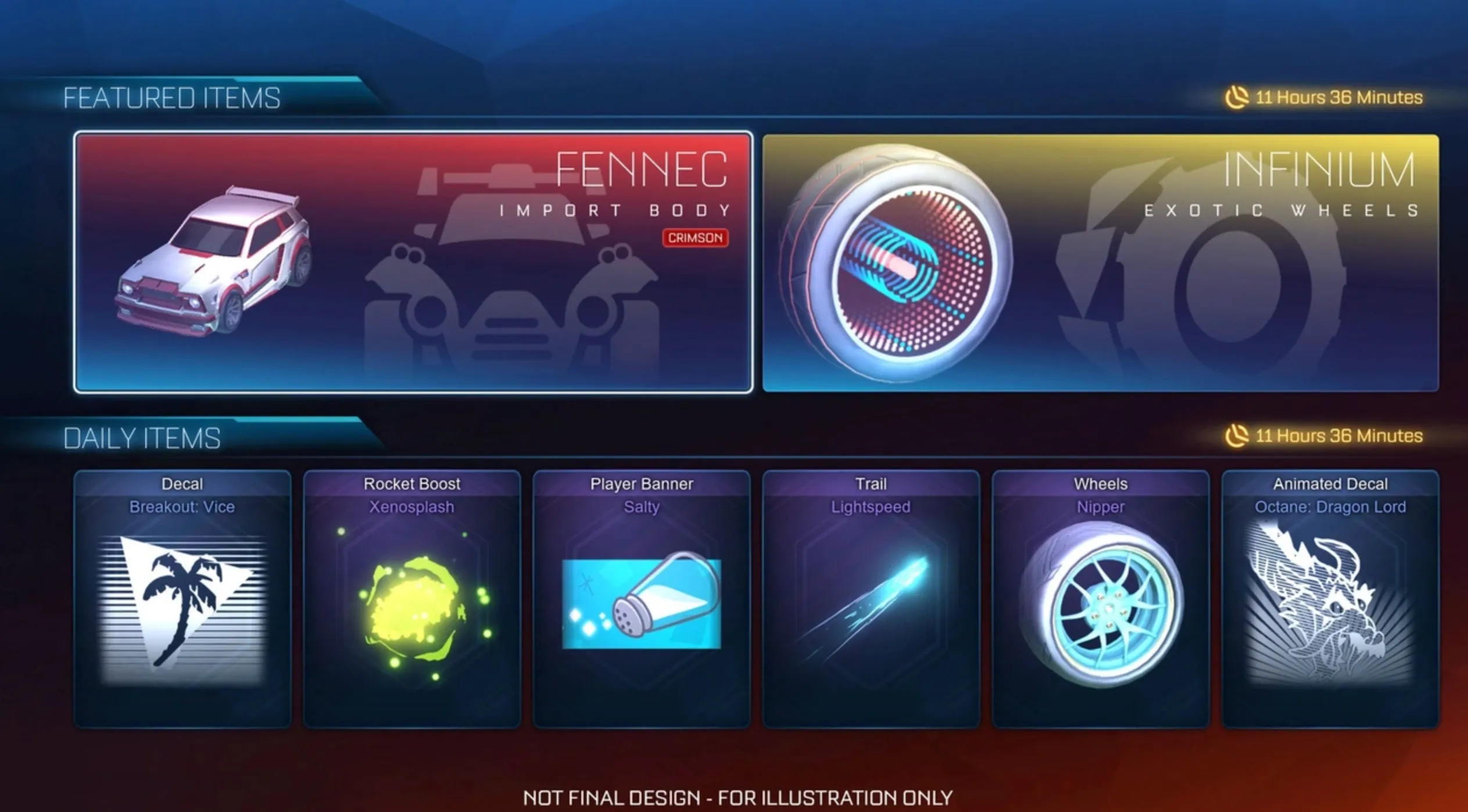
In Rocket League, there is currently no built-in way to send items directly to another player. The game used to allow trading between players, but that system was completely removed in late 2023, which means items can no longer be transferred between accounts in any form.
Because of that change, you won’t find any option inside the game to gift cosmetics, blueprints, or Credits to friends. What you earn or buy stays tied to your account, with no direct way to pass it on.
Some players look at platform features for a workaround, but those don’t fully solve the issue. While the Epic Games store does support gifting in certain cases, it’s limited to full games or select add-ons. It doesn’t apply to individual Rocket League items or in-game currency.
So while gifting used to be simple through trading, the current system makes it much more restricted, and any alternatives now depend on indirect methods rather than a direct in-game feature.
Gift Rocket League Items Through Fortnite
A workaround to gift items in Rocket League exists through Fortnite thanks to shared item ownership between both games. Since late 2023, certain cosmetics like car bodies, wheels, and decals are linked across both titles if they’re supported under the same Epic Games account.
Because Fortnite still has a working gifting system, you can use it to send eligible items to another player. If the item is compatible with Rocket League, it will automatically show up in their Rocket League inventory after they receive it in Fortnite.
To use this method, both players need to meet a few basic conditions:
Sender requirements:
- Two-factor authentication enabled on their Epic account
- Fortnite account leveled up enough to unlock gifting
- Enough V-Bucks to purchase the item
Recipient requirements:
- Must be on your Epic friends list for at least 48 hours
Once that’s set up, gifting is straightforward. Open Fortnite, go to the Item Shop, and look for items that mention they also work in Rocket League. Instead of buying it for yourself, choose the gift option, pick your friend, and confirm the purchase.
When your friend logs in, they’ll receive the item in Fortnite, and if it’s supported, it will also appear in their Rocket League account automatically.
The key thing to watch is compatibility. Only items labeled as usable in both games will transfer. If that note isn’t shown in the shop, the item will stay exclusive to Fortnite and won’t carry over.
Other Ways to Gift in Rocket League
If the item you want to send isn’t available through Fortnite, there are still a few simple ways to help someone get what they want in Rocket League.
One of the easiest options is using platform gift cards. These add funds directly to your friend’s account, which they can then use to buy Credits and spend them however they want in-game. This works across all major platforms, including:
- Steam
- PlayStation
- Xbox
- Nintendo Switch
Another option is directly helping them get Credits through a trusted marketplace like 1v9.gg. Instead of sending a specific item, you provide them with the balance they need, and they can choose exactly what to buy from the Item Shop or Blueprints.
Both of these methods give the receiver full control over their purchase, which is useful since Rocket League doesn’t support direct item gifting anymore. While it’s not as simple as sending an item instantly, these alternatives cover most situations and still make it easy to help a friend get what they need.
Conclusion
Gifting items in Rocket League isn’t as simple as it used to be, especially after trading was removed. There’s no direct in-game way to send items anymore, but there are still a few solid alternatives that get the job done.
Using Fortnite for cross-compatible items is the closest thing to a real gifting system, while gift cards and Credits give players a flexible way to help friends get exactly what they want. Each method has its own limits, but together they cover most situations.
As long as you understand how these options work, you can still gift items in Rocket League without too much trouble. It just takes a different approach compared to how things worked before.
Posted On: May 3rd, 2026
Recent Articles


Our 1v9 support team is available 24/7 to help you with any questions or issues you may have.
support@1v9.gg
Loading...
1v9.gg is not endorsed or affiliated by any game developers or publishers.
2026 1v9, All Rights Reserved, Created By Ritesh (riteshsahoo.com)