

How to Gift Diamonds in Mobile Legends Safely
You cannot transfer Diamonds from your Mobile Legends: Bang Bang balance directly to another player. You can still give value in two legitimate ways: spend your Diamonds on an eligible in-game gift, or pay for a top-up sent to your friend’s User ID and Zone ID through a provider that supports their region.
Gifting menus, eligible items and regional top-up partners can change. Confirm the recipient shown on the final screen before paying.
The two ways to gift MLBB Diamonds or their value
| Method | Recipient gets | What you need | Main limitation |
|---|---|---|---|
| In-game gift | The selected eligible skin, pass or item | Sufficient Diamonds and an eligible friendship | They cannot choose a different use for the Diamonds |
| Account top-up | Diamonds credited to their balance | Correct User ID, Zone ID and supported region | A mistyped ID may be difficult or impossible to reverse |
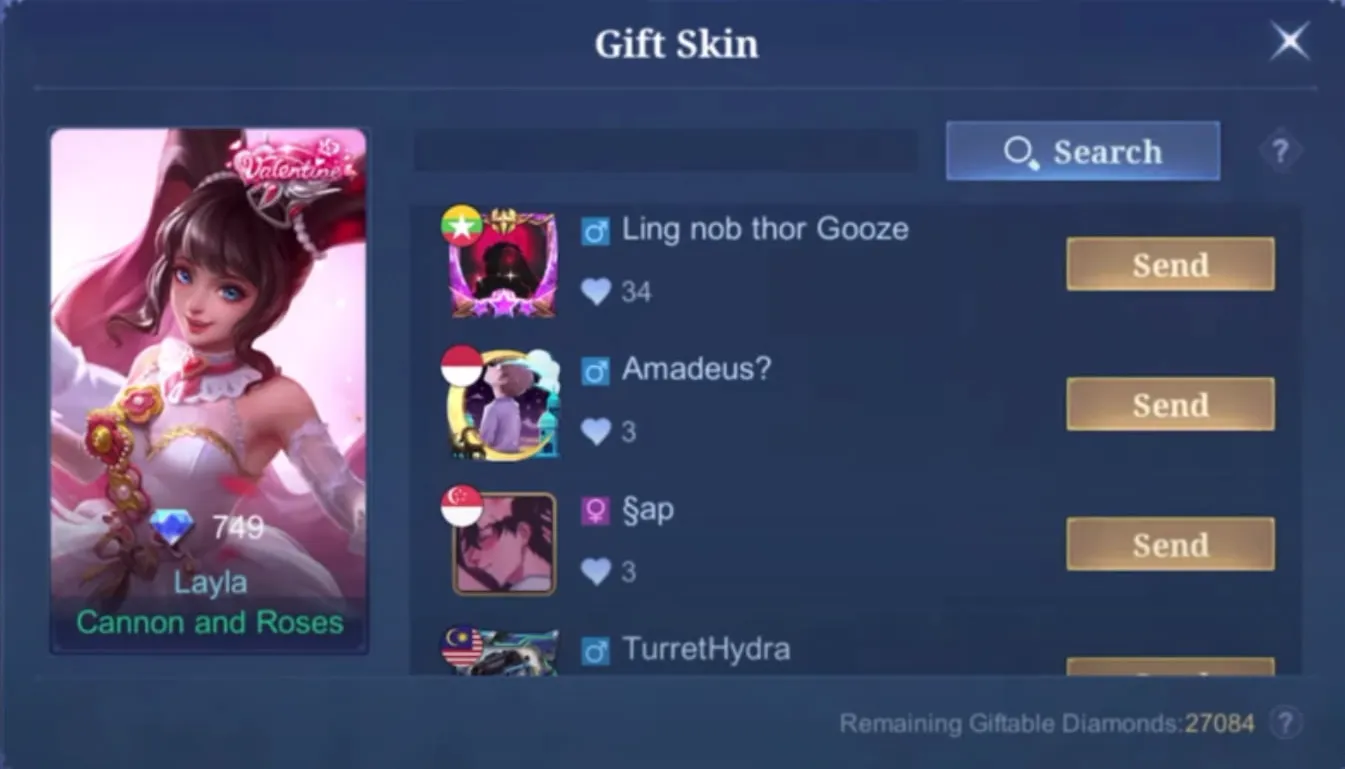
How to gift a skin or eligible item in-game
- Open MLBB and enter the Shop.
- Open the gifting area and choose an item that displays a gift or Send option.
- Select the correct friend from the list.
- Read the price, recipient name and any restriction shown on the confirmation screen.
- Confirm the Diamond purchase, then keep the receipt until the recipient sees the gift.
Commonly documented eligibility rules require the sender to be account level 20 and the two accounts to have been in-game friends for at least seven days. Daily limits and item eligibility can vary, so the live error message and gift screen are authoritative.
If you are choosing a cosmetic rather than sending flexible currency, compare the best Mobile Legends skins first. Cosmetics are visual and do not create a competitive advantage.
How to top up Diamonds to a friend’s account
- Ask your friend to copy the User ID and Zone ID shown on their MLBB profile.
- Use the in-game purchase route or a recognized top-up partner that supports the friend’s account region.
- Enter both identifiers and check whether the displayed nickname matches.
- Select the package, review the currency and total price, then pay.
- Save the order number and ask the recipient to confirm the credit.
This is a purchase for another account, not a balance transfer. The provider should not need the recipient’s password, email login, verification code or recovery information. The MLBB Diamond purchase guide explains the same ID fields for your own top-up.
Safety checks before gifting
- Match both IDs. A correct username with the wrong Zone ID is not enough.
- Check region support. Packages, prices and payment methods differ by country.
- Avoid chargeback offers. Illegitimate or later-reversed payments can put the recipient’s balance or account at risk.
- Never use a Diamond generator. It cannot add server-side currency and is commonly used for phishing.
- Do not buy while pressured. Confirm the friend through a second channel if the request is unusual.
Players who prefer not to spend can use the legitimate options in the free MLBB skins guide; it does not rely on generators or credential sharing.
MLBB Diamond gifting FAQ
Can I send Diamonds from my balance?
No. MLBB does not provide a direct player-to-player Diamond transfer button.
Can I gift a skin I already own?
You purchase a new eligible gift for the recipient; the system does not move a cosmetic out of your collection.
Why can’t I select my friend?
The friendship may be too new, one account may not meet the current level requirement, the daily limit may be reached, or that item may not support gifting.
Sources and update policy
The direct-transfer limitation, ID-based top-up flow and gift eligibility were cross-checked against the current MLBB client flow, Moonton-owned pages and established regional top-up documentation on August 26, 2026. Live in-game prompts take precedence if a rule changes.
Posted On: March 28th, 2026
Recent Articles


Our 1v9 support team is available 24/7 to help you with any questions or issues you may have.
support@1v9.gg


-a6d5b3e156bb.webp)





Loading...
1v9.gg is not endorsed or affiliated by any game developers or publishers.
2026 1v9, All Rights Reserved, Created By Ritesh (riteshsahoo.com)