- Home
Games
 League of Legends
 Valorant
-a6d5b3e156bb.webp) Fortnite
Fortnite Call of Duty
 Clash of Clans
 Counter-Strike 2
 Roblox
 Rainbow Six Siege
 Clash Royale
 Minecraft
 Rocket League
 Dota 2
 Genshin Impact
 Squad Busters
 Rust
Rust Apex Legends
 Pokemon Go
 XDefiant
 LoL: Wild Rift
 Hay Day
 Diablo 4
 FC 25
FC 25 Marvel Rivals
 World of Warcraft
 Destiny 2
 Deadlock
-9ede9dc6b01b.webp) PUBG Mobile
PUBG Mobile The Finals
 Growtopia
 Forza Horizon 5
 Honkai: Star Rail
 Warframe
 8 Ball Pool
 Zenless Zone Zero
 Path of Exile
 Runescape 3
 Raid: Shadow Legends
 Lost Ark
 WoW: Classic Era
 Summoners War
 WoW: Season of Discovery
 WoW Cataclysm
 WoW: Hardcore
 Throne and Liberty
 New World
 Mobile Legends
 Escape From Tarkov
 Path of Exile 2
 Blade Ball
 Fisch
Fisch Pet Simulator 99
 Pets Go
-d8bcef7708c7.webp) One Piece Bounty
One Piece Bounty Anime Adventures
 Blox Fruits
 Adopt Me
 Murder Mystery 2
 Fragpunk
 Wuthering Waves
 Teamfight Tactics
 Free Fire
 Albion Online
 Black Desert Online
 Honor of Kings
 Brawl Stars
 Arena of Valor
 Call of Duty: Mobile
 Rematch
 Steal a Brainrot
 Grow a Garden
 FC 26
FC 26 Old School Runescape
 Plants vs Brainrots
 Overwatch
 Battlefield
 Arc Raiders
 Dragon Ball Legends
 Fallout 76
 Jailbreak
 Type Soul
 GPO
GPO DonutSMP
 Escape Tsunami For Brainrots
 Watcher of Realms
 Roblox Rivals
 2XKO
2XKO Sailor Piece
 Forza Horizon 6
 GTA 5
GTA 5- Lootboxes
- Become Affiliate
- Blog
- Contact Us
- Sign In

How To Fix Error VAN 128 In League of Legends
Error VAN 128 in League of Legends is one of those issues that can instantly kill your mood, especially when you just want to queue up and play. This error is usually tied to Riot Vanguard or system-level conflicts that prevent the game from launching properly, and it often shows up after updates, restarts, or background changes on your PC. The good news is that VAN 128 is fixable in most cases without advanced technical skills. In this guide, you’ll learn what triggers Error VAN 128 and the most effective ways to fix it step by step, so you can get back into the game as quickly as possible without unnecessary trial and error.
What Causes Error VAN 128 in League of Legends?
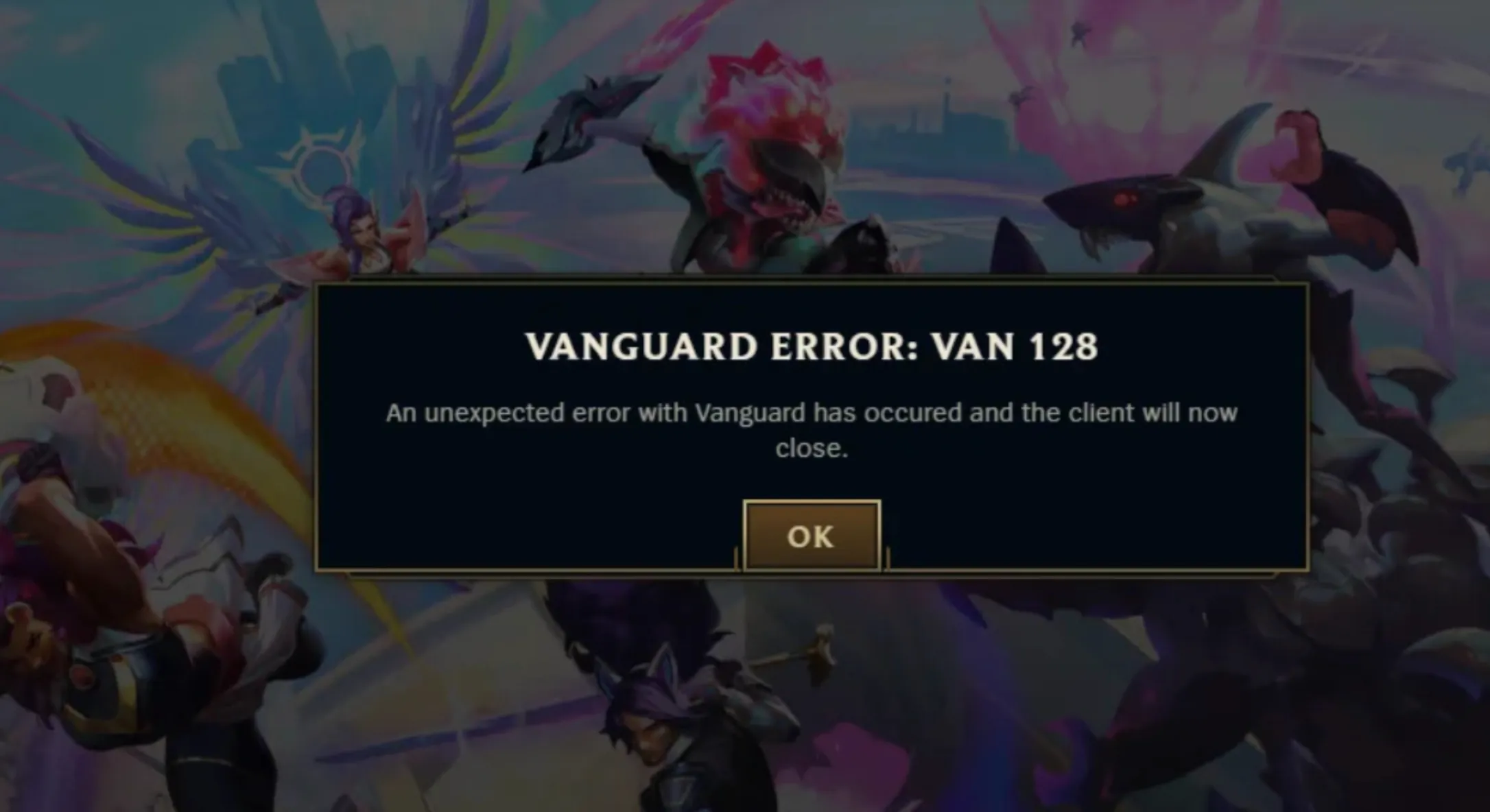
Error VAN 128 in League of Legends is almost always linked to Riot Vanguard or a system conflict that stops the game from starting correctly. One of the most common causes is Riot Vanguard not running properly in the background, being disabled, or failing to start with Windows. This can happen after a system update, a restart, or if Vanguard services were manually turned off. Another frequent reason is conflicts with third-party software, especially antivirus programs, firewalls, VPNs, or performance and overlay tools that block Vanguard from accessing required system permissions. Corrupted or missing game files can also trigger VAN 128, usually after an interrupted update or installation. In some cases, outdated Windows builds, disabled Secure Boot, or TPM-related issues can prevent Vanguard from functioning correctly, which then stops League of Legends from launching. All of these issues point to the same root problem: Vanguard isn’t able to run the way Riot requires, and when that happens, Error VAN 128 appears.
How to Fix League of Legends Error VAN 128
Here are the most effective ways to fix Error VAN 128 in League of Legends, starting with the simplest solutions and moving to deeper fixes if needed.
First, restart your PC. This sounds basic, but VAN 128 often appears when Riot Vanguard doesn’t initialize correctly after sleep mode, updates, or long uptime. A clean restart resets Vanguard services and fixes the issue for many players.
Next, make sure Riot Vanguard is running properly. Press Windows + R, type services.msc, and hit Enter. Look for a service called vgc. If it’s stopped, right-click it, open Properties, set Startup type to Automatic, then start the service. If it’s disabled or missing, Vanguard isn’t functioning correctly.
If that doesn’t work, reinstall Riot Vanguard. Open Apps & Features, uninstall Riot Vanguard, then restart your computer. After rebooting, launch League of Legends and Vanguard will automatically reinstall itself. Restart once more when prompted. This step fixes most persistent VAN 128 errors.
You should also check for software conflicts. Temporarily disable antivirus software, VPNs, firewalls, overlay tools, or system optimizers, then try launching the game again. Vanguard is very strict, and even trusted apps can block it.
Another important step is updating Windows fully. Go to Windows Update and install all pending updates. Vanguard requires certain system components to be up to date, and outdated Windows versions can trigger VAN 128.
If the error still appears, repair League of Legends files. Open the Riot Client, click the profile icon, select League of Legends, and run the repair tool. Corrupted or missing files can stop Vanguard from validating the game correctly.
On newer systems, check Secure Boot and TPM settings. Enter your BIOS during startup and make sure Secure Boot is enabled if your system supports it. Vanguard relies on these security features on modern Windows installations.
If none of these fixes solve the problem, the final step is to contact Riot Games Support. Submit a ticket with your logs and system details so they can identify what’s blocking Vanguard on your setup.
In most cases, reinstalling Vanguard and ensuring the vgc service is running fixes Error VAN 128 completely.
FAQs
What does Error VAN 128 mean in League of Legends?
Error VAN 128 usually means Riot Vanguard failed to start or connect properly. This anti-cheat system must be running for League of Legends to launch, and if it’s blocked, disabled, or corrupted, the error appears.
Can restarting my PC really fix VAN 128?
Yes. A full system restart often fixes VAN 128 because it forces Riot Vanguard to relaunch correctly and clears temporary conflicts caused by sleep mode, updates, or background apps.
Why does Riot Vanguard cause VAN 128 errors?
Vanguard is very strict. Antivirus software, VPNs, firewalls, outdated Windows versions, or disabled system services like vgc can prevent it from running, which triggers VAN 128.
Do I need to reinstall League of Legends to fix VAN 128?
In most cases, no. Reinstalling Riot Vanguard alone is usually enough. Only reinstall League of Legends if repairing the game files doesn’t work.
Is Error VAN 128 a ban or account issue?
No. VAN 128 is not a ban and does not affect your account status. It’s a technical startup error related to Vanguard or system settings, and it can be fixed.
Conclusion
Error VAN 128 in League of Legends can be frustrating, but it’s almost always fixable with the right steps. In most cases, the issue comes down to Riot Vanguard not running properly due to system services, security software, or outdated Windows settings. By restarting your PC, checking that the vgc service is enabled, reinstalling Riot Vanguard, and making sure your system is fully updated, you can usually resolve the problem quickly. Taking the time to follow these fixes not only gets you back into the game faster but also helps prevent the error from coming back in the future, so you can focus on playing League of Legends without interruptions.
Posted On: February 22nd, 2026
Recent Articles


Our 1v9 support team is available 24/7 to help you with any questions or issues you may have.
support@1v9.gg
Loading...
1v9.gg is not endorsed or affiliated by any game developers or publishers.
2026 1v9, All Rights Reserved, Created By Ritesh (riteshsahoo.com)