- Home
Games
 League of Legends
 Valorant
-a6d5b3e156bb.webp) Fortnite
Fortnite Call of Duty
 Clash of Clans
 Counter-Strike 2
 Roblox
 Rainbow Six Siege
 Clash Royale
 Minecraft
 Rocket League
 Dota 2
 Genshin Impact
 Squad Busters
 Rust
Rust Apex Legends
 Pokemon Go
 XDefiant
 LoL: Wild Rift
 Hay Day
 Diablo 4
 FC 25
FC 25 Marvel Rivals
 World of Warcraft
 Destiny 2
 Deadlock
-9ede9dc6b01b.webp) PUBG Mobile
PUBG Mobile The Finals
 Growtopia
 Forza Horizon 5
 Honkai: Star Rail
 Warframe
 8 Ball Pool
 Zenless Zone Zero
 Path of Exile
 Runescape 3
 Raid: Shadow Legends
 Lost Ark
 WoW: Classic Era
 Summoners War
 WoW: Season of Discovery
 WoW Cataclysm
 WoW: Hardcore
 Throne and Liberty
 New World
 Mobile Legends
 Escape From Tarkov
 Path of Exile 2
 Blade Ball
 Fisch
Fisch Pet Simulator 99
 Pets Go
-d8bcef7708c7.webp) One Piece Bounty
One Piece Bounty Anime Adventures
 Blox Fruits
 Adopt Me
 Murder Mystery 2
 Fragpunk
 Wuthering Waves
 Teamfight Tactics
 Free Fire
 Albion Online
 Black Desert Online
 Honor of Kings
 Brawl Stars
 Arena of Valor
 Call of Duty: Mobile
 Rematch
 Steal a Brainrot
 Grow a Garden
 FC 26
FC 26 Old School Runescape
 Plants vs Brainrots
 Overwatch
 Battlefield
 Arc Raiders
 Dragon Ball Legends
 Fallout 76
 Jailbreak
 Type Soul
 GPO
GPO DonutSMP
 Escape Tsunami For Brainrots
 Watcher of Realms
 Roblox Rivals
 2XKO
2XKO Sailor Piece
 Forza Horizon 6
 GTA 5
GTA 5- Lootboxes
- Become Affiliate
- Blog
- Contact Us
- Sign In

How to Enable 2FA on Roblox (Step-by-Step Guide)
Account security is a big deal on Roblox, especially if you’ve spent time building up your inventory or saving Robux. Accounts with valuable items are always being targeted, and relying only on a password isn’t enough anymore. If your password gets exposed or guessed, it can be game over in seconds.
That’s where two-factor authentication (2FA) comes in. It adds an extra layer of protection by requiring a second verification step every time you log in. So even if someone somehow gets your password, they still won’t be able to access your account without that second code.
Roblox gives you a few different ways to set this up, including email verification, authenticator apps, and even physical security keys for stronger protection. In this guide, we’ll go through each option and show exactly how to enable 2FA on your Roblox account step by step so you can keep everything secure.
All 2FA Methods Available on Roblox
Roblox gives you a few different ways to set up two-step verification, and each one offers a different level of security depending on how you want to protect your account.
The simplest option is email verification. Every time you log in, Roblox sends a one-time code to your email, and you’ll need to enter it before getting access. It’s quick to enable and works fine for basic protection, but it’s not the strongest option since anyone who gets into your email could also get into your account.
A much better choice for most players is using an authenticator app. Apps like Google Authenticator, Microsoft Authenticator, or Authy generate a code directly on your phone that updates every few seconds. Since the code is tied to your device, it adds a strong layer of protection and makes it much harder for anyone else to log in, even if they know your password.
For maximum security, Roblox also supports security keys. This method uses physical devices or built-in biometric options like fingerprint or face unlock to verify your login. It’s the most secure setup available, but it’s a bit more limited since it mainly works through web browsers and requires you to already have an authenticator method enabled before you can use it.
How to Enable 2FA on Roblox
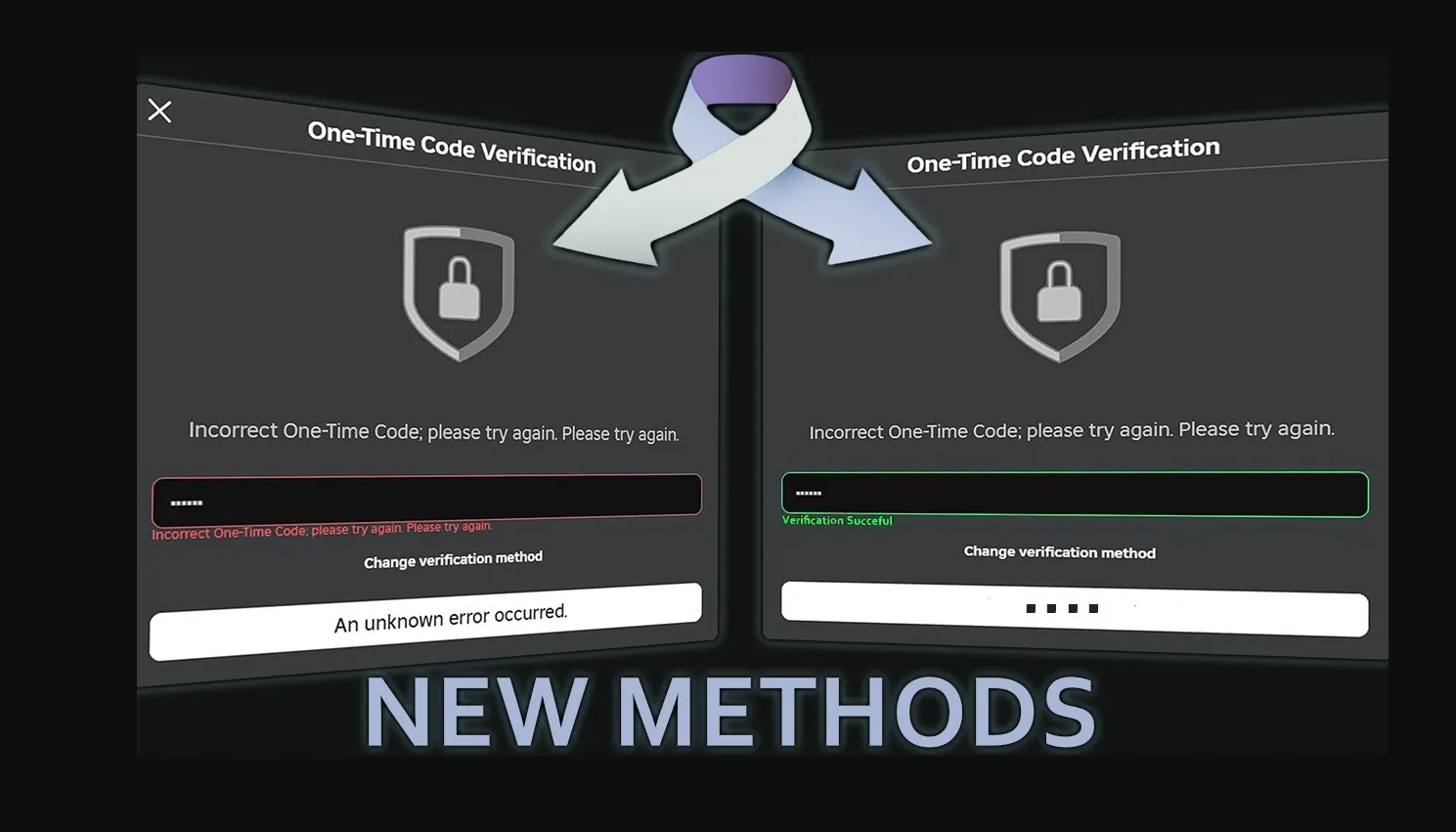
Setting up two-factor authentication on Roblox is quick, and once it’s on, your account becomes much harder to break into. No matter which option you pick, everything starts from the same place in your settings.
First, log in to your Roblox account and open your Settings. From there, go to the Security section, where you’ll find the Two-Step Verification options. You can then turn on the method you want to use, and the setup will guide you from there.
If you choose email verification, Roblox will send a code straight to your email. Just enter that code on the screen, and it’s enabled. It’s the fastest option to set up, but it’s more of a basic layer of protection.
If you go with an authenticator app, Roblox will show a QR code that you need to scan using an app like Google Authenticator or Authy. Once scanned, your phone will generate a 6-digit code that refreshes constantly. Enter that code to finish setup. You’ll also get backup codes — make sure to save them somewhere safe in case you lose access to your phone later.
For security keys, you’ll need to have the authenticator method active first. After that, you can enable this option and follow the steps to connect your physical key or biometric login. This adds another level of protection and is the strongest option if you want maximum account security.
How to Disable 2FA on Roblox
Turning off two-step verification on Roblox is just as simple as enabling it, but you should only do this if you really need to, since it removes an important layer of protection from your account.
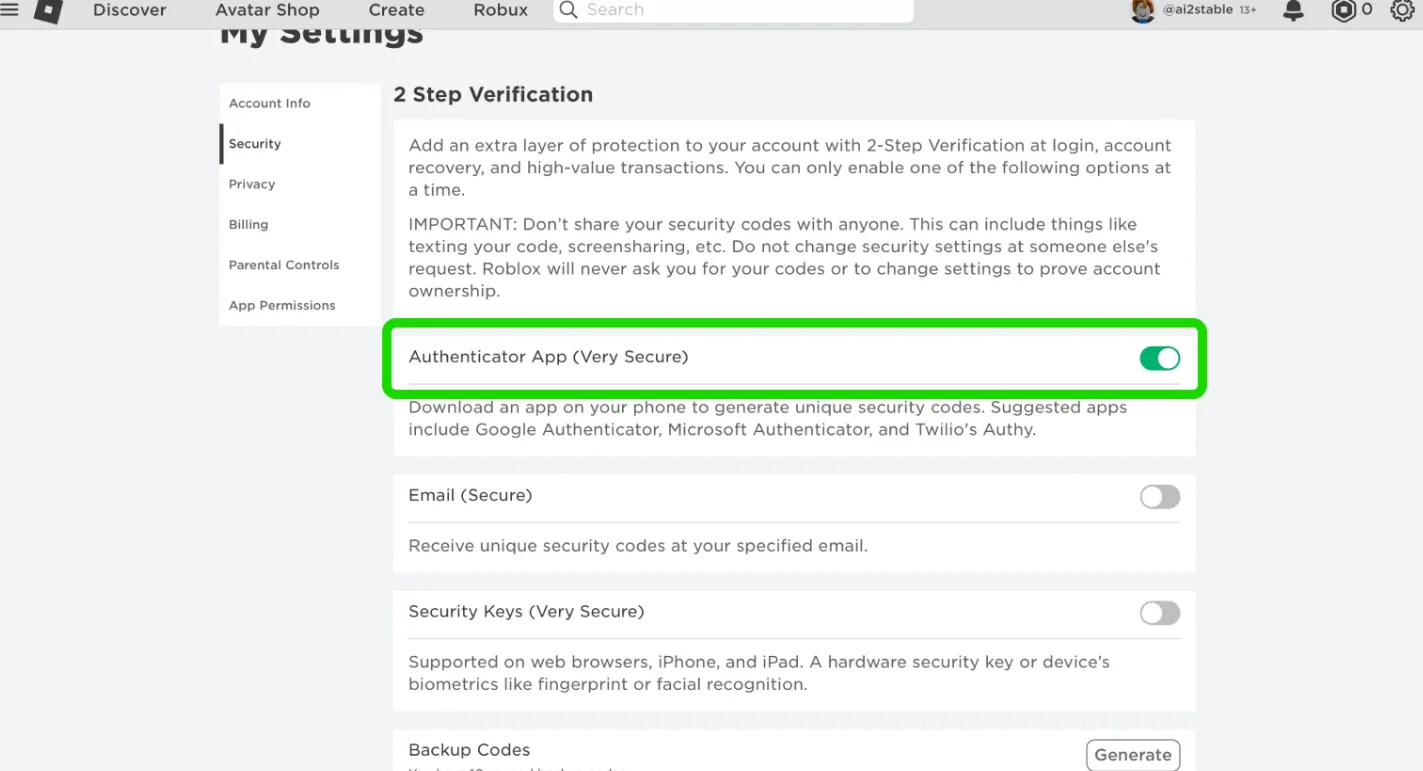
Start by logging into your Roblox account and heading over to your Settings. Once you’re there, open the Security section, where all your 2FA options are located. Find the method you currently have enabled and switch it off.
After you toggle it off, Roblox will show a confirmation message to make sure you actually want to disable it. Confirm the action, and that specific verification method will be removed right away.
If you have more than one 2FA option active, keep in mind that you’ll need to disable each one individually. Your account won’t fully remove two-step protection until all active methods are turned off.
What to Do If Your Roblox 2FA Code Is Not Working
If your Roblox 2FA code keeps getting rejected, don’t panic. Most of the time, it’s a small issue that’s easy to fix once you know what to look for.
The most common problem is timing. Codes from authenticator apps only stay valid for a short window, usually around 30 seconds. If you take too long to enter it, it expires and won’t work anymore. Just wait for a fresh code to appear and try again right away.
Another thing to check is your device’s time settings. Authenticator apps depend on your phone’s clock being accurate. If your time is off, even by a little, the codes won’t match what Roblox expects. Go into your phone settings and make sure automatic date and time syncing is turned on, then try again.
If you no longer have access to your authenticator app, your backup codes are your way back in. These are given to you when you first set up 2FA, and each one can be used once to log in. This is why saving them somewhere safe is so important.
If none of these fixes solve the issue, the last step is to reach out to Roblox support through their official help page. They can verify your account and help you recover access if you’re locked out.
Conclusion
Keeping your Roblox account secure should always be a priority, especially if you’ve spent time building it up or have valuable items on it. Enabling 2FA is one of the easiest and most effective ways to protect yourself from hackers, and it only takes a few minutes to set up. Whether you go with email, an authenticator app, or a security key, each option adds an extra layer of safety that makes a big difference. Once it’s enabled, you can log in with peace of mind knowing your account is much harder to access without your permission.
Posted On: March 28th, 2026
Recent Articles


Our 1v9 support team is available 24/7 to help you with any questions or issues you may have.
support@1v9.gg
Loading...
1v9.gg is not endorsed or affiliated by any game developers or publishers.
2026 1v9, All Rights Reserved, Created By Ritesh (riteshsahoo.com)