

How To Delete Your Honkai Star Rail Account?
Honkai: Star Rail is one of HoYoverse’s most popular turn-based RPGs, featuring a shared account system that connects multiple HoYoverse games under a single login. While many players stay invested long term, some decide to step away, restart fresh, or remove their account entirely for personal reasons. Because Honkai: Star Rail accounts are tied to your HoYoverse account, deleting them is a serious and permanent action that affects more than just one game. In this guide, you’ll learn exactly how to delete your Honkai: Star Rail account step by step, what requirements you must meet, how long the deletion process takes, and what important things you should know before confirming the request.
How To Delete Your Honkai Star Rail Account
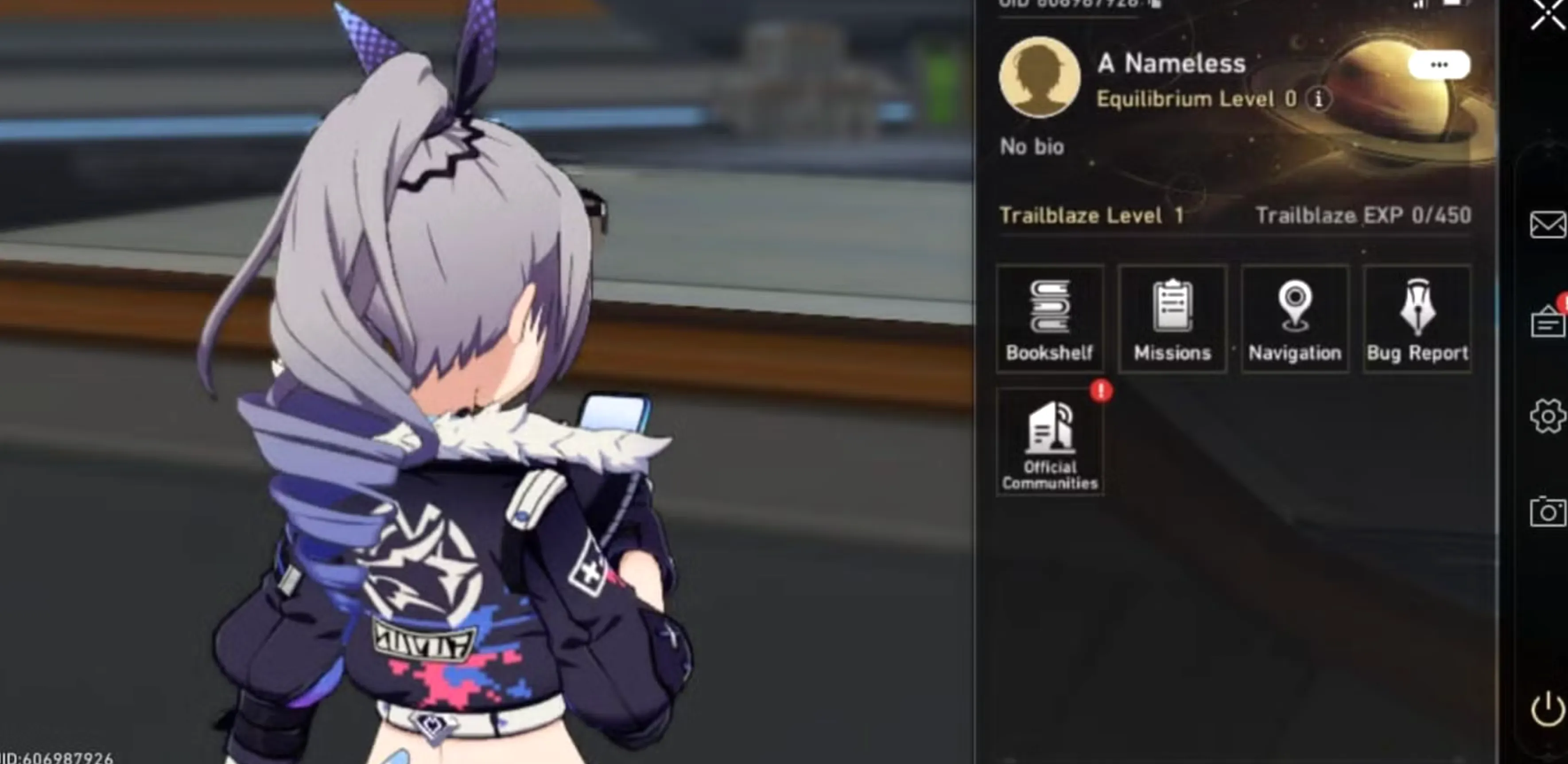
Deleting your Honkai: Star Rail account is handled through your HoYoverse account settings, since all HoYoverse games are linked under one login. This means removing your account will also affect other games tied to the same HoYoverse ID, so it’s important to be sure before proceeding. Below is the correct and official way to delete your Honkai: Star Rail account.
First, go to the official HoYoverse Account website and log in using the email or login method connected to your Honkai: Star Rail account. Once logged in, open the Account Management section and navigate to Account Security Settings. From there, find the option labeled Delete Account or Request Account Deletion. HoYoverse will ask you to review important warnings about permanent data loss, including characters, progress, purchases, and linked games. After confirming, you’ll need to complete an identity verification step, which usually involves a verification code sent to your registered email or phone number. Once verified, submit the deletion request.
After your request is approved, your Honkai: Star Rail account enters a waiting period, typically lasting 30 days. During this time, you will not be able to log in or play on the account. If you change your mind before the countdown ends, you can cancel the deletion by logging back into your HoYoverse account and withdrawing the request. Once the waiting period expires, the account and all associated data are permanently erased and cannot be recovered.
Because Honkai: Star Rail shares account data with other HoYoverse titles, deleting your account will also remove access to games like Genshin Impact or Honkai Impact 3rd if they are linked to the same HoYoverse ID. Make sure to back up any information you want to keep and confirm you’re deleting the correct account before finalizing the request.
Things To Know Before Deleting Your Honkai Star Rail Account
Before deleting your Honkai: Star Rail account, there are several important things you should understand, as the process is permanent and affects more than just one game.
First, deleting your Honkai: Star Rail account permanently removes all progress. This includes characters, Light Cones, Trailblaze level, achievements, in-game purchases, and any limited-time content you’ve unlocked. Once the deletion is completed, none of this data can be restored by HoYoverse.
Second, Honkai: Star Rail is linked to your HoYoverse account, not a standalone profile. This means deleting your account will also erase access to all HoYoverse games tied to the same login, including Genshin Impact and Honkai Impact 3rd. If you play multiple HoYoverse titles on the same account, they will all be deleted together.
Third, there is a waiting period (usually 30 days) after submitting the deletion request. During this time, you will not be able to log in or play. However, this grace period allows you to cancel the deletion if you change your mind by logging back into your HoYoverse account and withdrawing the request before the countdown ends.
Fourth, any money spent on the account is non-refundable. This includes Stellar Jades, Battle Passes, Express Supply Passes, and top-ups. Once the account is deleted, all purchases are lost permanently.
Finally, if your goal is simply to start over, consider creating a new HoYoverse account instead of deleting your current one. This lets you begin fresh in Honkai: Star Rail without risking the loss of other games or progress linked to your existing account.
Make sure you fully understand these points before proceeding, as account deletion is final once the waiting period ends.
FAQs
Can I delete only my Honkai: Star Rail account?
No. Honkai: Star Rail is tied to your HoYoverse account, so deleting it will also remove all other HoYoverse games linked to that account.
Is Honkai: Star Rail account deletion permanent?
Yes. Once the deletion process is completed, all data, characters, progress, and purchases are permanently erased and cannot be recovered.
Is there a waiting period after requesting deletion?
Yes. HoYoverse applies a waiting period, usually up to 30 days, during which you can cancel the deletion if you change your mind.
Will I lose my purchases if I delete my account?
Yes. All paid content, including Stellar Jades, passes, and bundles, will be permanently lost with no refunds.
Can I create a new Honkai: Star Rail account after deletion?
Yes. You can start over by creating a new HoYoverse account, but it will not retain any progress from the deleted account.
Conclusion
Deleting your Honkai: Star Rail account is a serious decision, and it’s important to understand exactly what it means before moving forward. Since the game is fully linked to your HoYoverse account, removing it results in the permanent loss of all progress, characters, and purchases across connected titles. Whether you’re quitting for good or simply planning a fresh start, following the proper steps and being aware of the waiting period can save you from irreversible mistakes. If you’re fully certain, the process is straightforward through HoYoverse support, but if there’s any doubt, it may be worth reconsidering or using a separate account instead.
Posted On: January 27th, 2026
Recent Articles


Our 1v9 support team is available 24/7 to help you with any questions or issues you may have.
support@1v9.gg


-a6d5b3e156bb.webp)





Loading...
1v9.gg is not endorsed or affiliated by any game developers or publishers.
2026 1v9, All Rights Reserved, Created By Ritesh (riteshsahoo.com)