

How To Delete Your Brawl Stars Account: Step-by-Step Guide
Brawl Stars is one of Supercell’s most popular mobile games, known for its fast matches, unique Brawlers, and constant updates. While many players enjoy building their collection over time, some decide to delete their account due to taking a long break, wanting a fresh start, or quitting the game entirely. Since Brawl Stars accounts are tied to Supercell ID, deleting an account is a permanent action that removes all progress, purchases, and unlocked content. In this guide, we’ll walk you through how to delete your Brawl Stars account step by step and explain what to expect before you confirm the deletion.
How to Delete Your Brawl Stars Account
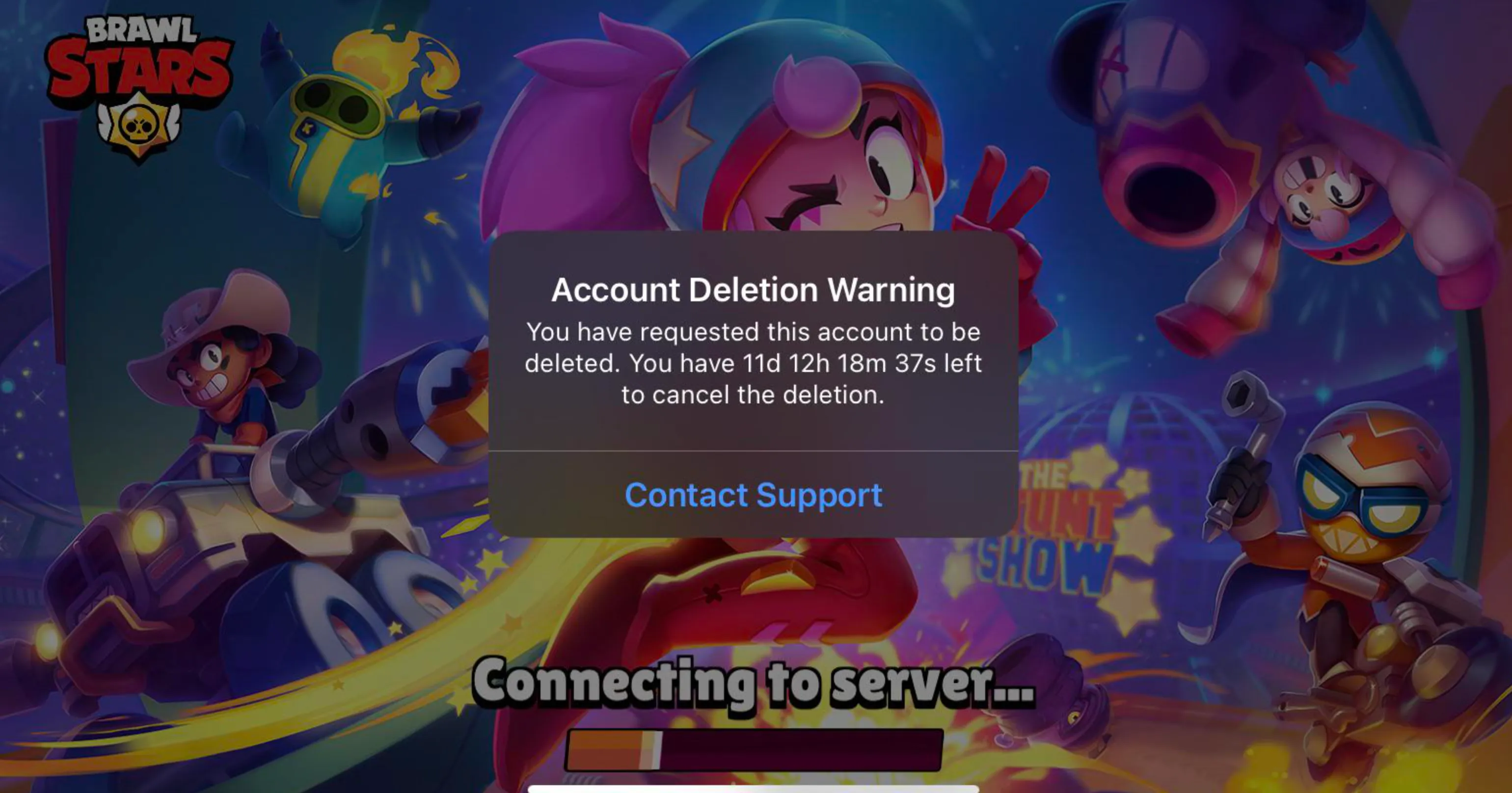
Deleting your Brawl Stars account is done through Supercell’s official support system and permanently removes all your progress, purchases, and unlocked Brawlers. Since the game is linked to your Supercell ID, the process applies to your entire account, not just one device. Below is the correct way to delete your Brawl Stars account safely.
First, open Brawl Stars on your device and tap the Settings icon in the top-right corner. From there, select Help and Support, then navigate to Account. Choose Request Deletion of Your Personal Data, which will redirect you to Supercell’s support chat or request form. Clearly state that you want to delete your Brawl Stars account and confirm the request when prompted.
After submitting the request, Supercell will place your account in a 30-day deletion period. During this time, you won’t be able to access the account, but the deletion can still be canceled by contacting support. Once the 30 days pass, your Brawl Stars account is permanently erased and cannot be recovered under any circumstances.
Things To Know Before Deleting Your Brawl Stars Account
Before you delete your Brawl Stars account, there are a few important things you should fully understand, since this action is permanent and affects your entire Supercell profile.
Deleting your account permanently removes all progress, including unlocked Brawlers, skins, trophies, coins, gems, and any purchases you’ve ever made. Once the deletion is completed, nothing can be restored, even with support assistance.
Your Brawl Stars account is tied to your Supercell ID, which means deleting it may also impact other Supercell games linked to the same ID, such as Clash of Clans, Clash Royale, or Hay Day. If you play multiple Supercell games, make sure you’re aware of what data will be affected before confirming deletion.
After you submit the deletion request, your account enters a 30-day waiting period. During this time, you cannot play on that account, but you still have the option to cancel the deletion by contacting Supercell support. Once the 30 days are over, the account is erased permanently with no way to reverse it.
If your goal is simply to start fresh, deleting your account may not be necessary. Supercell allows you to create a new Supercell ID, letting you begin a new Brawl Stars account while keeping your old one intact. This is often a safer option if you’re unsure about permanently losing your progress.
FAQs
Can I recover my Brawl Stars account after deleting it?
No. Once the deletion is completed, your account, progress, and purchases are permanently removed and cannot be restored.
Is there a waiting period before the account is fully deleted?
Yes. After submitting the deletion request, there is a cooldown period (usually up to 30 days) during which you can cancel the request through Supercell Support.
Will deleting my Brawl Stars account delete other Supercell games too?
If your games are linked to the same Supercell ID, requesting deletion may affect all games connected to that ID. Always check this before confirming.
Can I start a new Brawl Stars account after deletion?
Yes. After the deletion is finalized, you can create a brand-new account, but none of your old progress or items will carry over.
Conclusion
Deleting your Brawl Stars account is a serious decision, as it permanently removes your progress, unlocked Brawlers, and any purchases tied to your account. While Supercell does offer a clear deletion process, it’s important to be absolutely sure before confirming, especially if your account is linked to other Supercell games through the same Supercell ID. If you’re simply looking for a fresh start, creating a new account may be a better option than deleting everything. By following the steps outlined in this guide and understanding the consequences beforehand, you can make the right choice for your situation and avoid any unwanted surprises.
Posted On: January 25th, 2026
Recent Articles


Our 1v9 support team is available 24/7 to help you with any questions or issues you may have.
support@1v9.gg


-a6d5b3e156bb.webp)





Loading...
1v9.gg is not endorsed or affiliated by any game developers or publishers.
2026 1v9, All Rights Reserved, Created By Ritesh (riteshsahoo.com)