- Home
Games
 League of Legends
 Valorant
-a6d5b3e156bb.webp) Fortnite
Fortnite Call of Duty
 Clash of Clans
 Counter-Strike 2
 Roblox
 Rainbow Six Siege
 Clash Royale
 Minecraft
 Rocket League
 Dota 2
 Genshin Impact
 Squad Busters
 Rust
Rust Apex Legends
 Pokemon Go
 XDefiant
 LoL: Wild Rift
 Hay Day
 Diablo 4
 FC 25
FC 25 Marvel Rivals
 World of Warcraft
 Destiny 2
 Deadlock
-9ede9dc6b01b.webp) PUBG Mobile
PUBG Mobile The Finals
 Growtopia
 Forza Horizon 5
 Honkai: Star Rail
 Warframe
 8 Ball Pool
 Zenless Zone Zero
 Path of Exile
 Runescape 3
 Raid: Shadow Legends
 Lost Ark
 WoW: Classic Era
 Summoners War
 WoW: Season of Discovery
 WoW Cataclysm
 WoW: Hardcore
 Throne and Liberty
 New World
 Mobile Legends
 Escape From Tarkov
 Path of Exile 2
 Blade Ball
 Fisch
Fisch Pet Simulator 99
 Pets Go
-d8bcef7708c7.webp) One Piece Bounty
One Piece Bounty Anime Adventures
 Blox Fruits
 Adopt Me
 Murder Mystery 2
 Fragpunk
 Wuthering Waves
 Teamfight Tactics
 Free Fire
 Albion Online
 Black Desert Online
 Honor of Kings
 Brawl Stars
 Arena of Valor
 Call of Duty: Mobile
 Rematch
 Steal a Brainrot
 Grow a Garden
 FC 26
FC 26 Old School Runescape
 Plants vs Brainrots
 Overwatch
 Battlefield
 Arc Raiders
 Dragon Ball Legends
 Fallout 76
 Jailbreak
 Type Soul
 GPO
GPO DonutSMP
 Escape Tsunami For Brainrots
 Watcher of Realms
 Roblox Rivals
 2XKO
2XKO Sailor Piece
 Forza Horizon 6
 GTA 5
GTA 5- Lootboxes
- Become Affiliate
- Blog
- Contact Us
- Sign In


How to Change Your Name in Mobile Legends: Bang Bang
Your name in Mobile Legends: Bang Bang is one of the first things other players notice, whether you’re playing ranked, showing off your profile, or joining a new squad. Having a clean or unique name can make your account stand out and feel more personal.
At some point, most players want to change their name, either to rebrand, fix a mistake, or just try something new. The process is simple, but it does require a specific item, and a lot of players don’t know exactly how it works.
In this guide, we’ll walk you through how to change your name in Mobile Legends, what you need to do it, and a few tips to avoid wasting resources when updating your IGN.
How to Change Your Name in Mobile Legends
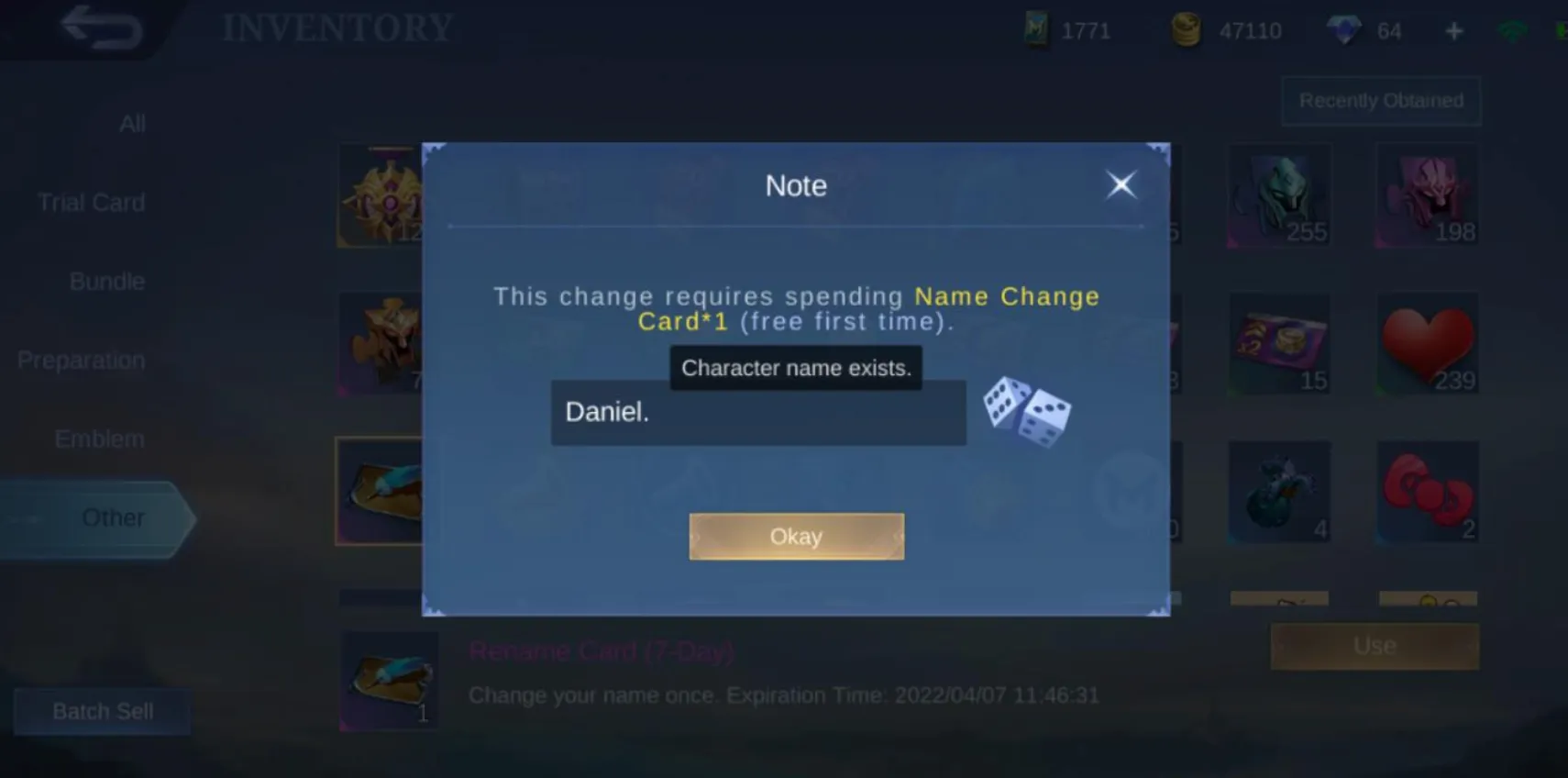
Changing your name in Mobile Legends is simple, but you’ll need a Name Change Card to do it. This item lets you update your in-game name whenever you want.
First, go to your profile by tapping your avatar in the top-left corner of the main screen. Once you’re there, tap on your current name. This will open the option to edit it.
Enter your new name, and if you have a Name Change Card, you can confirm the change right away. Your new name will update instantly across your account.
If you don’t have a Name Change Card, you can get one from the shop using Diamonds, or sometimes through events and rewards.
Before changing your name, make sure it’s exactly what you want. Some names may already be taken, and you don’t want to waste your Name Change Card on something you might want to change again later.
How to Get a Rename Card in Mobile Legends
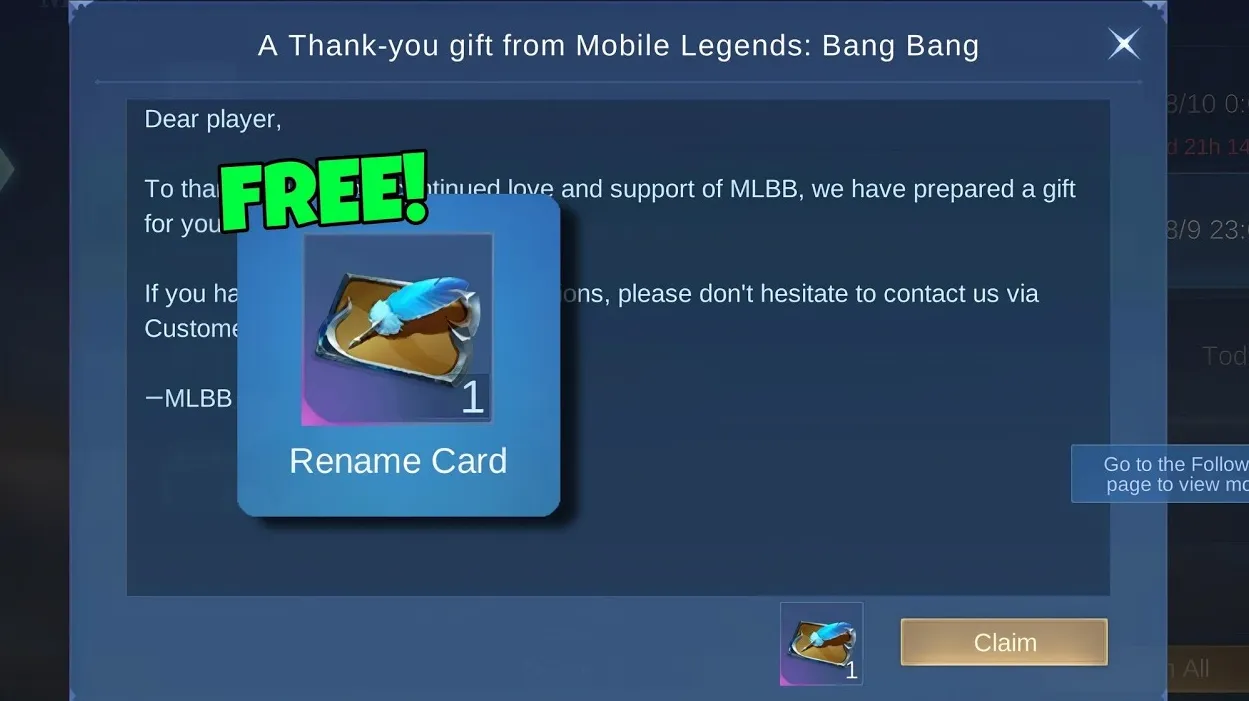
If you want to change your name in Mobile Legends, you’ll need a Rename Card, and there are a few different ways to get one depending on how you play.
Buy it directly from the Shop
The quickest method is buying it from the in-game shop. Go to Shop → Preparation → Special, and you’ll find the Rename Card available for 239 Diamonds. This is the easiest option if you want to change your name right away.
Earn it through events (when available)
Sometimes, Mobile Legends includes Rename Cards as rewards during special events. These usually require completing tasks or missions. They don’t show up often, but when they do, it’s a great way to get one without spending Diamonds.
Use the Season First Recharge reward
One of the best ways to save Diamonds is through the First Recharge event. Open the recharge menu by tapping the Diamond icon, then go to the Season First Recharge tab. If you top up Diamonds on three separate days, you unlock the option to buy a Rename Card for only 50 Diamonds.
Keep in mind that the top-ups must be done on different days, even if it’s a small amount each time.
If you want the fastest method, buying from the shop is the way to go. But if you’re trying to save Diamonds, the recharge option gives you much better value.
Conclusion
Changing your name in Mobile Legends is a simple process once you know what you need and where to find it. Whether you’re updating your name for a fresh start, a new identity, or just to fix something, having a Rename Card makes it quick and easy.
There are multiple ways to get one, from buying it directly in the shop to saving Diamonds through recharge rewards or waiting for event opportunities. Choosing the right method can help you avoid spending more than you need.
At the end of the day, your in-game name is part of your identity. Taking a moment to pick the right one and knowing how to change it properly ensures you don’t waste resources and end up with a name you actually want to keep.
Posted On: April 4th, 2026
Recent Articles


Our 1v9 support team is available 24/7 to help you with any questions or issues you may have.
support@1v9.gg
Loading...
1v9.gg is not endorsed or affiliated by any game developers or publishers.
2026 1v9, All Rights Reserved, Created By Ritesh (riteshsahoo.com)