- Home
Games
 League of Legends
 Valorant
-a6d5b3e156bb.webp) Fortnite
Fortnite Call of Duty
 Clash of Clans
 Counter-Strike 2
 Roblox
 Rainbow Six Siege
 Clash Royale
 Minecraft
 Rocket League
 Dota 2
 Genshin Impact
 Squad Busters
 Rust
Rust Apex Legends
 Pokemon Go
 XDefiant
 LoL: Wild Rift
 Hay Day
 Diablo 4
 FC 25
FC 25 Marvel Rivals
 World of Warcraft
 Destiny 2
 Deadlock
-9ede9dc6b01b.webp) PUBG Mobile
PUBG Mobile The Finals
 Growtopia
 Forza Horizon 5
 Honkai: Star Rail
 Warframe
 8 Ball Pool
 Zenless Zone Zero
 Path of Exile
 Runescape 3
 Raid: Shadow Legends
 Lost Ark
 WoW: Classic Era
 Summoners War
 WoW: Season of Discovery
 WoW Cataclysm
 WoW: Hardcore
 Throne and Liberty
 New World
 Mobile Legends
 Escape From Tarkov
 Path of Exile 2
 Blade Ball
 Fisch
Fisch Pet Simulator 99
 Pets Go
-d8bcef7708c7.webp) One Piece Bounty
One Piece Bounty Anime Adventures
 Blox Fruits
 Adopt Me
 Murder Mystery 2
 Fragpunk
 Wuthering Waves
 Teamfight Tactics
 Free Fire
 Albion Online
 Black Desert Online
 Honor of Kings
 Brawl Stars
 Arena of Valor
 Call of Duty: Mobile
 Rematch
 Steal a Brainrot
 Grow a Garden
 FC 26
FC 26 Old School Runescape
 Plants vs Brainrots
 Overwatch
 Battlefield
 Arc Raiders
 Dragon Ball Legends
 Fallout 76
 Jailbreak
 Type Soul
 GPO
GPO DonutSMP
 Escape Tsunami For Brainrots
 Watcher of Realms
 Roblox Rivals
 2XKO
2XKO Sailor Piece
 Forza Horizon 6
 GTA 5
GTA 5- Lootboxes
- Become Affiliate
- Blog
- Contact Us
- Sign In


How to Get Mr Dappermint Skin in Fortnite For Free
The Mr Dappermint skin is one of those Fortnite cosmetics that instantly stands out, especially during the holiday season. With its clean suit, candy-themed style, and festive vibe, it’s a skin a lot of players want in their locker without spending V-Bucks. The good news is that Mr Dappermint can actually be unlocked for free, as long as you know where to look and what to do. In this guide, we’ll break down exactly how to get the Mr Dappermint skin in Fortnite without paying anything, including the requirements, steps, and a few tips to make sure you don’t miss out while it’s available.
How to Get the Mr Dappermint Skin For Free
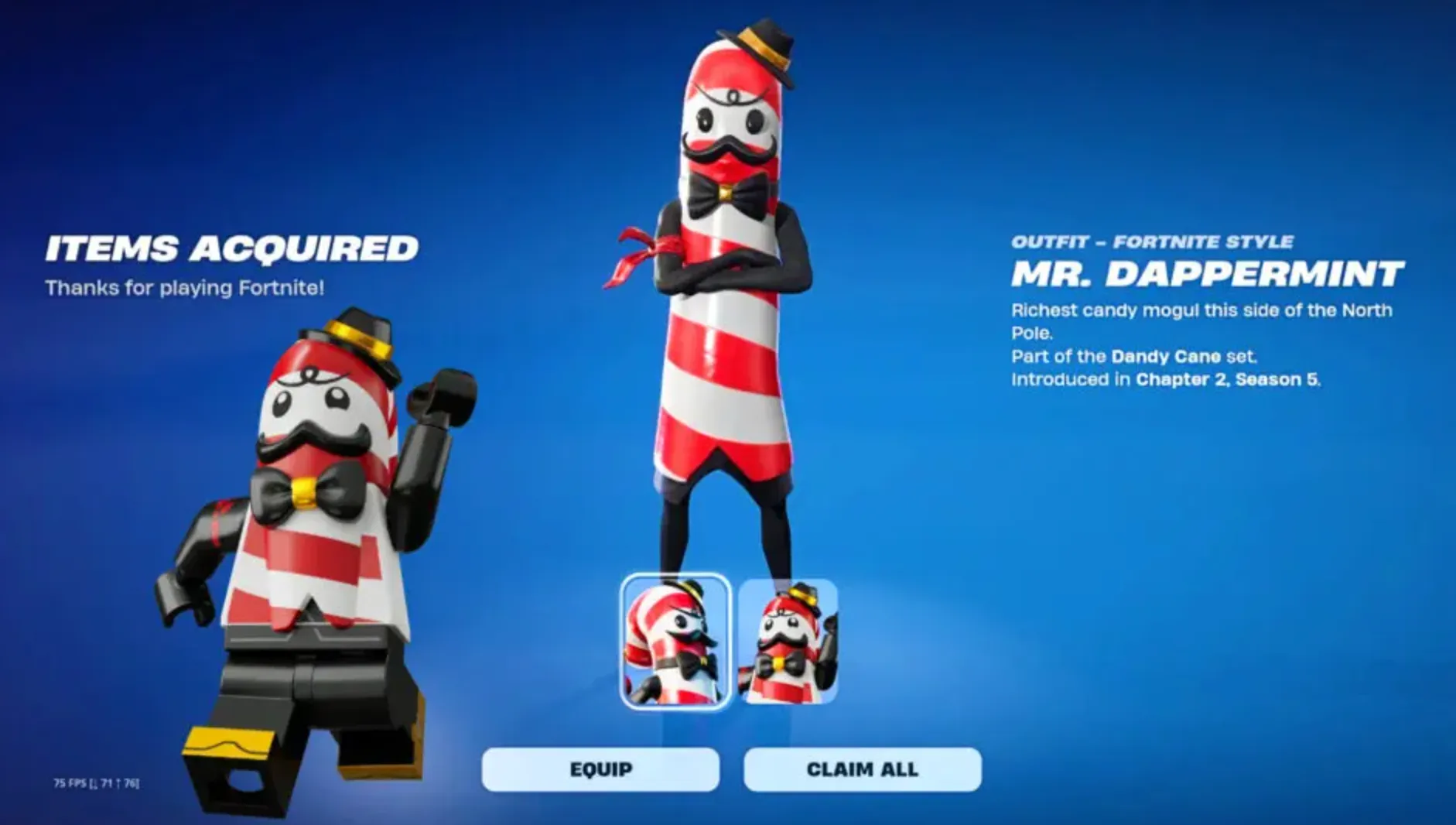
The Mr Dappermint outfit is one of those rare Fortnite freebies that anyone can grab with just a few clicks. Epic Games is giving this skin away at no cost to players who link their Epic Games account with a LEGO account. To do this, start by signing in to your Epic Games account on a web browser, then click your username in the top-right corner and head into Account settings. From there, open the Apps & Accounts section, find LEGO in the list of available connections, and link your LEGO account to your Epic ID. Once the accounts are connected, the Mr Dappermint skin will be unlocked and added to your Fortnite locker automatically, letting you claim the cosmetic for free without completing challenges or spending V-Bucks.
When Will You Receive the Mr Dappermint Skin?
After linking your Epic Games and LEGO accounts, there’s nothing else you need to do. The Mr Dappermint skin is added to your Fortnite locker automatically, but it may not appear instantly. In most cases, it shows up within a few hours, so don’t panic if you don’t see it right away. Just give it some time, restart the game if needed, and the skin should be waiting for you in your locker shortly after.
Conclusion
Getting the Mr Dappermint skin in Fortnite is one of the easiest free cosmetic rewards Epic has offered in a long time. All it takes is linking your Epic Games account with a LEGO account, and the skin is automatically added to your locker shortly after. There’s no grinding, no challenges, and no V-Bucks required, making it a great bonus for both new and returning players. As long as your accounts are properly connected, you can sit back and wait for Mr Dappermint to show up and enjoy a free festive-style outfit without spending anything.
Posted On: December 26th, 2025
Recent Articles


Our 1v9 support team is available 24/7 to help you with any questions or issues you may have.
support@1v9.gg
Loading...
1v9.gg is not endorsed or affiliated by any game developers or publishers.
2026 1v9, All Rights Reserved, Created By Ritesh (riteshsahoo.com)