

Best Ultron Crosshair And Reticle Code Settings
If you’re playing Ultron in Marvel Rivals, your crosshair and hero settings can heavily influence how consistent your aim feels. Ultron relies on controlled mid-range pressure, sustained damage, and smart positioning rather than reckless dives. Because of that, having a clean reticle and properly tuned sensitivity is extremely important.
A cluttered crosshair can make it harder to track targets during team fights, especially when multiple abilities are active on screen. The right Ultron crosshair setup keeps your view clear while still giving you precise feedback for landing shots and maintaining pressure.
In this guide, we’ll break down the best Ultron crosshair in Marvel Rivals, provide a reliable reticle code, and cover the ideal hero settings so you can improve accuracy, control, and overall consistency in every match.
Best Ultron Crosshair in Marvel Rivals
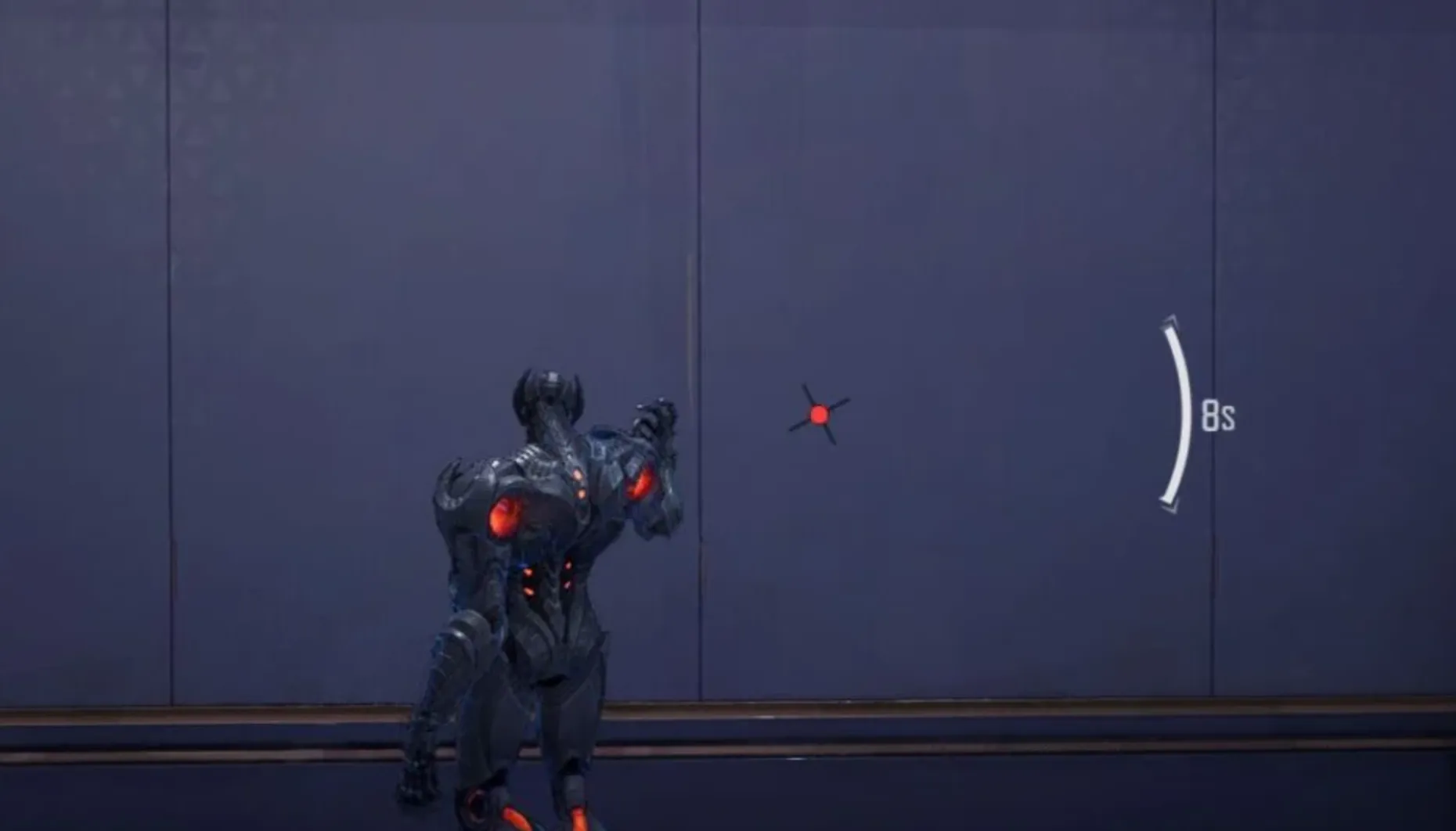
Ultron’s ideal crosshair in Marvel Rivals isn’t just about aesthetics — it’s about understanding how his laser actually fires. Since Ultron uses a hitscan beam, your shots connect instantly wherever your aim is placed. That makes precision extremely important, but it also opens the door for a slightly more specialized reticle design.
The most effective Ultron crosshair uses a center dot paired with angled crosshair lines, with the left-angled line playing a key role.
Center Dot
The center dot is your primary aiming reference at every distance. Because Ultron’s laser is hitscan, what you point at is exactly what you hit — whether the target is right in front of you or across the map.
In most situations, simply keeping the dot centered on your target is enough. It provides clean, distraction-free precision for tracking moving enemies and maintaining steady beam damage.
Left-Angled Line
The left-angled line is where this crosshair becomes especially useful. Ultron’s beam doesn’t visually originate from the exact center of the screen — it fires from his hand. The angled line helps you better visualize that firing path.
This line acts like a directional guide, giving you a clearer sense of how your laser travels from Ultron’s model toward the target. In certain situations, even if your center dot is slightly off, having the left-angled line aligned with part of the enemy model can still result in a hit. That makes it extremely valuable for understanding beam alignment.
Right Line
The right-side line doesn’t provide the same practical aiming benefit. It mainly exists for visual balance in the reticle design. When aiming, you can focus primarily on the center dot and the left-angled guide.
Why This Crosshair Works
Ultron’s strength comes from consistent beam pressure. This dot-and-angle combination gives you both precision and spatial awareness. The center dot handles accuracy, while the angled line helps you mentally map the beam’s origin point.
If you’re looking for the best Ultron crosshair in Marvel Rivals, this setup offers a strong balance between clarity and mechanical awareness, helping you stay consistent at all ranges without cluttering your screen.
Ultron Reticle Code in Marvel Rivals
If you want to use the same angled-dot setup designed for Ultron’s laser, here is the full reticle string written clearly so you can paste it straight into your settings:
Ultron Reticle Code:
4;0;6.0,18.0,100.0,0.0;100.0,50.0,100.0,0.0;50.0,0.0,0.0,0.0;100.0,100.0,100.0,100.0;0.0,0.0,0.0,0.0;33.0,15.0,4.0,33.0;36.0;100.0,50.0,100.0,0.0;62.0;5.0,5.0,1,5.0;0.0,0.0,0.0;
This Ultron crosshair in Marvel Rivals is built around a precise center dot combined with angled crosshair lines that reflect the visual firing angle of his beam. Since Ultron’s laser is hitscan, accuracy depends entirely on clean alignment and consistent tracking.
The angled line helps you better understand where the beam originates relative to the character model, which can make a difference during tight angles or when peeking corners. Meanwhile, the center dot remains your main reference for direct tracking at any range.
If you’re looking for a reliable Ultron reticle that improves clarity without overloading your screen, this configuration provides a strong balance between precision and visual awareness.
Ultron Crosshair Settings in Marvel Rivals
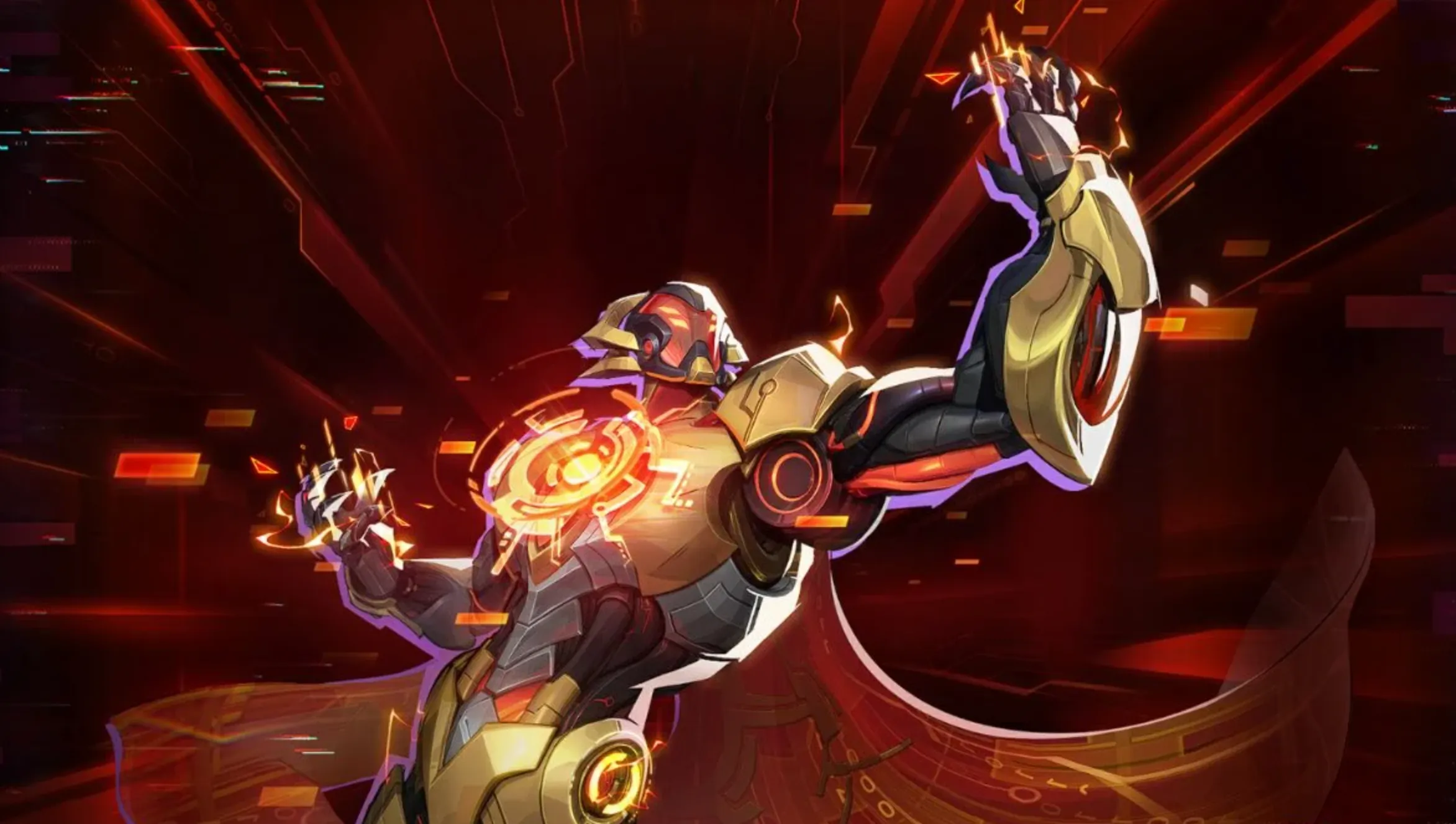
To properly recreate Ultron’s angled beam-focused reticle, the settings need to be adjusted carefully. This setup removes the traditional center dot and instead relies on angled crosshair lines to reflect the visual firing direction of his laser.
Start by selecting Circle and Crosshair as your reticle type and turn Reticle Animation off. Ultron benefits from a completely stable crosshair since consistent tracking is key with his hitscan beam.
The center dot should be disabled, meaning Dot Width stays at 0 and Dot Opacity remains at 0. Ultron doesn’t rely on a central pixel marker in this configuration.
For the main crosshair lines, set Crosshair Width to 18 and Crosshair Length to 36. Keep Crosshair Opacity at 50 so the lines remain visible but not overwhelming. The angled design comes from setting the Crosshair Angle to 62, which creates that distinctive slanted alignment that mirrors Ultron’s beam origin from his hand.
Set the Crosshair Radius to 15 and Circle Radius to 4. The circle element itself stays subtle, but these values help maintain proper spacing and alignment in the overall reticle layout. Keep Circle Opacity at 100 for clear visibility.
All blur settings — including Dot Blur, Crosshair Blur, and Circle Blur — should remain at 0 for a crisp and clean appearance. Outline widths stay at 0, while outline opacity values remain at 100 to preserve sharp edges.
For colors, use Red for the dot element (even though it’s disabled) and Black for the crosshair lines. The darker crosshair lines contrast well against most map backgrounds without becoming distracting. Circle color is not relevant in this configuration.
This Ultron crosshair setup in Marvel Rivals is built for players who want better awareness of beam direction rather than relying on a simple center dot. The angled lines help visualize how the laser leaves Ultron’s model, giving you a stronger sense of alignment during peeks and sustained pressure fights.
Best Ultron Hero Settings in Marvel Rivals
If you want Ultron to feel stable and accurate in every fight, your hero settings should focus on smooth tracking and controlled aim. Since his primary weapon is a hitscan beam, consistency matters more than high sensitivity or flashy tweaks.
For Mouse Sensitivity, keep both horizontal and vertical values between 3 and 5. This range gives you steady beam control at mid range while still allowing quick adjustments during close fights. The exact number depends on your DPI, but staying within that window keeps your aim predictable.
Leave Invert Horizontal Look and Invert Vertical Look disabled unless you personally prefer inverted controls. Standard camera movement works best for most players.
Turn off Mouse Smoothing and Mouse Acceleration. These settings can interfere with fine tracking, especially when maintaining beam contact on moving targets. Ultron performs best with direct, raw-feeling mouse input.
Keep Center Mouse in Background off as well. It doesn’t offer a competitive benefit and can feel awkward during fast camera movements.
For Drone Targeting Sensitivity, a range between 30 and 50 works well. This gives you enough responsiveness to reposition drones quickly without losing control. You want the drones to feel reactive, but not overly sensitive to small mouse movements.
Set Raw Input to off unless your specific hardware requires it. Most setups perform consistently without changing this option.
Finally, enable Allied Health Bars. Ultron often plays around sustained pressure and positioning, so having better team awareness helps you decide when to commit or reposition.
These Ultron hero settings in Marvel Rivals are built for smooth tracking, reliable beam control, and strong situational awareness. With stable sensitivity and clean input, you’ll be able to maintain constant pressure and maximize Ultron’s mid-range dominance.
Conclusion
Choosing the best Ultron crosshair, reticle code, and hero settings in Marvel Rivals is all about precision and control. Since Ultron relies on a hitscan beam and steady pressure rather than burst mechanics, your setup should focus on clean tracking and visual clarity.
The angled crosshair design helps you better understand the beam’s firing direction, while stable sensitivity settings ensure your aim feels smooth and predictable. Disabling unnecessary effects like smoothing and acceleration keeps your tracking consistent, especially during extended fights where maintaining beam contact is key.
At the end of the day, consistency is what makes Ultron strong. A clear reticle, balanced sensitivity, and proper drone targeting settings allow you to apply constant pressure without losing control. Stick with a clean setup, build muscle memory, and focus on positioning — that’s how you get the most value out of Ultron in every match.
Posted On: March 5th, 2026
Recent Articles


Our 1v9 support team is available 24/7 to help you with any questions or issues you may have.
support@1v9.gg


-a6d5b3e156bb.webp)





Loading...
1v9.gg is not endorsed or affiliated by any game developers or publishers.
2026 1v9, All Rights Reserved, Created By Ritesh (riteshsahoo.com)