

Best Blade Crosshair And Reticle Code Settings
If you’re playing Blade in Marvel Rivals, your settings can directly impact how smooth and consistent your fights feel. Blade thrives in aggressive, close-range combat where fast reactions, tight tracking, and clean positioning matter more than anything. A cluttered crosshair or unstable sensitivity can easily slow you down during high-pressure dives.
That’s why having the right Blade crosshair and optimized hero settings is important. A clean reticle improves visibility in chaotic fights, helps you stay locked onto targets, and keeps your screen distraction-free while you focus on movement and timing.
In this guide, we’ll break down the best Blade crosshair in Marvel Rivals, provide a reliable reticle code, and go over the ideal hero settings so you can maximize control, accuracy, and consistency in every engagement.
Best Blade Crosshair in Marvel Rivals
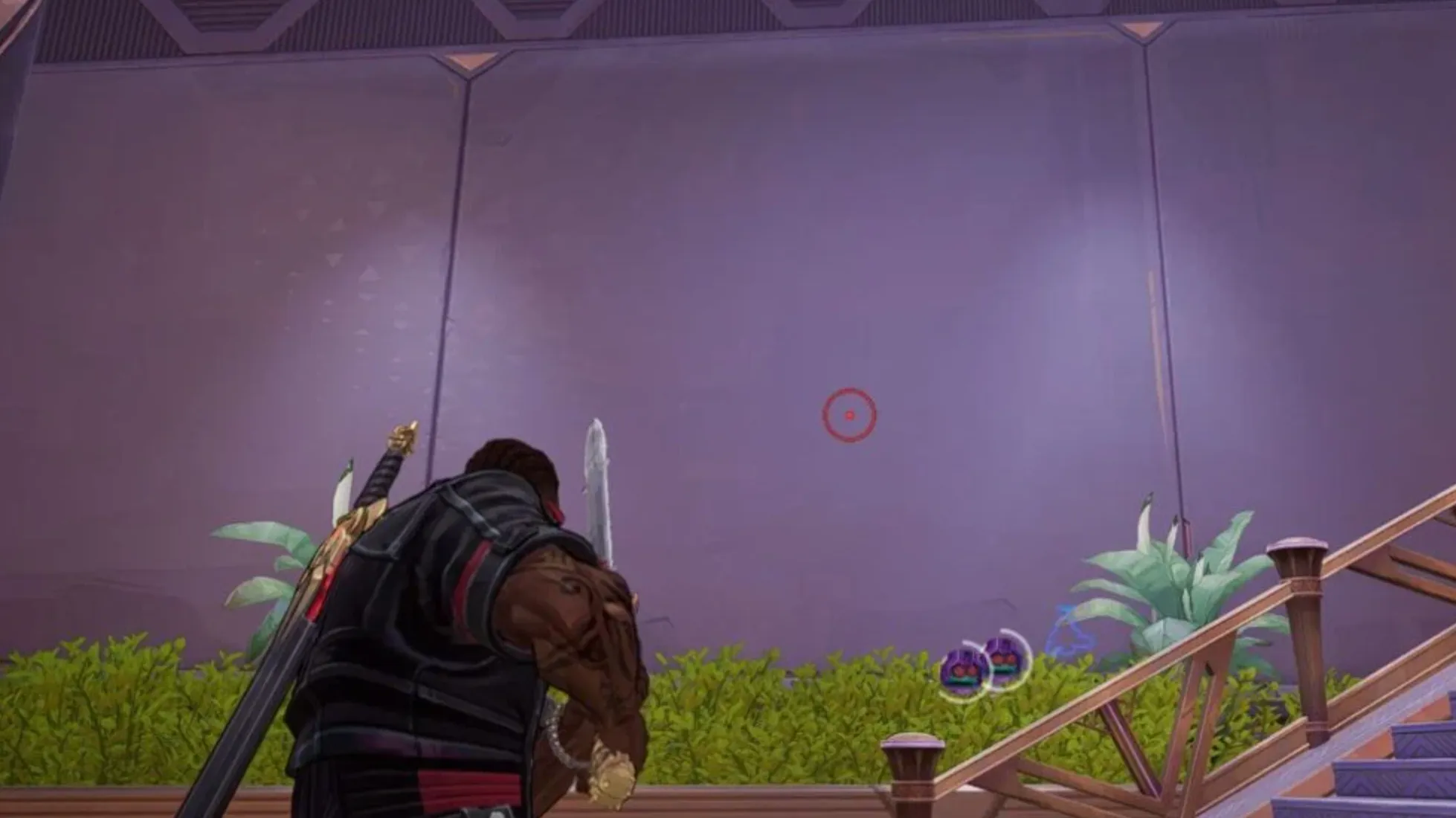
When setting up the best Blade crosshair in Marvel Rivals, you need something that matches his close-range pressure playstyle. Blade is not a long-range poke hero. Most of his value comes from aggressive pushes, tight angles, and maximizing damage with his Hunter’s Shotgun. That’s why a center dot combined with an outer circle works best.
Before anything else, make sure Attack Range Hint is enabled in your settings. Blade’s melee weapon already highlights enemies in red when they’re within range, so you don’t need your crosshair to help with melee spacing. The reticle is mainly there to support his shotgun damage.
Center Dot
The small center dot is your main aiming reference in very close fights. At short distances, you want to land the initial shotgun projectile cleanly before it spreads into shrapnel around the 8-meter mark. The dot helps you stay precise during tight engagements where quick flicks and snap aim matter most.
When you’re right on top of an opponent, focus on keeping the dot centered on their upper body to guarantee strong burst damage.
Outer Circle
The outer circle is where the real value comes in. It represents the effective pellet spread of Blade’s shotgun at medium range, around 15–20 meters. The goal is simple: keep as much of the enemy model inside that circle as possible.
The more of your opponent that fits within the circle, the more pellets will connect, which directly increases your damage output. Against slightly farther targets, the circle becomes your visual guide for maximizing shrapnel impact.
Why No Extra Crosshair Lines?
Blade isn’t meant to take long-distance duels, so traditional crosshair lines for leading targets aren’t necessary. Extra elements would only clutter your screen during fast dives and close-quarters fights. A clean dot and circle give you everything you need without distractions.
This Blade crosshair setup in Marvel Rivals is built around clarity and damage optimization. The dot ensures precision up close, while the circle helps you understand shotgun spread at mid range. With this configuration, you can focus fully on positioning, timing, and aggressive play — exactly how Blade is meant to be played.
Blade Reticle Code in Marvel Rivals
If you want to use the exact dot-and-circle setup built for Blade’s Hunter’s Shotgun, here is the full reticle string written in plain format so you can paste it directly into your settings:
Blade Reticle Code:
4;0;6.0,0.0,0.0,16.0;100.0,0.0,90.0,100.0;50.0,0.0,0.0,0.0;100.0,100.0,100.0,100.0;0.0,0.0,0.0,0.0;33.0,0.0,36.0,33.0;40.0;100.0,0.0,90.0,100.0;0.0;5.0,3,1,1;0.0,0.0,0.0;
This Blade crosshair in Marvel Rivals is optimized specifically for shotgun damage consistency. The smaller center dot helps with tight, close-range precision, while the outer circle gives you a visual guide for pellet spread at medium range.
Because Blade isn’t meant to duel at extreme distances, this reticle keeps things simple and focused. The circle helps you understand how much of the enemy model is inside your effective damage range, and the dot ensures your first projectile lands cleanly before the spread kicks in.
If you’re looking for a reliable Blade reticle that improves damage control without cluttering your screen, this setup gives you a clean and practical foundation to build consistency with every fight.
Blade Crosshair Settings in Marvel Rivals
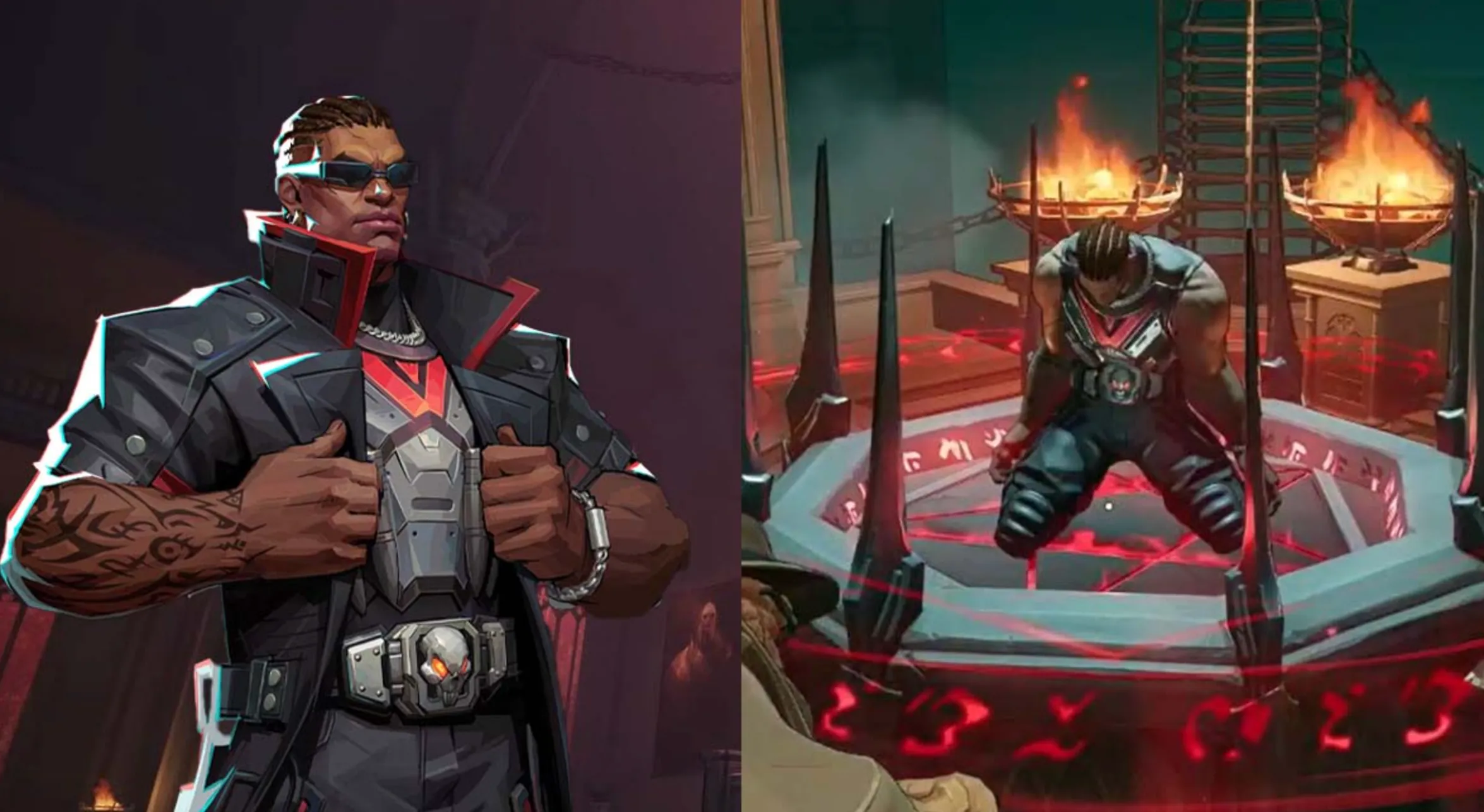
To get the most out of Blade’s shotgun-focused playstyle, your crosshair settings should highlight pellet spread without cluttering your screen. This setup uses a dot and circle combination while disabling unnecessary line elements.
Set your Reticle Type to Circle and Crosshair, then immediately turn Reticle Animation off. Blade benefits from a stable, non-moving reticle so your aim feels consistent during aggressive pushes.
For the center, use a Dot Width of 16 with 100 opacity. This smaller dot keeps your aim precise during very close fights where the initial shotgun projectile matters most. Keep Dot Outline Width at 0, but leave Dot Outline Opacity at 100 so the dot remains crisp and clearly visible.
All crosshair line elements should remain effectively disabled. Set Crosshair Width to 0, Crosshair Opacity to 0, and keep Crosshair Angle at 0. Even though Crosshair Length is set to 40 in the configuration, with width and opacity at zero it won’t visually clutter your screen.
For the outer circle, use a Circle Radius of 36 with 90 opacity. This slightly transparent circle gives you a clear visual reference for Blade’s pellet spread without being too distracting. Keep Circle Width at 0 and Circle Outline Width at 0, with Circle Outline Opacity at 100 for sharp edges.
All blur settings — including Dot Blur, Crosshair Blur, and Circle Blur — should be set to 0. A sharp reticle is much easier to read in chaotic fights.
For colors, both the Dot Color and Circle Color should be red. This matches Blade’s aggressive theme and stands out clearly against most map environments. Crosshair color isn’t relevant since visible lines are disabled.
These Blade crosshair settings in Marvel Rivals are tuned for close-range dominance. The small red dot ensures tight precision, while the semi-transparent circle helps you maximize shotgun damage at mid range — all without overloading your screen with unnecessary elements.
Best Blade Hero Settings in Marvel Rivals
To get the most out of Blade in Marvel Rivals, your hero settings should support aggressive movement and tight close-range control. Since Blade thrives in shotgun duels and melee pressure, stability and consistency are far more important than high sensitivity or flashy tweaks.
For Mouse Sensitivity, keep both horizontal and vertical values between 3 and 5. This range gives you enough speed to snap onto targets during dives while still maintaining control when tracking enemies at mid range. The exact number depends on your DPI, but staying within that window keeps your aim balanced and reliable.
Leave Invert Horizontal Look and Invert Vertical Look turned off unless you personally prefer inverted controls. Most players perform better with standard camera movement, especially in fast-paced engagements.
Make sure Attack Range Hint is enabled. This is extremely important for Blade. Since his melee weapon highlights enemies when they’re within range, having this setting on helps you instantly recognize when you can commit to close combat without guessing spacing.
Turn Allied Health Bars on as well. Blade often plays aggressively at the front line, so knowing the condition of your teammates helps you decide whether to continue pushing or disengage.
Since Blade was introduced recently in Season 3.5, players are still experimenting with the most optimal crosshair and sensitivity setups. As the meta develops and more data becomes available, adjustments may be made to refine what works best. This guide will continue evolving as we test and fine-tune Blade’s most effective configurations.
For now, these Blade hero settings provide a stable foundation focused on control, awareness, and aggressive consistency — exactly what you need to dominate close-range fights.
Conclusion
Finding the best Blade crosshair, reticle code, and hero settings in Marvel Rivals is all about building a setup that supports aggressive, close-range dominance. Blade isn’t meant to sit back and take long-distance duels. He shines when you’re pressuring enemies up close, maximizing shotgun damage, and capitalizing on tight positioning.
The combination of a small center dot and a properly sized outer circle gives you both precision and spread awareness. The dot helps you land clean initial shots at point-blank range, while the circle makes it easier to visualize pellet coverage at mid range. Pair that with stable sensitivity settings and Attack Range Hint enabled, and your gameplay will feel much more controlled and consistent.
At the end of the day, consistency is what separates average Blade players from the ones who carry fights. Stick with a clean, optimized setup, build muscle memory around it, and focus on mastering spacing and timing. With the right crosshair and settings, Blade becomes far more reliable and lethal in every engagement.
Posted On: March 5th, 2026
Recent Articles


Our 1v9 support team is available 24/7 to help you with any questions or issues you may have.
support@1v9.gg


-a6d5b3e156bb.webp)





Loading...
1v9.gg is not endorsed or affiliated by any game developers or publishers.
2026 1v9, All Rights Reserved, Created By Ritesh (riteshsahoo.com)