


How to Play Wild Rift on Mac: Step-by-Step Guide
League of Legends: Wild Rift was built for mobile, but plenty of players would rather enjoy it on a bigger screen with more comfortable controls. If you’re a Mac user, you’ve probably noticed there’s no official desktop version of Wild Rift, which can make things a bit confusing at first. The good news is that there are a few reliable ways to play Wild Rift on macOS without breaking any rules or risking your account. In this guide, we’ll walk through the best methods to play Wild Rift on Mac, explain what you need for each option, and help you decide which setup fits your playstyle the best.
1. Android Emulators

Android emulators let you run a full Android system on your Mac, which makes it possible to install and play mobile games without needing an actual phone or tablet. With this method, Wild Rift is downloaded straight from the Google Play Store inside the emulator, and you can play using your keyboard and mouse instead of touch controls.
Some of the most commonly used Android emulators on macOS include BlueStacks, MuMuPlayer Pro, and LDPlayer. Once installed, they behave like a virtual Android device, giving you access to apps, games, and settings just like you’d have on a real phone.
Pros
• Adjustable graphics and performance settings for smoother gameplay
• Custom key mapping for more precise controls
• Ability to run multiple accounts or instances at the same time
• Generally stable performance on newer Macs with enough RAM
• Easy access to the Google Play Store for updates and downloads
Cons
• Uses more system resources than other methods
• Initial setup can take some time
• Older or low-spec Macs may struggle with performance
• Running other heavy apps at the same time can cause slowdowns
2. Screen Mirroring Apps
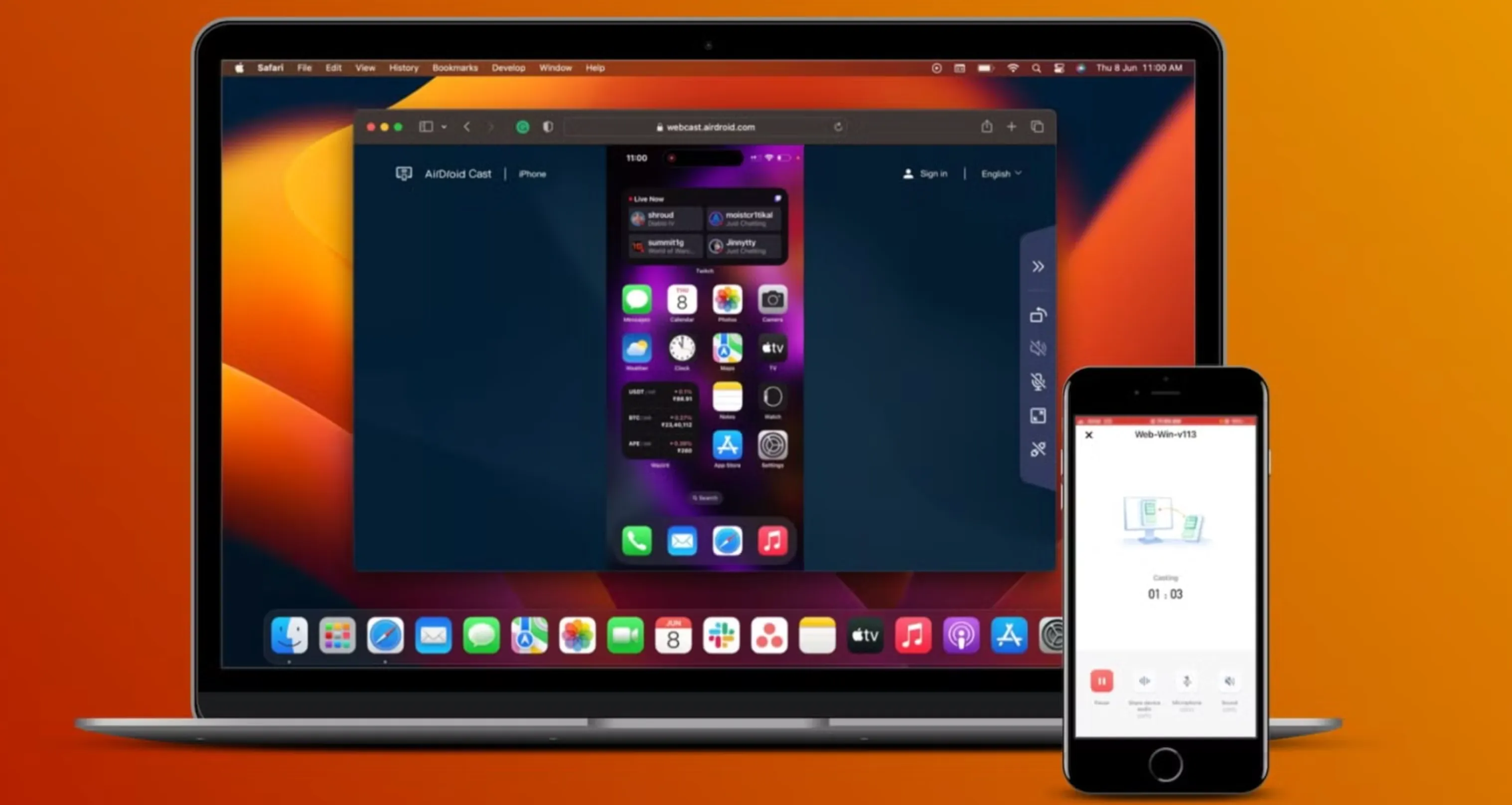
Screen mirroring is another easy way to play Wild Rift on a Mac without installing emulators. This method simply projects your iPhone or iPad screen onto your Mac, letting you see and control the game on a much bigger display while it still runs on your mobile device. Think of it as extending your phone to your Mac rather than running the game locally.
There are several solid screen mirroring options available for macOS, including iPhone Mirroring, ApowerMirror, and AirDroid Cast. Once connected over Wi-Fi and Bluetooth, your mobile screen appears in a window on your Mac, and you can interact with Wild Rift using your mouse or trackpad.
Pros
• Faster and easier setup than most emulators
• Very light on system resources
• No need to install Wild Rift separately on your Mac
• Your account progress stays synced on your phone or tablet
• Works well on older Macs that can’t handle emulators
• Lets you record gameplay directly from your Mac
Cons
• Your iPhone or iPad must stay active while playing
• Input delay can happen if the connection isn’t stable
• Performance depends entirely on your mobile device
• Long sessions can drain your phone or tablet battery faster
FAQs
Can you play Wild Rift on Mac officially?
No, Riot Games hasn’t released an official Mac version of Wild Rift, but you can still play it using emulators or screen mirroring.
What’s the best way to play Wild Rift on Mac?
Android emulators are best for performance and controls, while screen mirroring is easier if you want the native mobile experience.
Is playing Wild Rift on Mac safe?
Yes, as long as you use trusted emulators or Apple’s built-in iPhone mirroring, your account remains safe.
Does Wild Rift progress sync on Mac?
Yes, your progress syncs automatically as long as you log in with the same Riot account you use on mobile.
Conclusion
Playing Wild Rift on Mac is completely doable, even without an official desktop version. Whether you choose an Android emulator for better performance and custom controls or screen mirroring for a more authentic mobile experience, both options let you enjoy the game on a bigger screen with minimal hassle. The right method mostly depends on your Mac’s specs and how you prefer to play. With the steps covered in this guide, you can jump into Wild Rift on your Mac, keep your progress synced, and enjoy smoother matches without being limited to your phone.
Posted On: January 23rd, 2026
Recent Articles


Our 1v9 support team is available 24/7 to help you with any questions or issues you may have.
support@1v9.gg


-a6d5b3e156bb.webp)





Loading...
1v9.gg is not endorsed or affiliated by any game developers or publishers.
2026 1v9, All Rights Reserved, Created By Ritesh (riteshsahoo.com)