- Home
Games
 League of Legends
 Valorant
-a6d5b3e156bb.webp) Fortnite
Fortnite Call of Duty
 Clash of Clans
 Counter-Strike 2
 Roblox
 Rainbow Six Siege
 Clash Royale
 Minecraft
 Rocket League
 Dota 2
 Genshin Impact
 Squad Busters
 Rust
Rust Apex Legends
 Pokemon Go
 XDefiant
 LoL: Wild Rift
 Hay Day
 Diablo 4
 FC 25
FC 25 Marvel Rivals
 World of Warcraft
 Destiny 2
 Deadlock
-9ede9dc6b01b.webp) PUBG Mobile
PUBG Mobile The Finals
 Growtopia
 Forza Horizon 5
 Honkai: Star Rail
 Warframe
 8 Ball Pool
 Zenless Zone Zero
 Path of Exile
 Runescape 3
 Raid: Shadow Legends
 Lost Ark
 WoW: Classic Era
 Summoners War
 WoW: Season of Discovery
 WoW Cataclysm
 WoW: Hardcore
 Throne and Liberty
 New World
 Mobile Legends
 Escape From Tarkov
 Path of Exile 2
 Blade Ball
 Fisch
Fisch Pet Simulator 99
 Pets Go
-d8bcef7708c7.webp) One Piece Bounty
One Piece Bounty Anime Adventures
 Blox Fruits
 Adopt Me
 Murder Mystery 2
 Fragpunk
 Wuthering Waves
 Teamfight Tactics
 Free Fire
 Albion Online
 Black Desert Online
 Honor of Kings
 Brawl Stars
 Arena of Valor
 Call of Duty: Mobile
 Rematch
 Steal a Brainrot
 Grow a Garden
 FC 26
FC 26 Old School Runescape
 Plants vs Brainrots
 Overwatch
 Battlefield
 Arc Raiders
 Dragon Ball Legends
 Fallout 76
 Jailbreak
 Type Soul
 GPO
GPO DonutSMP
 Escape Tsunami For Brainrots
 Watcher of Realms
 Roblox Rivals
 2XKO
2XKO Sailor Piece
 Forza Horizon 6
 GTA 5
GTA 5- Lootboxes
- Become Affiliate
- Blog
- Contact Us
- Sign In
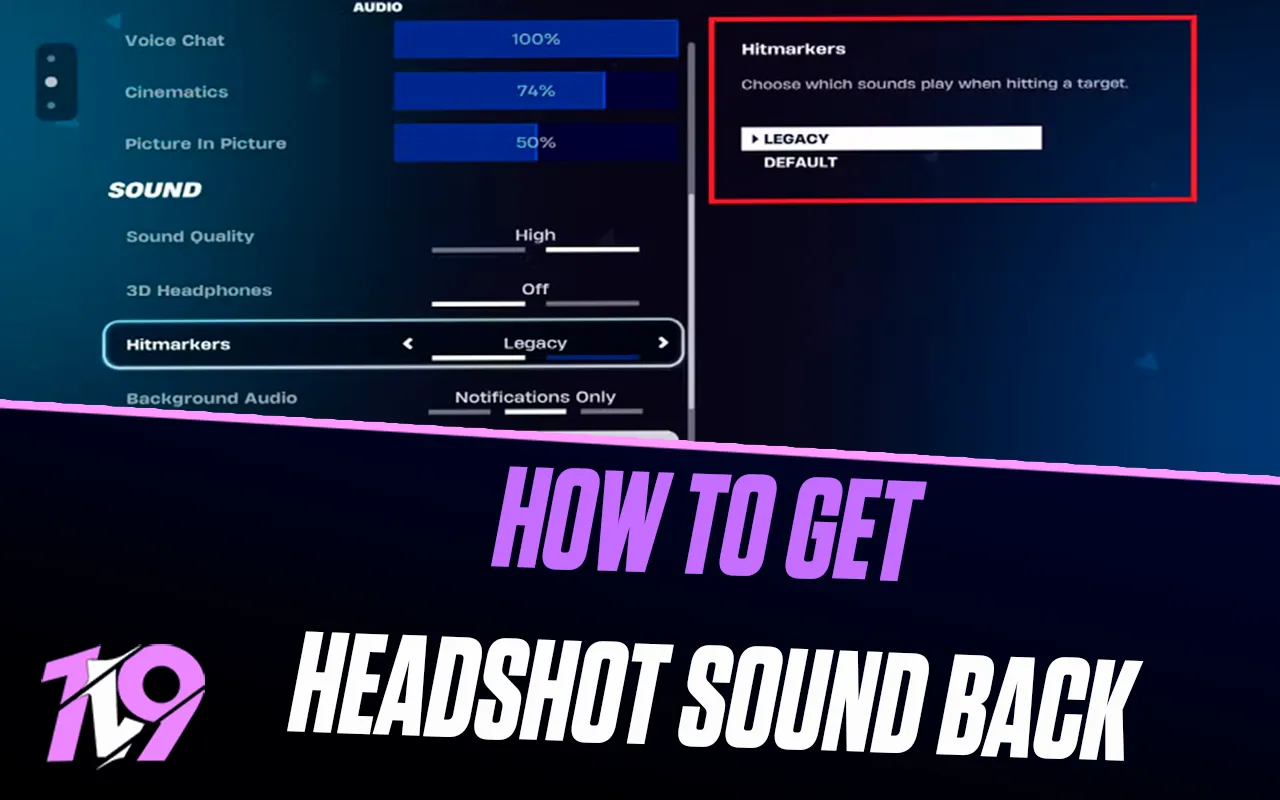

How To Get OG Headshot Sound Back in Fortnite
Fortnite is always evolving, with frequent updates that tweak gameplay, visuals, and audio. While some changes go unnoticed, others instantly catch the attention of the community. One of the most talked-about updates was the change to the headshot sound, which many long-time players felt didn’t match the classic Fortnite feel. After enough feedback, Epic Games added a setting that lets players choose which headshot sound they want to hear. In this guide, we’ll walk you through exactly how to switch back to the original headshot sound in Fortnite and restore that OG audio experience.
How To Change Headshot Sound in Fortnite
Landing a headshot in Fortnite deals extra damage, and the game makes that clear with yellow damage numbers and a distinct audio cue when the shot connects. This sound is important for many players, as it gives instant feedback during fights. When Fortnite Chapter 7 introduced a new headshot sound, a lot of long-time players felt it didn’t hit the same as the classic one they were used to.
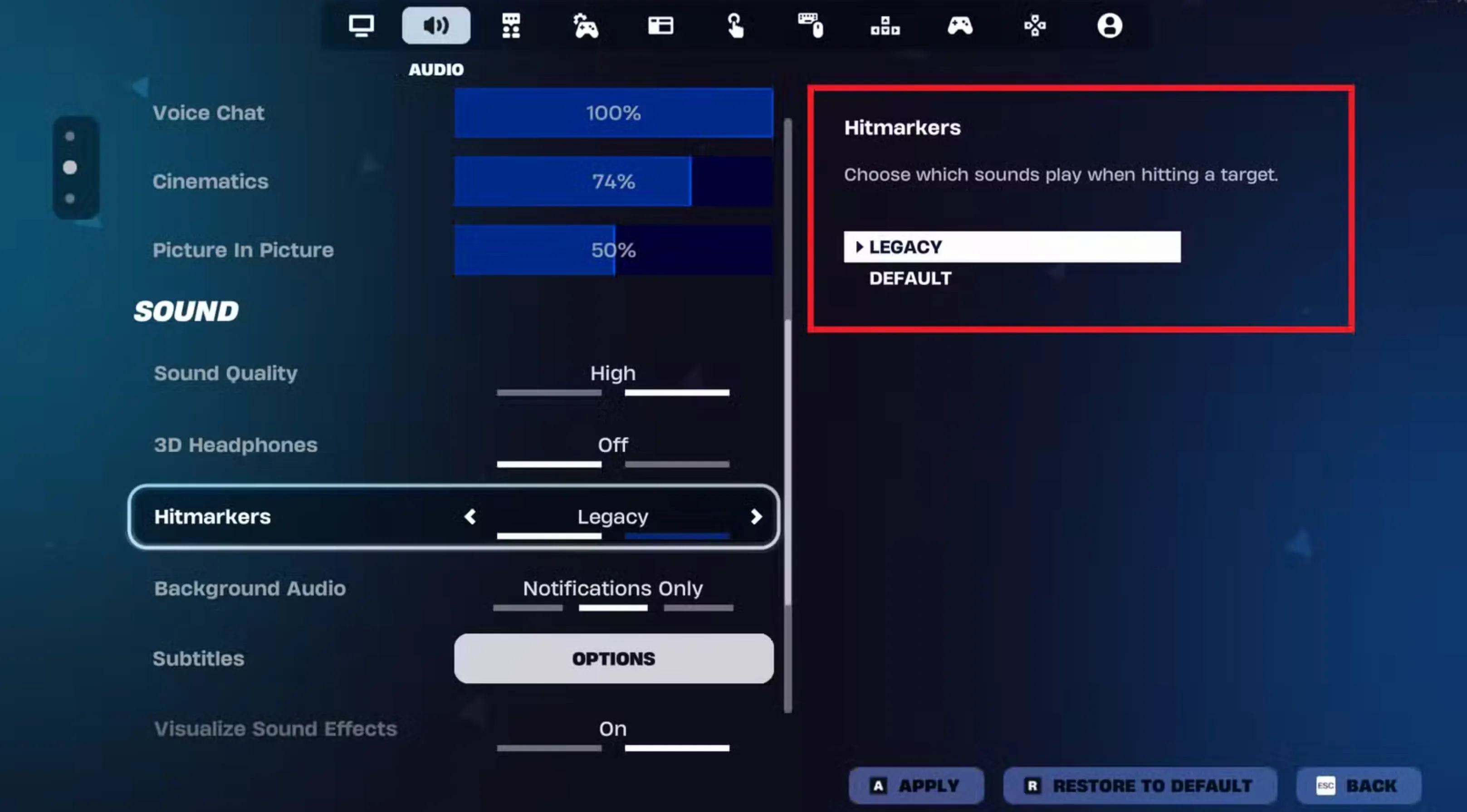
To switch back to the original headshot sound in Fortnite, open the Settings menu while in the game and head to the Audio tab. From there, scroll down to the Sound section and find the Hitmarkers option. Change it from Default to Legacy, and the game will immediately restore the OG headshot sound. This setting lets players choose the audio style they prefer, bringing back the familiar sound that many associate with classic Fortnite gameplay.
Conclusion
Bringing back the OG headshot sound in Fortnite is a quick and simple way to make the game feel more familiar, especially for long-time players. With Epic Games adding the option to choose your preferred hitmarker sound, you’re no longer stuck with changes you don’t enjoy. By switching the setting back to Legacy, you can restore the classic headshot audio and get that satisfying feedback during fights again. It’s a small tweak, but it can make a big difference in how Fortnite feels every time you land a clean headshot.
Posted On: December 12th, 2025
Recent Articles


Our 1v9 support team is available 24/7 to help you with any questions or issues you may have.
support@1v9.gg
Loading...
1v9.gg is not endorsed or affiliated by any game developers or publishers.
2026 1v9, All Rights Reserved, Created By Ritesh (riteshsahoo.com)