


How To Get Unbanned From CoD Mobile: Ban Appeal Guide
Getting banned from CoD Mobile is one of the most frustrating things that can happen, especially when you lose access to your rank, skins, weapon blueprints, and all the progress you’ve built over time. CoD Mobile’s security system is strict and relies heavily on automated detection, which means bans can happen for everything from gameplay violations to suspicious account activity. The good news is that many bans can be appealed if you understand the process and submit the right kind of request. In this guide, you’ll learn the different types of CoD Mobile bans, the most common reasons players get restricted, how to properly submit an appeal to Activision, and what you can expect during the review process. Whether your ban happened because of a misunderstanding, a false flag, or an account issue, this guide walks you through the clearest path to getting your CoD Mobile account back.
CoD Mobile Ban Types
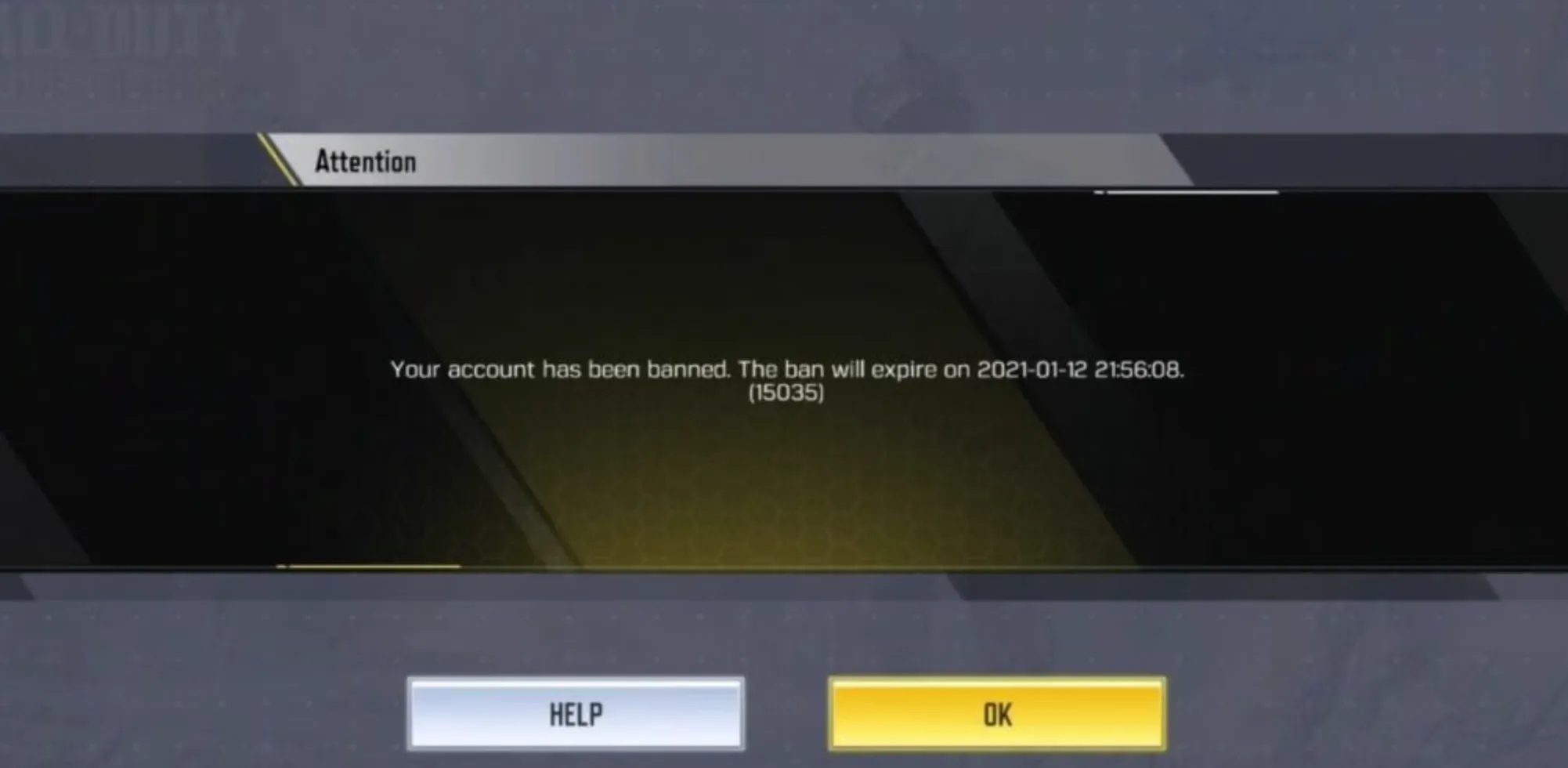
CoD Mobile issues several kinds of bans depending on the severity of the violation and whether it’s a repeat offense. Most bans come from the anti-cheat system, though manual moderation also plays a role.
Temporary Ban
These bans usually last from a few hours up to 7–14 days. They are often issued for minor violations such as suspicious gameplay behavior, connection anomalies, or false cheat flags. Once the timer expires, your account becomes accessible again.
Long-Term Ban
Longer bans range from 30 days to several months and are typically issued for more serious actions such as teaming, exploiting bugs intentionally, or repeated reports for unfair gameplay.
Permanent Ban
Permanent bans are irreversible unless issued by mistake. These are applied for confirmed cheating, using modded APKs, external scripts, emulator manipulation, or boosting services. Once a permanent ban is verified by the system, appeals only succeed when a clear error is proven.
Device Ban (Hardware Ban)
In extreme cases, CoD Mobile bans the device itself. This prevents the player from logging in even with a new account. Device bans are almost always linked to cheating or unauthorized modifications.
Why You Got Banned in CoD Mobile: Common Reasons

Players usually get banned in CoD Mobile for breaking the game’s rules or triggering the automated anti-cheat system. The most common reason is using unauthorized third-party apps, such as cheats, mod menus, aim-assist tools, or any software that gives unfair advantages. Even simple “optimization apps” can accidentally flag your account. Another major reason is account sharing or boosting, which violates Activision’s security policies and often results in temporary or permanent suspensions. Toxic behavior, repeated reports, exploiting glitches, or intentionally ruining matches can also lead to penalties. In some cases, bans happen because of a compromised account, suspicious login activity, or abnormal device behavior that looks like cheating. Understanding what triggered your ban helps you build a stronger appeal and avoid future issues.
How to Appeal a Ban and Get Unbanned From CoD Mobile

CoD Mobile bans can only be reviewed through Activision Support, and the appeal must come from the account owner. Start by visiting the Activision Support page and signing in with the banned account. Open a new ticket under the “Account, Login, or Security” or “Ban Appeal” category. In your message, explain what happened, when the ban occurred, and why you believe your suspension should be reviewed. Keep it short, honest, and direct. If your account was hacked or flagged by mistake, clearly mention any unusual activity, device changes, or logins you did not recognize. Avoid emotional explanations or blaming the system—Activision focuses on factual information. Once your ticket is submitted, all you can do is wait for their review. Most appeals are checked within a few days, but permanent bans tied to cheating software are rarely overturned. A well-written and respectful appeal gives you the best chance of having your CoD Mobile account restored.
Writing a Strong Appeal to Get Unbanned from CoD Mobile
A good appeal focuses on honesty, clarity, and respect. Start by acknowledging the ban notice you received and explaining your situation in simple terms. If you made a genuine mistake, say so directly and explain how you will avoid it in the future. If your account was compromised or you believe the ban was incorrect, explain why without blaming support or sounding defensive. Stick to the facts, and avoid emotional language or lengthy stories. Include any relevant evidence, such as proof of account recovery, screenshots of suspicious activity, or confirmation that unauthorized logins were made. Keep your tone calm and straightforward. Activision is far more likely to reconsider a ban when the appeal shows responsibility, sincerity, and a clear understanding of the rules.
How Long Until CoD Mobile Unbans Your Account?
How long you stay banned depends entirely on the type of ban you received. Temporary bans usually unlock automatically once the timer ends, whether that’s a few days or two weeks, and appeals rarely shorten these durations. Permanent bans, especially those issued for cheating, modded apps, or boosting, almost never get lifted unless you prove your account was hacked or flagged incorrectly. Appeals are typically reviewed within a few days, though high-volume periods can slow responses. If your appeal is denied, the ban stays in place permanently.
Conclusion
Getting banned from CoD Mobile is frustrating, but understanding why it happened and how the appeal system works gives you the best chance of recovering your account. Once you identify the reason behind your suspension, a clear and honest appeal can help Activision review your case, especially if the ban was caused by security issues or a system error. Going forward, playing fairly, keeping your account secure, and avoiding any third-party tools is the safest way to prevent future bans and enjoy CoD Mobile without interruptions.
Posted On: December 4th, 2025
Recent Articles


Our 1v9 support team is available 24/7 to help you with any questions or issues you may have.
support@1v9.gg


-a6d5b3e156bb.webp)





Loading...
1v9.gg is not endorsed or affiliated by any game developers or publishers.
2026 1v9, All Rights Reserved, Created By Ritesh (riteshsahoo.com)